

UniCredit RO - Mobile Banking
UniCredit Bank SA Finance iPhoneiPadiPod touch
UniCredit RO - Mobile Banking is a free Finance app for iPhone and iPad by UniCredit Bank SA. Rated 4.8/5 from 614 ratings. Requires iOS 15.0.
- Rating
- 4.8
- 614 ratings
- Price
- Free
- on the App Store
- Size
- 595 MB
- Age 4+
- Updated
- Oct 22
- 2026 · v26.6.49
Screenshots
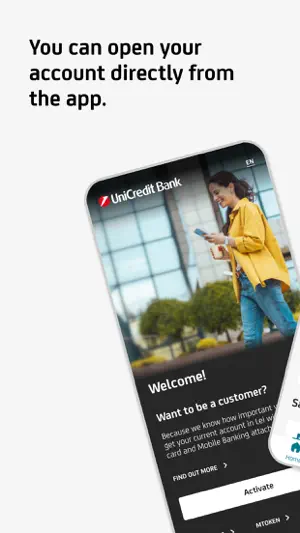


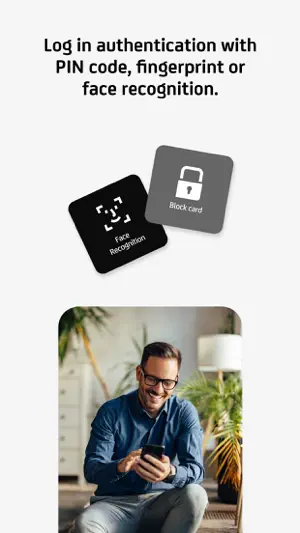
About UniCredit RO - Mobile Banking
The mobile application from UniCredit Bank has an intuitive, safe navigation and helps you save time for the things that really matter. - Do you want to enroll you card in Apple Pay and use your phone for payments? You can do it directly from Mobile Banking. Go to Cards/Card Info menu, press the "Add to Apple Wallet" button, enroll the card and activate the NFC on your phone. - Do you need quickly a debit card? Request a virtual one from home page or “Offers” menu. Easy to issue it, easy to close it. - Do you want to get money back for some of your transactions? Activate and use offers from ShopSmart cashback program that you may find in “Offers” menu. We have more than 100 partners. - Do you need to credit your UniCredit account quickly in order to pay contactless using your phone or to pay your monthly rate for your loan? Access "Add money" icon from Account page, fill in the amount and the card details, and authorize the card transaction as you normally do when making online payments using that card. - Have you changed your phone number or e-mail address and want to update your contact details in relationship with the Bank? From "My Profile" menu you can update the phone number, the email address and even upload your ID picture. - Do you want to stop worrying about bill payment deadlines? You can activate a Direct Debit mandate from Payments/Utility Payments and the bills will be automatically payed each month from your current account. You can set up a limit or cancel the mandate at any time. - Did you forgot your card at home and you need to withdraw cash? All you need to do is access the mCash icon from the Accounts or Card menu (only those with RON currency), specify the amount and generate the code, which you can use at any UniCredit Romania cash withdraw terminal. - Do you want to pay utility bills? You can do it directly by scanning the barcode on the invoice, without the necessity to complete any additional details. - Do you want to block a card or to set its limits? Tap on the Cards menu, choose the desired card and you have full access to its settings. You can change POS or ATM limits and you can also block/unblock it or decide whether you want to use it for online payments. Anytime, on the spot. - Do you want to pay back your credit card? Select the credit card repayment option from either the Payments menu, or from the Cards menu after you previously choose the desired card. You modify the amount, if you want, and sign. - Do you want to open a term deposit? Select the option from the Products menu and open the desired term deposit with just a few clicks. - Do you want to get rid of the digipass? Activate Mobile Token. The app generates unique passwords for each authentication or transaction authorization you do in Online Banking. - And much more.
Ratings & reviews
4.8
614 ratings
What’s new
Version 26.6.49 · Updated October 22, 2026
Thank you for using the app! What’s new with this version? • you can now view your card PIN in just a few simple steps; • you can now change your card PIN directly in the app; • virtual cards are now available for USD accounts; • we've added new designs for virtual cards.
App privacy
The developer, UniCredit Bank SA, reported these privacy practices to Apple.
Data Linked to You
The following data, which may be collected and linked to your identity, may be used for the following purposes:
- Purchases: Purchase History
- Financial Info: Payment Info, Credit Info, Other Financial Info
- Contact Info: Physical Address, Email Address, Name, Phone Number
- Identifiers: User ID, Device ID
Used for: App Functionality
Data Not Linked to You
The following data, which may be collected but is not linked to your identity, may be used for the following purposes:
- Usage Data: Product Interaction
- Diagnostics: Crash Data, Performance Data, Other Diagnostic Data
- Location: Precise Location
Used for: Analytics, App Functionality
Alternatives to UniCredit RO - Mobile Banking
Looking for apps like UniCredit RO - Mobile Banking? Here are 6 similar apps on the App Store. The highest rated is Ghiseul.ro (4.9/5), and all 6 are free to download.
-
 Mobile Banking UniCredit
4.7
Mobile Banking UniCredit
4.7
-
 ING HomeBank
4.7
ING HomeBank
4.7
-
 Raiffeisen SmartToken
4.6
Raiffeisen SmartToken
4.6
-
 George Romania
4.8
George Romania
4.8
-
 Ghiseul.ro
4.9
Ghiseul.ro
4.9
-
 Raiffeisen Smart Mobile
4.8
Raiffeisen Smart Mobile
4.8
| App | Rating | Price | Last updated | Compare |
|---|---|---|---|---|
| UniCredit RO - Mobile Banking | 4.8 / 5 (614 ratings) | Free | October 22, 2026 | |
| Mobile Banking UniCredit | 4.7 / 5 (3,215) | Free | Oct 29, 2026 | Compare |
| ING HomeBank | 4.7 / 5 (729) | Free | Sep 28, 2026 | Compare |
| Raiffeisen SmartToken | 4.6 / 5 (301) | Free | Oct 28, 2026 | Compare |
| George Romania | 4.8 / 5 (2,191) | Free | Oct 20, 2026 | Compare |
| Ghiseul.ro | 4.9 / 5 (244) | Free | Oct 13, 2026 | Compare |
| Raiffeisen Smart Mobile | 4.8 / 5 (1,265) | Free | Oct 22, 2026 | Compare |