

MoviePro - Pro Camera
Deepak Sharma Photo & Video iPhoneiPadiPod touchApple Watch
MoviePro - Pro Camera is a free Photo & Video app for iPhone and iPad by Deepak Sharma. Rated 4.4/5 from 1,803 ratings. Requires iOS 18.0.
- Rating
- 4.4
- 1.8K ratings
- Price
- Free
- on the App Store
- Size
- 29 MB
- Age 4+
- Updated
- Oct 18
- 2026 · v1.0.7
Screenshots



About MoviePro - Pro Camera
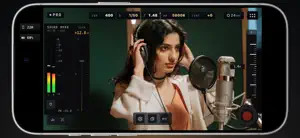
Make every shot your own. MoviePro brings manual camera control, professional recording formats, live scopes and audio tools to iPhone and iPad. Shoot films, documentaries, music performances, field reports and everyday moments with a setup that fits the scene. All capture modes are free. PRO CONTROL, READY TO SHOOT Start in Pro with direct access to ISO, shutter speed or angle, white balance, tint, focus and zoom. Use automatic settings where you need them and take manual control where it matters. Adjust aperture on supported variable-aperture cameras. Set A/B focus and zoom points for repeatable moves, and save camera setups as presets for your next shoot. Switch to Auto for fast-moving situations. Tap to place focus and exposure, use focus or exposure lock, hold white balance, and adjust brightness and motion blur without managing every setting yourself. RECORD FOR YOUR WORKFLOW • 4K, 1080p and 720p with H.264 or HEVC • ProRes 422, HQ, LT and Proxy on supported devices • Full-sensor ProRes RAW and RAW HQ to a compatible external SSD or ProVideo Storage on device • Apple Log and Apple Log 2, SDR and HDR recording • Frame rates up to 240 fps where supported, with exact NTSC rates in Pro • Time of Day or Record Run timecode on supported recording paths • Aspect-ratio guides and crops, anamorphic desqueeze and 35mm adapter flip • Selectable stabilization and Long-Record Mode for extended takes • Import .cube LUTs with live preview, Mix and baked recording up to 60 fps for Rec 709, Rec 2020, or Apple Log SEE YOUR LOG FOOTAGE IN COLOR View Apple Log and Apple Log 2 as Original Log, Rec.709 or Rec.2100 HLG HDR. Keep the viewing transform in the preview while recording the original Log image, or bake the selected look into supported recordings. Preview and recording choices stay explicit, so you know what you are saving. Import .cube LUTs, preview them live with Mix, and bake them into takes up to 60 fps. MONITORING Open the waveform, RGB parade, Vectorscope or Histogram to evaluate exposure and color. Check focus with peaking and exposure with zebras, false color and clipping indicators. Send a clean HDMI picture to a compatible external display. HEAR WHAT YOU ARE RECORDING Connect a wired microphone, USB audio interface, wireless receiver or supported Bluetooth microphone. Select your audio source, adjust available input gain and monitor through headphones. Expanded meters and peak hold help you watch levels, with warnings for clipping, silence and disconnection. Choose AAC, LPCM or 32-bit Float audio where supported. DUAL CAPTURE Use Dual Capture on compatible devices to record two angles together. Choose picture-in-picture, split screen, separate files or switching between cameras in a single recording. Move and resize the picture-in-picture inset while filming. DIRECT FROM ANOTHER DEVICE Use another iPhone or iPad or Mac(Apple-silicon) to see the camera's live picture, adjust supported controls and start, pause or stop a take over Wi-Fi or Personal Hotspot. Apple Watch offers preview and start/stop control. KEEP TRACK OF YOUR TAKES Record to the MoviePro Library, Photos, Files or compatible external storage. Check storage and thermal status during a shoot. Review Take Receipts and clip information for recording details and warnings, mark Favorites or Good Takes, and share your footage. Failed takes can Send Diagnostics to support. FREE CAMERA. OPTIONAL REMOTE CONTROL. Use Auto, Pro, scopes, presets and Dual Capture without a recording purchase. Unlock Remote Control with a one-time purchase; no subscription is required. Eligible previous purchases can be restored in the app. Features, formats and frame rates vary by device, operating system, camera and recording setup. Support: [email protected] Privacy Policy: https://www.moviepro.app/Privacy-Policy.html Terms of Use: https://www.apple.com/legal/internet-services/itunes/dev/stdeula/
Ratings & reviews
4.4
1.8K ratings
What’s new
Version 1.0.7 · Updated October 18, 2026
What's new in 10.0.7 • Import your own LUTs: add .cube files in Settings › Looks, preview them live in Pro from the look menu, and blend them with Mix. • Record through a LUT: turn on Bake LUT in recording to save the take with the look applied. Single camera, up to 60 fps. • Front camera: no longer refuses to record when it can't match your chosen resolution or frame rate. • Front camera with Background Blur or other video effects: records at the fastest rate it can, for example 30 fps when you chose 60, and the Assist Line says so. • Changing the aspect ratio no longer drops a 4K setting to 1080p. • AirPods and Bluetooth microphones: Record no longer refuses while the audio route is switching, and fewer frames are lost when AirPods connect as you press Record. • If a recording can't start or fails, the alert now offers Send Diagnostics, so you can email us a report about that take. • Contact Support is now at the top of Settings and attaches your most recent problem reports. • MoviePro warns you during a take if video stops recording. • A take that stops early but keeps its footage now shows as Take aborted, including on an SSD, in Files and on a Remote controller. • Fixed a crash when leaving the camera just as it was starting. • Fixed a frozen picture at the end of some takes.
App privacy
The developer, Deepak Sharma, reported these privacy practices to Apple.
Data Not Linked to You
The following data, which may be collected but is not linked to your identity, may be used for the following purposes:
- Identifiers: User ID
- Usage Data: Product Interaction
- Diagnostics: Crash Data, Performance Data
- Location: Precise Location
Used for: Analytics, App Functionality
Alternatives to MoviePro - Pro Camera
Looking for apps like MoviePro - Pro Camera? Here are 6 similar apps on the App Store. The highest rated is Cinema P3 Pro Camera (4.7/5), and all 6 are free to download.
-
 Cinema P3 Pro Camera
4.7
Cinema P3 Pro Camera
4.7
-
 Mavis Camera: Pro Capture
4.4
Mavis Camera: Pro Capture
4.4
-
 Filmic Pro-Video Camera
3.7
Filmic Pro-Video Camera
3.7
-
 ProMovie Recorder
4.7
ProMovie Recorder
4.7
-
 VideoCam+ Video Recorder
4.6
VideoCam+ Video Recorder
4.6
-
 REC - Pro Video Camera
3.8
REC - Pro Video Camera
3.8
| App | Rating | Price | Last updated | Compare |
|---|---|---|---|---|
| MoviePro - Pro Camera | 4.4 / 5 (1,803 ratings) | Free | October 18, 2026 | |
| Cinema P3 Pro Camera | 4.7 / 5 (377) | Free | Oct 27, 2026 | Compare |
| Mavis Camera: Pro Capture | 4.4 / 5 (746) | Free | Oct 13, 2026 | Compare |
| Filmic Pro-Video Camera | 3.7 / 5 (10,180) | Free | Sep 8, 2026 | Compare |
| ProMovie Recorder | 4.7 / 5 (20,729) | Free | Sep 18, 2026 | Compare |
| VideoCam+ Video Recorder | 4.6 / 5 (4,264) | Free | Jul 31, 2026 | Compare |
| REC - Pro Video Camera | 3.8 / 5 (70) | Free | Oct 25, 2026 | Compare |