

REC - Pro Video Camera
LateNiteSoft S.L. Photo & Video iPhoneiPadiPod touch
REC - Pro Video Camera is a free Photo & Video app for iPhone and iPad by LateNiteSoft S.L. Rated 3.8/5 from 70 ratings. Requires iOS 26.0.
- Rating
- 3.8
- 70 ratings
- Price
- Free
- on the App Store
- Size
- 25 MB
- Age 4+
- Updated
- Oct 25
- 2026 · v8.2
Screenshots
About REC - Pro Video Camera
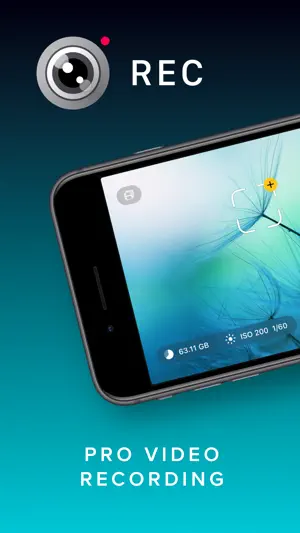
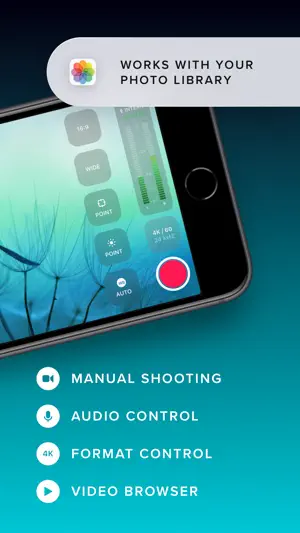
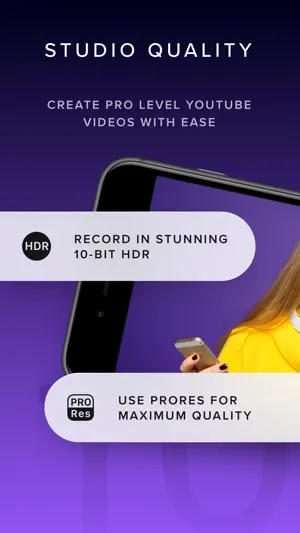
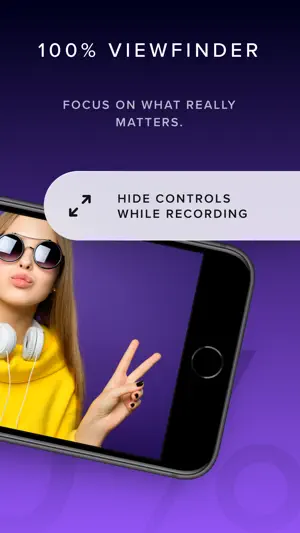
Elevate your video capturing with REC! Tailored for creators, it provides extensive video and audio options for professional-quality production effortlessly. Choose from a range of camera settings, stabilization options, resolutions, frame rates, and more to capture the perfect video every time. And with intuitive controls and an easy-to-read heads-up display, you can adjust focus, exposure, and more with just a tap. Plus, with REC's timecode feature, you can easily synchronize footage from multiple devices for seamless, multi-angle videos. Choose from "Time of Day" timecode or use Bluetooth sync with Tentacle Sync devices for precise, one-frame resolution synchronization. And with seamless management options, including preview, watch, and send directly to your photo library or favorite editing app, you can create and share professional-quality videos with ease. Here's a quick summary of REC's plethora of video options: - Camera: Front, Telephoto, Wide, Ultra-Wide (As available on your device.) - Camera Stabilization (As available by device and camera selection.) - Resolution: Open Gate, 4K, 1080p, 720p (As available by device.) - FPS: 240, 120, 60, 50, 48, 30, 29.97, 25, 24, 23.98 (As available by device and camera selection.) - Bit Rate: Normal, High, Max - Dynamic Range: 8 Bit, 10 Bit, 10 Bit HDR (As available by device and other selections.) - Format: HEVC, H.264, ProRes 422 HQ, ProRes RAW HQ (As available by device and other selections.) - Lock Exposure and White Balance when recording begins. - Apple Log and Apple Log 2 support when recording in ProRes. - External storage support for iPhone 15 to 17 Pro using USB-C, Audio Here's a quick summary of REC's extensive audio options: - Microphone: Front, Back, Bottom, External (As available on your device.) - Microphone Gain control - Microphone Polar Pattern control: Choose omni, subcardioid, cardioid or stereo pickup depending on what best fits your usage. (As available by device and microphone.) - Sample Rate: 24Khz, 44.1Khz, 48Khz - Format: AAC, PCM Lot of options! But REC gives you simplicity along with flexibility, you'll never be able to select a combination that doesn't work with your device. Captivating Controls REC's floating buttons put pro level controls at your fingertips, and keeps them out of the way while you're focusing on what's important, shooting your video! A single tap brings up any of the control menus where you can adjust the white balance, shutter speed, ISO, EV, and focus manually. Or, use our intuitive touch controls to specify precisely where in your frame focus on and expose to. Quickly swap between the Wide, Ultra-Wide, Telephoto, or Front cameras and different formats with a flick of your finger, and your selection is always available at a glance. Optionally overlay a grid, and zoom in or out to help you frame the perfect shot every time. Terrific Timecodes REC provides two Timecode methods. The first one is "Time of Day", which simply records your device's clock information alongside the video. In order for it to work, just make sure all your devices are set to the same time. For really accurate and extremely simple synchronization, REC also provides Bluetooth sync using Tentacle Sync devices. Using Tentacle Timecode, REC is able to synchronize your iPhone footage with high accuracy. You can find more about the Tentacle Sync solutions at https://tentaclesync.com. Marvelous Management REC saves all of your videos seamlessly to the built-in manager that lets you quickly and easily preview your creations. Watch your shots at different speeds, and preview them without sound if you're trying to find the right shot to share in a sensitive environment. Sending a video to your photo library or favorite editor is just a tap away. Or if you'd prefer, send videos directly to the Photo Library and enjoy its seamless integration with any app that supports video. Terms of use: https://www.apple.com/legal/internet-services/itunes/dev/stdeula/
Ratings & reviews
3.8
70 ratings
What’s new
Version 8.2 · Updated October 25, 2026
Hello, iPhone Duo One camera app for both displays. Open or close your iPhone Duo and REC smoothly rearranges its layout in one motion. On the outer display, the familiar REC controls frame your shot at full height. On the inner display, controls move beside or below the image, keeping every part of your composition visible. Choose either front camera. iPhone Duo has a camera on each display, and REC lets you select them directly as Outer or Inner. REC never changes lenses without your permission. The only exception is when you close the device with the Inner camera selected. Because that camera is covered, REC switches to Outer automatically. If you are recording, your take is saved first. Rotate freely before you record. On the inner display, REC follows the way you hold your device. Press record and the preview and controls stay fixed, so your clip keeps the orientation you started with, even if you open or close the device during the take. Use REC beside another app. Follow a script, review a shot list, or stay on a call while filming. Drag REC to one side of the inner display to use it alongside another app. REC switches to a compact layout while keeping all essential controls within reach. Additional improvements include faster camera switching, accurate orientation and framing for every lens, crop guides for every shooting position, and automatic recovery from unexpected camera errors. Have an idea, question, comment, or problem with REC? Contact us through the in app bug reporter or at [email protected]. Your feedback helps shape the future of our apps.
App privacy
The developer, LateNiteSoft S.L., reported these privacy practices to Apple.
Data Not Linked to You
The following data, which may be collected but is not linked to your identity, may be used for the following purposes:
- Diagnostics: Crash Data
Used for: App Functionality
Alternatives to REC - Pro Video Camera
Looking for apps like REC - Pro Video Camera? Here are 6 similar apps on the App Store. The highest rated is Deep Movie - Pro Video Camera (4.8/5), and 5 of the 6 are free to download.
-
 Cinema P3 Pro Camera
4.7
Cinema P3 Pro Camera
4.7
-
 Portrait Video - Blurry Effect
4.5
Portrait Video - Blurry Effect
4.5
-
 MoviePro - Pro Camera
4.4
MoviePro - Pro Camera
4.4
-
 ProCam - Manual Video Recorder
4.4
ProCam - Manual Video Recorder
4.4
-
 Focos Live
4.5
Focos Live
4.5
-
 Deep Movie - Pro Video Camera
4.8
Deep Movie - Pro Video Camera
4.8
| App | Rating | Price | Last updated | Compare |
|---|---|---|---|---|
| REC - Pro Video Camera | 3.8 / 5 (70 ratings) | Free | October 25, 2026 | |
| Cinema P3 Pro Camera | 4.7 / 5 (376) | Free | Oct 31, 2026 | Compare |
| Portrait Video - Blurry Effect | 4.5 / 5 (302) | Free | Oct 12, 2026 | Compare |
| MoviePro - Pro Camera | 4.4 / 5 (1,807) | Free | Oct 18, 2026 | Compare |
| ProCam - Manual Video Recorder | 4.4 / 5 (176) | Free | Aug 4, 2025 | Compare |
| Focos Live | 4.5 / 5 (5,461) | Free | Dec 19, 2023 | Compare |
| Deep Movie - Pro Video Camera | 4.8 / 5 (228) | 0.99 USD | Oct 9, 2026 | Compare |