

Polychord: Chord Instrument
Apposite Music iPad
Polychord: Chord Instrument is a paid Music app for iPad by Apposite. Rated 4.4/5 from 39 ratings. Requires iOS 15.0. Updated August 11, 2026.
- Rating
- 4.4
- 39 ratings
- Price
- 9.99 USD
- on the App Store
- Size
- 23 MB
- Age 4+
- Updated
- Aug 11
- 2026 · v3.1.1
Screenshots

About Polychord: Chord Instrument
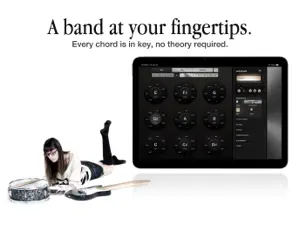
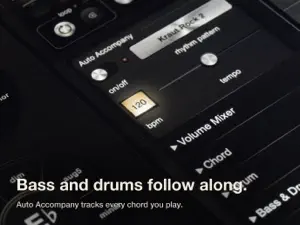
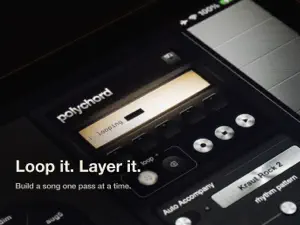
Polychord turns your iPad into a chord instrument — a full band at your fingertips. Nine chord circles hold every chord in your key — arranged so the right one is always under your fingers. Tap a circle to hear it, and the ring around it offers the colors: sevenths, sixths, suspensions. Strum across the keys like a harp. You can't hit a wrong note, and you never have to stop and think. Flip on Auto Accompany and a rhythm section falls in behind you: bass and drums that follow every chord change you make, in styles from folk to funk to krautrock. One finger becomes a band. When something good happens, hit record. Loop, layer, and bounce it to audio, or export multi-track MIDI with chords, strum, bass, arpeggiator, and drums on separate tracks, ready for your DAW. In the studio, Polychord comes with you. The AUv3 MIDI-effect plugin puts the chord grid inside DAWs like Logic Pro that support MIDI effects, and MIDI in and out means it can play — or be played by — everything else you own. Whether you've played for twenty years or never learned an instrument, Polychord closes the gap between imagining music and making it. FEATURES • Nine chord circles covering the full harmony of any major or minor key • Chord palettes for folk, jazz, gospel, bossa nova, soul, cinematic, and more • Strum keys with pitch bend • Auto Accompany: bass lines and drum patterns that follow your chords • Arpeggiator with adjustable direction, rate, and octave span • Built-in wavetable synth with ADSR envelopes, filter, delay, and bitcrusher • Record performances and bounce to audio • Multi-track MIDI export: chords, strum, bass, arpeggiator, and drums on separate tracks • MIDI out to any app or hardware; MIDI in to trigger chords from a keyboard • You can even split your MIDI output to trigger multiple instruments at once in DAWs like Logic • AUv3 MIDI-effect plugin: play the chord grid inside your favorite host • AUv3 works in DAWs like Logic Pro that support MIDI effect plug-ins Polychord is a one-time purchase. No subscription, no in-app purchases, no account. Your music stays yours.
Ratings & reviews
4.4
39 ratings
What’s new
Version 3.1.1 · Updated August 11, 2026
Polychord grows up and plugs in: • New AUv3 MIDI-effect plugin — play Polychord's chord grid inside DAWs like Logic Pro • MIDI input: trigger chords from any external keyboard or controller • Export performances as multi-track MIDI — chords, strum, bass, arpeggiator, and drums on separate tracks • Now localized in Japanese and German • Bug fixes and performance improvements
App privacy
The developer, Apposite, reported these privacy practices to Apple.
Data Not Collected
The developer does not collect any data from this app.
Alternatives to Polychord: Chord Instrument
Looking for apps like Polychord: Chord Instrument? Here are 6 similar apps on the App Store. The highest rated is EverSpace (5.0/5), and 2 of the 6 are free to download.
-
 EverSpace
5.0
EverSpace
5.0
-
 MIDI Strummer AUv3 Plugin
4.3
MIDI Strummer AUv3 Plugin
4.3
-
 Omni: Pocket Synth
5.0
Omni: Pocket Synth
5.0
-
 SampleScape
5.0
SampleScape
5.0
-
 OR-1 MIDI Sequencer
5.0
OR-1 MIDI Sequencer
5.0
-
 HALion Sonic Play: Workstation
4.8
HALion Sonic Play: Workstation
4.8
| App | Rating | Price | Last updated | Compare |
|---|---|---|---|---|
| Polychord: Chord Instrument | 4.4 / 5 (39 ratings) | 9.99 USD | August 11, 2026 | |
| EverSpace | 5.0 / 5 (2) | 7.99 USD | Aug 26, 2026 | Compare |
| MIDI Strummer AUv3 Plugin | 4.3 / 5 (50) | 7.99 USD | Aug 14, 2026 | Compare |
| Omni: Pocket Synth | 5.0 / 5 (4) | Free | Jun 29, 2026 | Compare |
| SampleScape | 5.0 / 5 (2) | 7.99 USD | Mar 31, 2026 | Compare |
| OR-1 MIDI Sequencer | 5.0 / 5 (7) | Free | Aug 28, 2026 | Compare |
| HALion Sonic Play: Workstation | 4.8 / 5 (77) | 19.99 USD | Aug 4, 2026 | Compare |