

Learning Clock Timer
Keaton.com Utilities iPhoneiPadiPod touch
Learning Clock Timer is a paid Utilities app for iPhone and iPad by Keaton.com. Rated 3.0/5 from 1 ratings. Requires iOS 15.0. Updated February 10, 2025.
- Rating
- 3.0
- 1 ratings
- Price
- 3.99 USD
- on the App Store
- Size
- 6 MB
- Age 4+
- Updated
- Feb 10
- 2025 · v1.1.1
Screenshots


About Learning Clock Timer
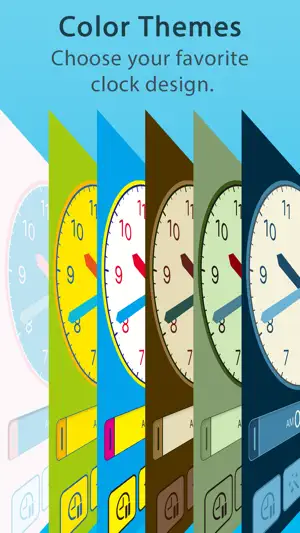
This is an all-in-one clock learning app for children that includes a clock, alarm, and timer. We also recommend this app for seniors who are looking for a clock app with a large display that is easy to read. By using this app with your child, they will naturally acquire a sense of time and will be able to act calmly. They can also learn how to read a clock correctly. We hope you will make use of this app at home and at school. [ MAIN FUNCTIONS ] - Clock Both analog and digital clocks are displayed in large size and are very easy to read. There are various functions that are useful in learning how to read a clock, such as dragging the hands of the clock with your finger to move them freely and switching the clock display mode with a single button. - Alarm The alarm screen displays both the current time and the scheduled time, making it easy to keep track of the time remaining until the scheduled time. Each alarm can be assigned an easy-to-understand label and image, so it can be used as a simple scheduler. - Timer The timer features a circle-shaped meter display for easy visualization of remaining time, and four buttons for quick and easy time setting. - Customization The settings screen allows you to customize all functions related to the clock in detail. You can also choose your favorite design from more than 10 different color themes. It is also possible to adjust the color of the text, the color of the hands of the clock, etc. [ TARGET USERS ] The main target users are between 4 and 12 years old, but the app was developed to be easy to use for people of all ages, from small children to seniors. The app is also compatible with various accessibility features, so we hope that it can be used as a support tool for people with disabilities. [ NOTES ] - When a small child uses the app, please use it with parents or guardians until the child becomes accustomed to its operation. - If Focus mode is ON in the device settings, the alarm sound will not sound. In that case, please register this app as an app that allows notifications in Focus settings. - For convenience, the app does not automatically sleep while the clock, alarm, and timer are in operation. Please be aware of the remaining battery level, etc. This function can be turned off in the settings within the app.
What’s new
Version 1.1.1 · Updated February 10, 2025
• Improve compatibility with newer iOS *Due to technical reasons, this update requires iOS 15 or later • Remove in-app purchases • Minor bug fixes and small improvements
App privacy
The developer, Keaton.com, reported these privacy practices to Apple.
Data Not Collected
The developer does not collect any data from this app.
Alternatives to Learning Clock Timer
Looking for apps like Learning Clock Timer? Here are 6 similar apps on the App Store. The highest rated is Visual Timer - Focus & Simple (4.2/5), and 5 of the 6 are free to download.
-
 Visual Timer - Focus & Simple
4.2
Visual Timer - Focus & Simple
4.2
-
 子供タイマー
-
 いっしょにはみがき
-
 イージータイマー シンプルでわかりやすい!キッズタイマー
-
 Furigana PDF
4.0
Furigana PDF
4.0
-
 Yubidenwa Poppo
| App | Rating | Price | Last updated | Compare |
|---|---|---|---|---|
| Learning Clock Timer | 3.0 / 5 (1 rating) | 3.99 USD | February 10, 2025 | |
| Visual Timer - Focus & Simple | 4.2 / 5 (6) | Free | Oct 16, 2026 | Compare |
| 子供タイマー | – | Free | Apr 24, 2024 | Compare |
| いっしょにはみがき | – | Free | May 13, 2024 | Compare |
| イージータイマー シンプルでわかりやすい!キッズタイマー | – | Free | Dec 18, 2025 | Compare |
| Furigana PDF | 4.0 / 5 (2) | Free | Oct 4, 2026 | Compare |
| Yubidenwa Poppo | – | 3.99 USD | Jan 19, 2025 | Compare |