

Furigana PDF
telethon k.k. Utilities iPhoneiPadiPod touchMac
Furigana PDF is a free Utilities app for iPhone and iPad by telethon k.k. Rated 4.0/5 from 2 ratings. Requires iOS 17.0. Updated October 22, 2026.
- Rating
- 4.0
- 2 ratings
- Price
- Free
- on the App Store
- Size
- 54 MB
- Age 4+
- Updated
- Oct 22
- 2026 · v1.3.0
Screenshots

About Furigana PDF
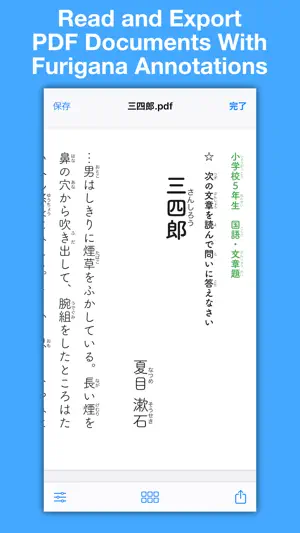
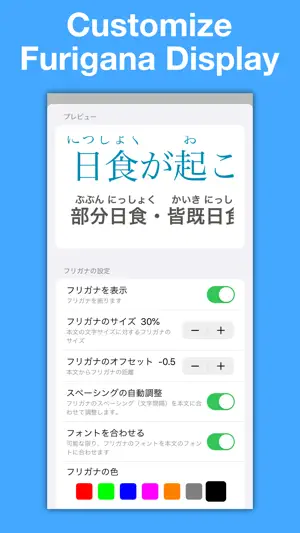
Struggling to read Japanese texts? Furigana PDF has you covered. Open any Japanese language PDF and Furigana PDF will automatically add furigana reading aids (ruby) to all Kanji characters. You can customize furigana display to match the layout of your existing PDF to create beautiful documents. You can also scan existing paper documents with your camera and add furigana. Naturally, furigana-annotated PDFs can be exported and opened in other applications or ebook readers. We respect your privacy. Furigana annotation works entirely offline and no data ever leaves your device. You can easily organize your PDFs in the Files app. No internet connection, account, or login required. Furigana PDF supports both horizontal and vertical text. Please note that in rare cases furigana display may fail if crucial layout information is absent from the source PDF.
What’s new
Version 1.3.0 · Updated October 22, 2026
- iPhone Duo compatibility
App privacy
The developer, telethon k.k., reported these privacy practices to Apple.
Data Not Collected
The developer does not collect any data from this app.
Alternatives to Furigana PDF
Looking for apps like Furigana PDF? Here are 6 similar apps on the App Store. The highest rated is Furigana Camera - Kanji Reader (4.0/5), and 5 of the 6 are free to download.
-
 Teach me Furigana - AI Reader
-
 Furigana Camera - Kanji Reader
4.0
Furigana Camera - Kanji Reader
4.0
-
 ひらがなカメラ-漢字をひらがなで読む
-
 QR提出物チェッカー
-
 Learning Clock Timer
3.0
Learning Clock Timer
3.0
-
 漢かな
漢かな
| App | Rating | Price | Last updated | Compare |
|---|---|---|---|---|
| Furigana PDF | 4.0 / 5 (2 ratings) | Free | October 22, 2026 | |
| Teach me Furigana - AI Reader | – | Free | May 25, 2024 | Compare |
| Furigana Camera - Kanji Reader | 4.0 / 5 (5) | Free | Aug 13, 2026 | Compare |
| ひらがなカメラ-漢字をひらがなで読む | – | Free | Aug 1, 2025 | Compare |
| QR提出物チェッカー | – | Free | Aug 18, 2026 | Compare |
| Learning Clock Timer | 3.0 / 5 (1) | 3.99 USD | Feb 10, 2025 | Compare |
| 漢かな | – | Free | Jun 6, 2026 | Compare |
Compare Furigana PDF with the top alternatives: ratings, updates, ASO score and keyword gaps →