

Watermark PDF & Photo: Marklio
Evgeniy Konev Utilities iPhoneiPadiPod touch
Watermark PDF & Photo: Marklio is a free Utilities app for iPhone and iPad by Evgeniy Konev. Rated 4.7/5 from 30 ratings. Requires iOS 26.0.
- Rating
- 4.7
- 30 ratings
- Price
- Free
- on the App Store
- Size
- 17 MB
- Age 4+
- Updated
- Aug 11
- 2026 · v3.1.1
Screenshots
About Watermark PDF & Photo: Marklio
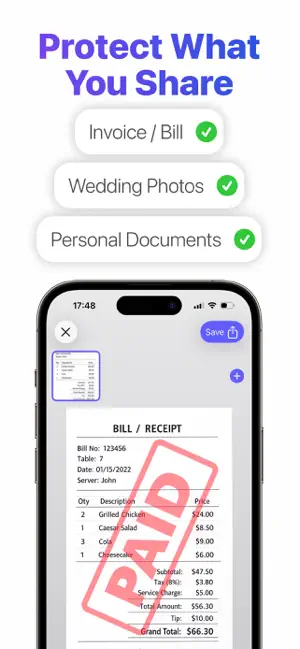
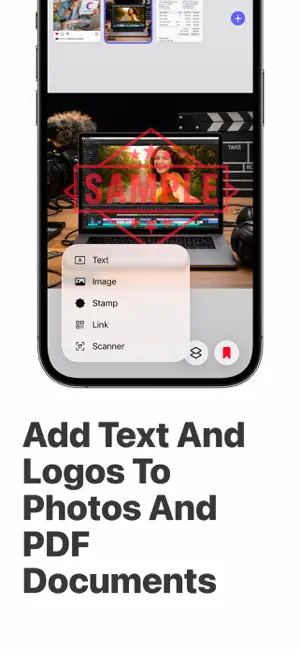
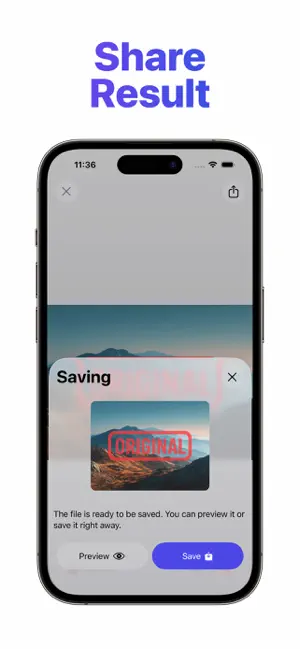
Add your logo, text, a stamp or a QR code to any photo or PDF — and keep your work yours. Marklio watermarks images and documents in seconds. Place your mark anywhere, resize it, rotate it, change its color and opacity, then save or share. Everything happens on your iPhone. WHAT YOU CAN ADD • Text — your name, your studio, a copyright line • Your own logo or any image, with adjustable transparency • Ready-made stamps: PAID, DRAFT, CONFIDENTIAL, ORIGINAL, APPROVED and more, in any color • A QR code linking to your website or portfolio WORKS ON PDF, PROPERLY • Watermark an entire PDF, or pick exactly which pages get it • Control page quality and output file size • Your document stays a PDF BUILT FOR REAL WORK • Batch mode: watermark up to 50 images at once (PRO) • Save any watermark as a reusable sticker and apply it in two taps (PRO) • Duplicate a watermark across the canvas in one tap • Unlimited saving of results (PRO) WHO USES MARKLIO Photographers sending proofs. Designers sharing drafts. Freelancers stamping invoices. Agents protecting listing photos. Anyone who has to send a file and would rather it came back with their name still on it. PRO Marklio is free to use. PRO unlocks batch processing, unlimited saves, premium stamps and saved watermark stickers. Available as a subscription or a one-time purchase. Privacy Policy https://docs.google.com/document/d/1QWi7rspyLNjoBilRArw0tZdPMbjn52Joat8vMQwe1UY/edit?usp=sharing Terms of Use https://docs.google.com/document/d/1Va5mD8jq2TYFicO7s1T-FDaK_4OPrwGLZW3AfmcFu0g/edit?usp=sharing
Ratings & reviews
4.7
30 ratings
What’s new
Version 3.1.1 · Updated August 11, 2026
- Added a new "Signature" feature. You can now sign your documents or images; - Finished documents and images are now available directly on the main screen, so you can share them again at any time; - Significantly improved the canvas—it now supports pinch-to-zoom gestures for a more comfortable workflow; - Improved text handling; you can now adjust the text block width with greater precision; - Plus numerous fixes and improvements to the app's algorithms.
App privacy
The developer, Evgeniy Konev, reported these privacy practices to Apple.
Data Not Linked to You
The following data, which may be collected but is not linked to your identity, may be used for the following purposes:
- Usage Data: Product Interaction
Used for: Analytics
Alternatives to Watermark PDF & Photo: Marklio
Looking for apps like Watermark PDF & Photo: Marklio? Here are 6 similar apps on the App Store. The highest rated is PDF Editor - Merge & Split (5.0/5), and 5 of the 6 are free to download.
-
 PDF Tools-Merge, Rotate& Split
4.0
PDF Tools-Merge, Rotate& Split
4.0
-
 PDF Only - PDF editor
1.0
PDF Only - PDF editor
1.0
-
 Secure Watermark
1.0
Secure Watermark
1.0
-
 Add Watermark on Photos
4.3
Add Watermark on Photos
4.3
-
 PDF Editor - Merge & Split
5.0
PDF Editor - Merge & Split
5.0
-
 AnyKit - 20+ Tools in One App
4.7
AnyKit - 20+ Tools in One App
4.7
| App | Rating | Price | Last updated | Compare |
|---|---|---|---|---|
| Watermark PDF & Photo: Marklio | 4.7 / 5 (30 ratings) | Free | August 11, 2026 | |
| PDF Tools-Merge, Rotate& Split | 4.0 / 5 (28) | Free | Jan 25, 2026 | Compare |
| PDF Only - PDF editor | 1.0 / 5 (1) | 1.99 USD | Jun 2, 2026 | Compare |
| Secure Watermark | 1.0 / 5 (1) | Free | Oct 12, 2026 | Compare |
| Add Watermark on Photos | 4.3 / 5 (39) | Free | Jun 23, 2025 | Compare |
| PDF Editor - Merge & Split | 5.0 / 5 (3) | Free | Sep 9, 2026 | Compare |
| AnyKit - 20+ Tools in One App | 4.7 / 5 (118) | Free | Apr 16, 2024 | Compare |