

Liro: AI Video Caption Editor
Smoozly Inc. Photo & Video iPhoneiPadiPod touch
Liro: AI Video Caption Editor is a free Photo & Video app for iPhone and iPad by Smoozly Inc. Rated 4.5/5 from 274 ratings. Requires iOS 18.0.
- Rating
- 4.5
- 274 ratings
- Price
- Free
- on the App Store
- Size
- 327 MB
- Age 4+
- Updated
- Mar 25
- 2026 · v3.10.1
Screenshots


About Liro: AI Video Caption Editor
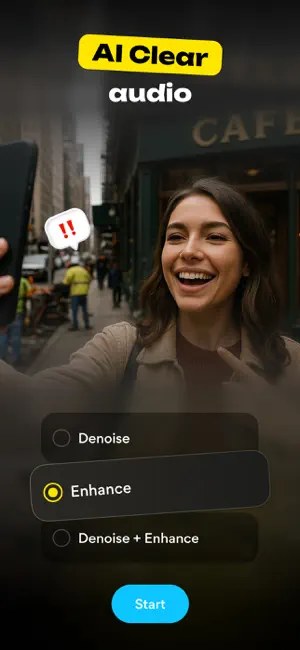
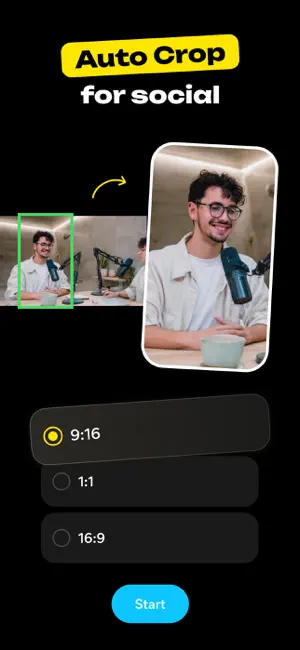
WHY EVERY VIDEO NEEDS LIRO Imagine spending hours perfecting your video — every shot, every word, every emotion carefully crafted. But then… *crickets*. Viewers scroll past because they watch on mute, don’t understand the language, or lose interest. Liro changes that. It makes sure your story is seen, heard, and felt — wherever and however people watch. But Liro is more than captions — it’s your all-in-one creative toolkit. Liro gives casual creators everything they need to connect with the audience in just a few taps. What Liro can do? Imagine auto-generated captions in 87 languages — Liro gets them all, making sure every word lands perfectly. Or one-click translations that break down language barriers, so your story reaches new audiences. Need to stand out? Liro gives you full styling freedom: fonts, colors, animations, highlights — everything tailored to match your brand. And with instant previews for TikTok, YouTube, and Instagram, you’ll know exactly how your captions will shine before you hit publish. And it doesn’t stop there. Liro’s powerful AI tools work like magic: ▶ AI Audio Enhance → makes your voice crisp and clear ▶ AI Video Auto Crop → frames your subject perfectly ▶ AI Video Denoise → cleans up messy video shot in the dark ▶ AI Video Stabiliser → calms down shaky clips ▶ AI Eye Correction → fixes weird eye angles, so you look natural ▶ AI Video Frame Booster → smooths out choppy video ▶ AI Video Upscaling → gives your footage a sharp, high-res upgrade ▶ AI Bad Video Enhance → revives damaged or blurry videos ▶ AI Long to Reels → automatically cuts your long videos into short, shareable hits And the best part? We never stop improving. With every update, Liro gets faster, smarter, and more powerful, so your videos always stay ahead of the curve. Have a question, a feature idea, or just feel like sharing your experience? We’re always happy to hear from you! Reach out via the in-app chat, on Telegram at @LiroSupport, or by email at [email protected] Terms of Use (EULA): https://www.apple.com/legal/internet-services/itunes/dev/stdeula/
Ratings & reviews
4.5
274 ratings
What’s new
Version 3.10.1 · Updated March 25, 2026
Performance improvements and minor bug fixes.
App privacy
The developer, Smoozly Inc., reported these privacy practices to Apple.
Data Used to Track You
The following data may be used to track you across apps and websites owned by other companies:
- Identifiers: Device ID
Data Not Linked to You
The following data, which may be collected but is not linked to your identity, may be used for the following purposes:
- Identifiers: Device ID
- Usage Data: Advertising Data, Product Interaction, Other Usage Data
- Diagnostics: Crash Data, Performance Data, Other Diagnostic Data
- User Content: Audio Data
Used for: Third-Party Advertising, Developer’s Advertising or Marketing, Analytics, App Functionality
Alternatives to Liro: AI Video Caption Editor
Looking for apps like Liro: AI Video Caption Editor? Here are 6 similar apps on the App Store. The highest rated is Verba: AI Edits, Video Reels (4.9/5), and all 6 are free to download.
-
 Captions for Videos - SubMe AI
4.6
Captions for Videos - SubMe AI
4.6
-
 AI Captions: Video Subtitle
4.6
AI Captions: Video Subtitle
4.6
-
 Auto Captions: Video Subtitles
4.6
Auto Captions: Video Subtitles
4.6
-
 Verba: AI Edits, Video Reels
4.9
Verba: AI Edits, Video Reels
4.9
-
 MixCaptions: Video Captions
4.6
MixCaptions: Video Captions
4.6
-
 Subcap: Captions AI, Subtitles
4.6
Subcap: Captions AI, Subtitles
4.6
| App | Rating | Price | Last updated | Compare |
|---|---|---|---|---|
| Liro: AI Video Caption Editor | 4.5 / 5 (274 ratings) | Free | March 25, 2026 | |
| Captions for Videos - SubMe AI | 4.6 / 5 (1,185) | Free | Oct 16, 2026 | Compare |
| AI Captions: Video Subtitle | 4.6 / 5 (232) | Free | Sep 30, 2026 | Compare |
| Auto Captions: Video Subtitles | 4.6 / 5 (1,478) | Free | Dec 23, 2025 | Compare |
| Verba: AI Edits, Video Reels | 4.9 / 5 (558) | Free | Oct 14, 2026 | Compare |
| MixCaptions: Video Captions | 4.6 / 5 (3,905) | Free | Apr 22, 2026 | Compare |
| Subcap: Captions AI, Subtitles | 4.6 / 5 (2,041) | Free | Oct 9, 2026 | Compare |