

Live Transcribe - Speech Text
Aleksei Metelkin Utilities iPhoneiPadiPod touch
Live Transcribe - Speech Text is a free Utilities app for iPhone and iPad by Aleksei Metelkin. Rated 4.6/5 from 143 ratings. Requires iOS 14.0.
- Rating
- 4.6
- 143 ratings
- Price
- Free
- on the App Store
- Size
- 126 MB
- Age 4+
- Updated
- Apr 12
- 2025 · v2.9.11
Screenshots

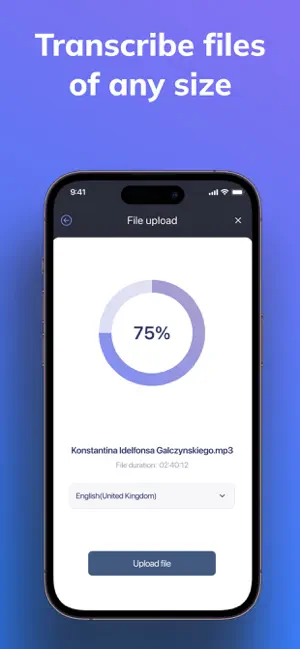
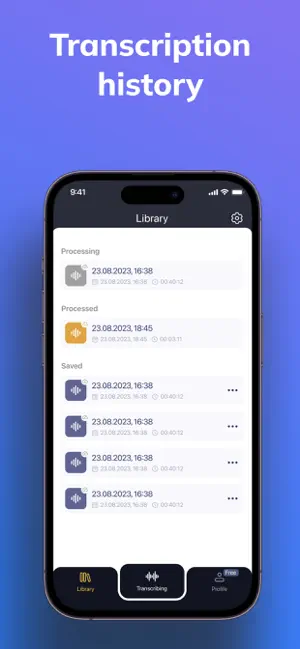
About Live Transcribe - Speech Text
Live Transcribe - Speech to Text Transform spoken words into text instantly with Live Transcribe - Speech to Text. This innovative application is designed specifically for individuals who value effective communication. Whether you’re a student, a professional, or someone who is deaf or hard of hearing, Live Transcribe - Speech to Text is tailored to enhance your communication experience seamlessly and efficiently. Key Features of Live Transcribe: - Real-Time Transcription: Experience the power of real-time speech-to-text conversion with Live Transcribe. This app employs advanced speech recognition technology to ensure you capture conversations instantly. Perfect for lectures, meetings, or casual discussions, Live Transcribe ensures you never miss a word spoken and gives you the confidence of knowing you have accurate text outputs. - Designed for the Hearing Impaired: Live Transcribe - Speech to Text is a crucial tool for individuals who are hearing impaired. With immediate text outputs, Live Transcribe ensures that everyone can actively engage in conversations. This app fosters an inclusive environment both in personal and professional contexts, making it easy for users to participate without barriers. - User-Friendly Interface: Navigate effortlessly with the intuitive design of Live Transcribe. The user-friendly interface of Live Transcribe - Speech to Text is accessible for users of all ages, allowing quick adjustments to personalized settings for all your transcription needs. - Multilingual Capabilities: Break down language barriers effortlessly with multi-language support in Live Transcribe. Whether you're speaking Spanish, French, or any other language, Live Transcribe - Speech to Text accommodates various languages, making it perfect for multicultural interactions and diverse communities. - Export and Sharing Options: Save your transcriptions for future reference! With Live Transcribe, you can easily export conversations into PDF or text files, simplifying the process of creating study materials or sharing important meeting notes with colleagues. Who Can Benefit from Live Transcribe - Speech to Text? - Students: Capture every important detail during lectures to enhance your academic performance. Live Transcribe - Speech to Text acts as an essential study aid, ensuring you never miss crucial points discussed in class. - Professionals: Improve your productivity and efficiency in meetings. With reliable transcription services from Live Transcribe, you can focus on listening and engaging in the conversation rather than worrying about note-taking, ensuring that every vital piece of information is accurately recorded and available for later review. - Educators: Use Live Transcribe to create accessible lesson plans that cater to the needs of all students. By utilizing Live Transcribe - Speech to Text, you can provide valuable resources for your classroom, promoting inclusivity and engagement among all learners. - Deaf and Hard of Hearing Communities: Live Transcribe significantly enhances communication abilities in both personal and professional environments. It bridges gaps in conversation, enabling individuals to participate fully in discussions without barriers, ensuring a more inclusive experience. Why Choose Live Transcribe - Speech to Text? Effective communication is more critical than ever in today’s fast-paced world. Live Transcribe - Speech to Text provides a comprehensive solution for anyone seeking to improve accessibility. Its robust features allow for the easy conversion of spoken language into written text, helping users navigate conversations smoothly and eliminating barriers that hinder communication. With Live Transcribe, you can take control of your communication experience in busy lecture halls, office meetings. Terms of Use: https://sites.google.com/view/almetapps/terms-of-use Privacy Policy: https://sites.google.com/view/almetapps/privacy-policy
Ratings & reviews
4.6
143 ratings
What’s new
Version 2.9.11 · Updated April 12, 2025
Some users were still experiencing subscription verification issues, and in this version, we’ve done everything possible to address the root cause.
App privacy
The developer, Aleksei Metelkin, reported these privacy practices to Apple.
Data Used to Track You
The following data may be used to track you across apps and websites owned by other companies:
- Identifiers: Device ID
- Usage Data: Product Interaction
- Diagnostics: Crash Data
Data Not Linked to You
The following data, which may be collected but is not linked to your identity, may be used for the following purposes:
- Identifiers: Device ID
- Usage Data: Product Interaction
- Diagnostics: Crash Data
Used for: Third-Party Advertising, Analytics, App Functionality
Alternatives to Live Transcribe - Speech Text
Looking for apps like Live Transcribe - Speech Text? Here are 6 similar apps on the App Store. The highest rated is Voicepop - Turn Voice To Text (4.7/5), and all 6 are free to download.
-
 Voicepop - Turn Voice To Text
4.7
Voicepop - Turn Voice To Text
4.7
-
 Transcribe Audio to Text Notes
4.6
Transcribe Audio to Text Notes
4.6
-
 Transcribe - Speech to Text
4.5
Transcribe - Speech to Text
4.5
-
 Voice Recorder AI Notes: Spiik
4.7
Voice Recorder AI Notes: Spiik
4.7
-
 Sum AI: Speech to Text Notes
4.5
Sum AI: Speech to Text Notes
4.5
-
 Live Transcribe +
4.6
Live Transcribe +
4.6
| App | Rating | Price | Last updated | Compare |
|---|---|---|---|---|
| Live Transcribe - Speech Text | 4.6 / 5 (143 ratings) | Free | April 12, 2025 | |
| Voicepop - Turn Voice To Text | 4.7 / 5 (347) | Free | Aug 14, 2025 | Compare |
| Transcribe Audio to Text Notes | 4.6 / 5 (3,765) | Free | Oct 5, 2026 | Compare |
| Transcribe - Speech to Text | 4.5 / 5 (10,896) | Free | Aug 7, 2026 | Compare |
| Voice Recorder AI Notes: Spiik | 4.7 / 5 (760) | Free | Sep 25, 2026 | Compare |
| Sum AI: Speech to Text Notes | 4.5 / 5 (1,681) | Free | Jul 14, 2026 | Compare |
| Live Transcribe + | 4.6 / 5 (784) | Free | Sep 19, 2025 | Compare |