

PDF Document Scanner App +
Aleksandr Nesterov Business iPhoneiPadiPod touch
PDF Document Scanner App + is a free Business app for iPhone and iPad by Aleksandr Nesterov. Rated 4.8/5 from 22 ratings. Requires iOS 16.0.
- Rating
- 4.8
- 22 ratings
- Price
- Free
- on the App Store
- Size
- 37 MB
- Age 4+
- Updated
- Oct 6
- 2026 · v2.0.2
Screenshots


About PDF Document Scanner App +
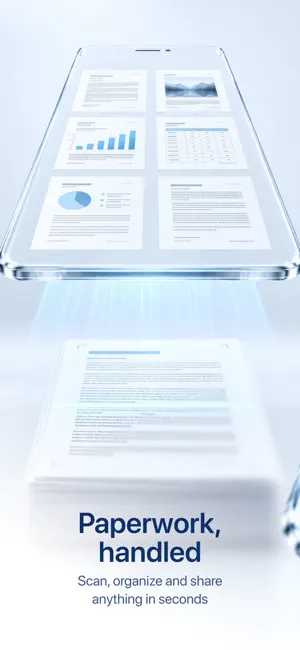
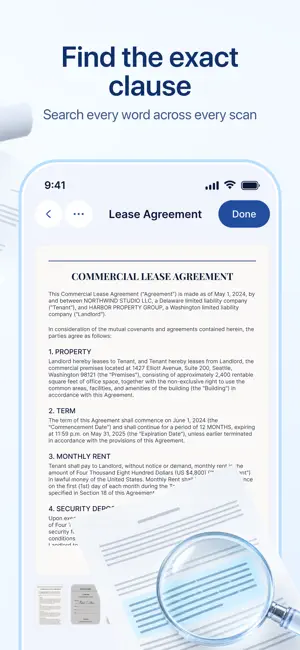
Scan documents to clean PDFs in seconds. Scanner finds the edges, removes shadows and straightens every page. Scanning and PDF export are free. Sign without printing, find any word inside your scans and lock a PDF with a password. Paperwork done right on your iPhone. Scan • Automatic edge detection, perspective correction and shadow removal • Multi-page documents in one go • Original, Auto, Color and Black & White filters • Import from Photos, Files and iCloud Drive: PDF, JPG, PNG Edit and organize • Crop, rotate, reorder and replace pages • Merge documents or split one into several • Match Pages gives every page the same clean look • Add a text watermark such as “Confidential” • Folders, rename, move and duplicate Find text • Text recognition runs on your iPhone • Search any word across your scans, like an invoice number or a name • Copy text from a page • Export searchable PDFs Sign and send • Sign right on the page and save reusable signatures • Add text, dates and notes • Protect a PDF with a password. Scanner never stores it • Share by Mail, Messages, AirDrop or save to Files Works for receipts, invoices, contracts, IDs, forms, school notes and books. Scanner Pro — from $4.99 a week Scanning, editing and basic PDF export stay free with no document limit. Pro unlocks searchable PDFs, library search, password-protected PDFs, signed export and Match Pages. Try each Pro feature once for free. Plans: weekly, yearly (from $24.99) or a one-time lifetime purchase ($99.99). The yearly plan may include a free trial. If it does, you will see its terms before you pay. Prices are for the US; the App Store shows the price in your local currency. Payment is charged to your Apple ID at confirmation of purchase. Subscriptions renew automatically unless cancelled at least 24 hours before the end of the current period. Your account is charged for renewal within 24 hours before the period ends. Manage or cancel in your App Store account settings. Terms of Use: https://nestore.co/terms Privacy Policy: https://nestore.co/privacy
Ratings & reviews
4.8
22 ratings
What’s new
Version 2.0.2 · Updated October 6, 2026
Scanner 2.0 is a big update. • No document limit. Scanning, editing and PDF export are free • Search inside your scans: Scanner recognizes text right on your iPhone. Find an invoice number or a name across all your scans, copy text from a page, save searchable PDFs • Password-protected PDFs. Scanner never stores the password • New editor: undo and redo, revert to original, Original, Auto, Color and B&W filters • Easier page organizing: drag to reorder, select several pages at once, replace a page from the camera, Photos or Files • Merge and split documents • Match Pages gives every page the same clean look • Text watermarks • New design and a new icon We'd love to hear your feedback!
App privacy
The developer, Aleksandr Nesterov, reported these privacy practices to Apple.
Data Not Collected
The developer does not collect any data from this app.
Alternatives to PDF Document Scanner App +
Looking for apps like PDF Document Scanner App +? Here are 6 similar apps on the App Store. The highest rated is Signature Creator: Signing app (4.5/5), and all 6 are free to download.
-
 E-signature PDF: sign document
3.0
E-signature PDF: sign document
3.0
-
 Signature Maker: Scan&Sign PDF
-
 Signature Creator: Signing app
4.5
Signature Creator: Signing app
4.5
-
 Sign Documents: Signica
4.2
Sign Documents: Signica
4.2
-
 PDF Signature - eSign
-
 Signature Scanner - Esign App
| App | Rating | Price | Last updated | Compare |
|---|---|---|---|---|
| PDF Document Scanner App + | 4.8 / 5 (22 ratings) | Free | October 6, 2026 | |
| E-signature PDF: sign document | 3.0 / 5 (2) | Free | Jul 8, 2026 | Compare |
| Signature Maker: Scan&Sign PDF | – | Free | Nov 5, 2025 | Compare |
| Signature Creator: Signing app | 4.5 / 5 (2) | Free | Jan 20, 2026 | Compare |
| Sign Documents: Signica | 4.2 / 5 (6) | Free | Oct 22, 2026 | Compare |
| PDF Signature - eSign | – | Free | Sep 2, 2026 | Compare |
| Signature Scanner - Esign App | – | Free | May 16, 2025 | Compare |