

Strecam
Pablo Gutierrez Photo & Video iPhoneiPadiPod touch
Strecam is a free Photo & Video app for iPhone and iPad by Pablo Gutierrez. Rated 3.0/5 from 4 ratings. Requires iOS 15.0. Updated October 17, 2026.
- Rating
- 3.0
- 4 ratings
- Price
- Free
- on the App Store
- Size
- 11 MB
- Age 4+
- Updated
- Oct 17
- 2026 · v1.5.0
Screenshots
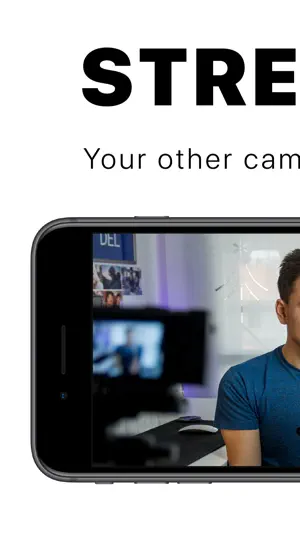
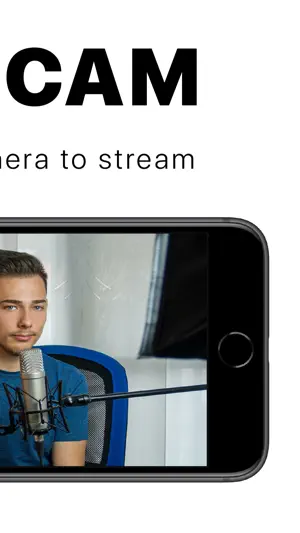
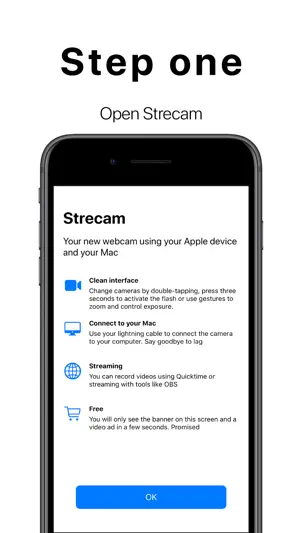
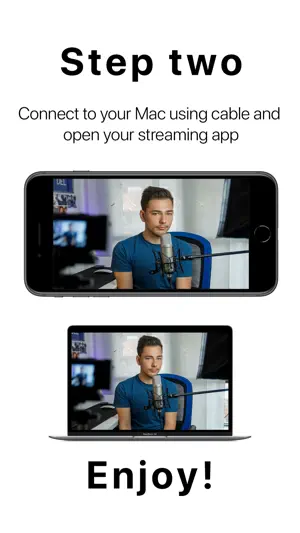
About Strecam
Turn your iPhone or iPad into the best webcam for your Mac. Connect it with a cable and use it as a camera in OBS, QuickTime or your favorite streaming app: live video, no lag and no Wi‑Fi needed. A CAMERA WITH NOTHING ON SCREEN Strecam shows only your image: no buttons, no frames, no menus. Everything is controlled with gestures: • Double-tap: switch cameras (0.5× ultra wide, 1×, 2× and front) • Tap: focus on that spot • Swipe up or down: adjust brightness • Pinch: zoom • Press and hold: turn the flash on or off (rear camera) Works in portrait and landscape. FREE You'll only see a banner on the start screen and, sometimes, a video when you tap Get Started. Never while you're using the camera. If you like, watch a video and use Strecam for 24 hours without the watermark or video ads, or go Premium to remove them forever. TIP Turn on Do Not Disturb and silence your device so no notifications show up while you stream. HOW TO USE IT WITH OBS 1. Connect your iPhone or iPad to your Mac with a USB‑C or Lightning cable. If asked, tap "Trust" on the device. 2. Open Strecam on your device and tap Get Started. 3. In OBS, click + under "Sources" and choose "Video Capture Device". 4. Give it a name and select your iPhone or iPad under "Device". Done! HOW TO USE IT WITH QUICKTIME 1. Connect your iPhone or iPad to your Mac with a USB‑C or Lightning cable. 2. Open Strecam on your device and tap Get Started. 3. In QuickTime, go to File > New Movie Recording. 4. Click the arrow next to the record button and select your iPhone or iPad as the camera. Done! ALSO ON A SCREEN OR CAPTURE CARD With Apple's Digital AV Adapter you can show the image on a TV, a monitor or an HDMI capture card.
What’s new
Version 1.5.0 · Updated October 17, 2026
Strecam has been completely redesigned: • A brand-new, cleaner and more modern design, ready for iOS 26. • Every camera on your device: switch between 0.5× ultra wide, 1× and 2× with a double tap. • More control with gestures: tap to focus, swipe up or down for brightness, pinch to zoom and press and hold for the flash. • Works with all current iPhone and iPad models, over USB‑C or Lightning. • Fewer interruptions: ads never appear while you're using the camera. • New: watch a video and use Strecam for 24 hours without the watermark or video ads. • New privacy options to manage your consent. • Stability and performance improvements.
App privacy
The developer, Pablo Gutierrez, reported these privacy practices to Apple.
Data Not Linked to You
The following data, which may be collected but is not linked to your identity, may be used for the following purposes:
- Usage Data: Product Interaction
- Diagnostics: Crash Data, Performance Data, Other Diagnostic Data
Used for: Analytics
Alternatives to Strecam
Looking for apps like Strecam? Here are 6 similar apps on the App Store. The highest rated is Shoot Pro Camera Source (4.7/5), and all 6 are free to download.
-
 VisLive Full Screen Camera
3.5
-
 StreamCam for OBS & StreamLabs
-
 LM-Cam for OBS studio
4.2
-
 Shoot Pro Camera Source
4.7
-
 Stream Studio NDI OBS Camera
4.1
-
 NDI Screen Capture
2.9
| App | Rating | Price | Last updated | Compare |
|---|---|---|---|---|
| Strecam | 3.0 / 5 (4 ratings) | Free | October 17, 2026 | |
| VisLive Full Screen Camera | 3.5 / 5 (11) | Free | Nov 9, 2023 | Compare |
| StreamCam for OBS & StreamLabs | – | Free | Oct 27, 2026 | Compare |
| LM-Cam for OBS studio | 4.2 / 5 (5) | Free | Oct 26, 2026 | Compare |
| Shoot Pro Camera Source | 4.7 / 5 (382) | Free | Oct 21, 2026 | Compare |
| Stream Studio NDI OBS Camera | 4.1 / 5 (9) | Free | Aug 8, 2025 | Compare |
| NDI Screen Capture | 2.9 / 5 (12) | Free | Sep 11, 2026 | Compare |
Compare Strecam with the top alternatives: ratings, updates, ASO score and keyword gaps →