

AirDroid Business
SAND STUDIO CORPORATION LIMITED Utilities iPhoneiPadiPod touch
AirDroid Business is a free Utilities app for iPhone and iPad by SAND STUDIO CORPORATION LIMITED. Rated 2.0/5 from 3 ratings. Requires iOS 13.0.
- Rating
- 2.0
- 3 ratings
- Price
- Free
- on the App Store
- Size
- 42 MB
- Age 4+
- Updated
- Mar 14
- 2025 · v1.2.1
Screenshots


About AirDroid Business
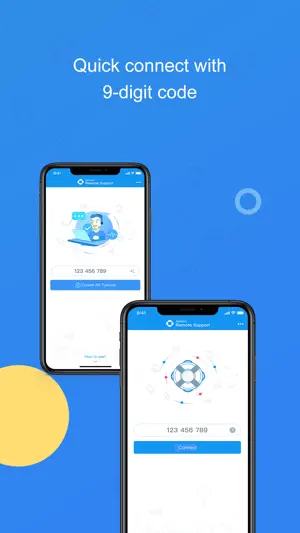
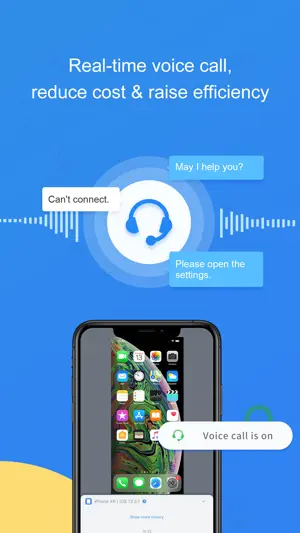
The wide-spreading growth of mobile device brings unprecedented productivity to the enterprise. Nevertheless, it also brings the risk of paralyzing the entire organization when these devices malfunction, system or apps crash. Moreover, the misuse of mobile devices, apps, services from enterprise staff or the customer is also challenging. Mobile devices bring industry niche, yet they put a heavy burden on managing and maintaining as well. On-site service becomes more time-consuming than before, with the entire cost increases. AirDroid Business empowers your technician to spot the problem and instruct the on-site personnel. The Screen Sharing feature lets you see the remote device screen. At the same time, the Voice Call allows you to discuss the problem, and Tutorial Gesture helps guide your customers untangle the mess step by step. The latest feature, AR Camera, presents the on-site issues, especially for hardware, and your technician can indicate the critical points by placing 3D arrows. Lots of communication time saved! Quick guide: 1. Visit our website, sign up to become an AirDroid Business user or free trial user. 2. Download and open AirDroid Business on your phone/tablet. 3. Have your customer download and open AirDroid Remote Support, and tell you the 9-digit Connection Code shown on his/her screen. 4. Enter the code in AirDroid Business, and you will be connected. Features: Screen Sharing See your customer's device screen and quickly spot the issue. AR Camera See what customer sees, guide your customers by placing 3D markers onto real-world objects. Voice Call(VOIP) Make a call to your customer and discuss the problem in real-time. Chat Multiple communication ways are available: texting, sending pictures and voice messages. Tutorial Gesture Your operation will show on the customers' device screen. Easy for your customer to follow and solve the problem.
What’s new
Version 1.2.1 · Updated March 14, 2025
1. Other minor improvements and bug fixes.
App privacy
The developer, SAND STUDIO CORPORATION LIMITED, reported these privacy practices to Apple.
Data Linked to You
The following data, which may be collected and linked to your identity, may be used for the following purposes:
- Contact Info: Email Address
- Identifiers: User ID, Device ID
- Usage Data: Product Interaction, Other Usage Data
Used for: Developer’s Advertising or Marketing, Analytics, App Functionality
Data Not Linked to You
The following data, which may be collected but is not linked to your identity, may be used for the following purposes:
- User Content: Photos or Videos, Audio Data
- Diagnostics: Crash Data, Performance Data, Other Diagnostic Data
Used for: App Functionality
Alternatives to AirDroid Business
Looking for apps like AirDroid Business? Here are 6 similar apps on the App Store. The highest rated is RemoteView. (5.0/5), and all 6 are free to download.
-
 Air File Share & Drop App
4.9
-
 U8-Disk
4.1
-
 RemoteView.
5.0
-
 SafeCamApp
3.8
-
 Mobile Security Camera
3.7
-
 Remote Trackpad: Virtual Tool
3.8
| App | Rating | Price | Last updated | Compare |
|---|---|---|---|---|
| AirDroid Business | 2.0 / 5 (3 ratings) | Free | March 14, 2025 | |
| Air File Share & Drop App | 4.9 / 5 (66) | Free | Sep 30, 2026 | Compare |
| U8-Disk | 4.1 / 5 (10) | Free | Aug 17, 2026 | Compare |
| RemoteView. | 5.0 / 5 (6) | Free | Oct 3, 2026 | Compare |
| SafeCamApp | 3.8 / 5 (4) | Free | May 16, 2025 | Compare |
| Mobile Security Camera | 3.7 / 5 (10) | Free | May 21, 2026 | Compare |
| Remote Trackpad: Virtual Tool | 3.8 / 5 (39) | Free | Oct 7, 2026 | Compare |
Compare AirDroid Business with the top alternatives: ratings, updates, ASO score and keyword gaps →