

Autodesk Vault Mobile
Autodesk Inc. Productivity iPhoneiPadiPod touch
Autodesk Vault Mobile is a free Productivity app for iPhone and iPad by Autodesk Inc. Rated 4.4/5 from 12 ratings. Requires iOS 17.4.
- Rating
- 4.4
- 12 ratings
- Price
- Free
- on the App Store
- Size
- 64 MB
- Age 4+
- Updated
- Sep 3
- 2026 · v1.15.0
Screenshots


About Autodesk Vault Mobile
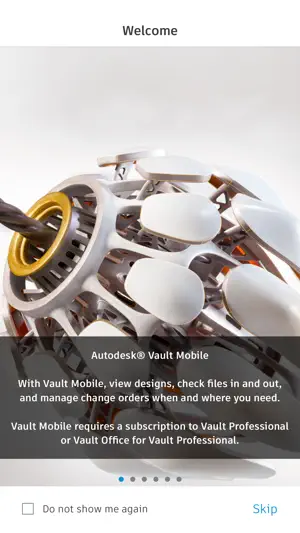
Autodesk® Vault for iPhone and iPad allows you to work with your design and engineering data on your mobile device. You can use the Vault mobile app to view 2D and 3D designs, check non-CAD files in and out, approve and sign documents, create and participate in change orders, perform QR, barcode, simple and extended data searches, and more. Supporting over 100 file formats, the Vault mobile app makes it easy to stay up to date on your projects and collaborate with others anytime, anywhere. The mobile app works in conjunction with its companion desktop product, Autodesk® Vault product data management software. To use the Vault mobile app for iPhone and iPad, you will need to sign in with your Vault account information. Capabilities: File Workflows: Properties, History, Uses, Where Used, & Attachments Add to Change Order Send Link, or File Change Lifecycle State Check-in\Check-out non-CAD files Set Favorites Save files locally Preview Capabilities: View DWF files with a new viewing experience Ability to submit a job to create the visualization file Preview images, PDF & Office files Change Order Capabilities: Create New Change Orders for Files or Items View User Worklist View Details Edit State View Comments Add Records & Attachments View Records &Attachments Add to Favorites Item Capabilities: View All Items View Details Edit Item Lifecycle State View Versions & Revisions View Bill of Materials (BOM) Search Capabilities: Search files, items and change orders Advanced Search Saved Searches QR & Bar code Search capability Files Capabilities: Recent Files List Insights on file activities in Vault Local File Storage List Favorites: Select Favorites for Files, Items Change Orders View Favorites for Files, Items & Change Orders
Ratings & reviews
4.4
12 ratings
What’s new
Version 1.15.0 · Updated September 3, 2026
Bug fixes
App privacy
The developer, Autodesk Inc., reported these privacy practices to Apple.
Data Linked to You
The following data, which may be collected and linked to your identity, may be used for the following purposes:
- Identifiers: Device ID, User ID
- Usage Data: Product Interaction
- Contact Info: Email Address, Name
- User Content: Other User Content
- Diagnostics: Crash Data, Performance Data, Other Diagnostic Data
Used for: Analytics, App Functionality
Alternatives to Autodesk Vault Mobile
Looking for apps like Autodesk Vault Mobile? Here are 6 similar apps on the App Store. The highest rated is Adobe Analytics dashboards (4.8/5), and all 6 are free to download.
-
 SolidInsight
4.4
-
 Convert PDF to AutoCad
4.5
-
 CADraw
2.9
-
 DWG View - CAD Viewer & Editor
2.0
-
 Adobe Analytics dashboards
4.8
-
 ARES Touch: DWG Viewer & CAD
4.7
| App | Rating | Price | Last updated | Compare |
|---|---|---|---|---|
| Autodesk Vault Mobile | 4.4 / 5 (12 ratings) | Free | September 3, 2026 | |
| SolidInsight | 4.4 / 5 (7) | Free | Nov 14, 2026 | Compare |
| Convert PDF to AutoCad | 4.5 / 5 (68) | Free | Jan 10, 2024 | Compare |
| CADraw | 2.9 / 5 (10) | Free | Feb 8, 2026 | Compare |
| DWG View - CAD Viewer & Editor | 2.0 / 5 (7) | Free | Aug 27, 2026 | Compare |
| Adobe Analytics dashboards | 4.8 / 5 (17) | Free | Sep 17, 2025 | Compare |
| ARES Touch: DWG Viewer & CAD | 4.7 / 5 (157) | Free | Oct 7, 2026 | Compare |