

Astrolabe
Dariush Majidi Utilities iPhoneiPadiPod touch
Astrolabe is a free Utilities app for iPhone and iPad by Dariush Majidi. Requires iOS 17.6. Updated August 24, 2025.
- Price
- Free
- on the App Store
- Size
- 68 MB
- Age 4+
- Updated
- Aug 24
- 2025 · v1.1.0
Screenshots

About Astrolabe
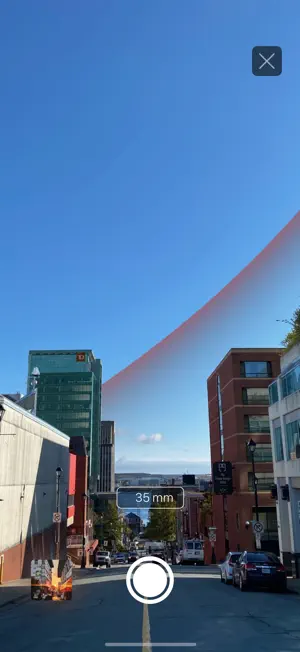
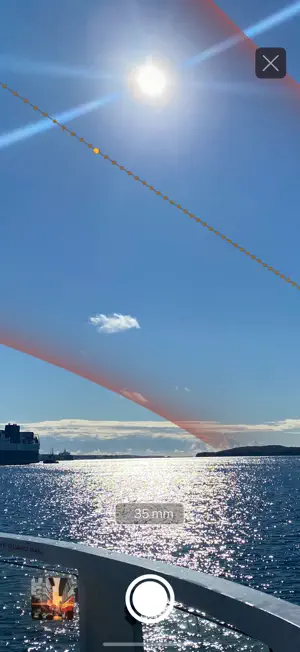
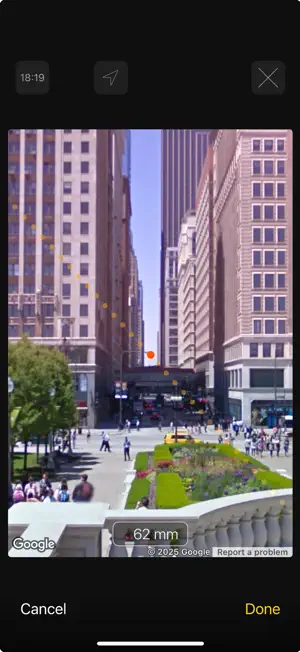
Features: - Augmented Reality: Astrolabe will detect the sky for you and will blend the sun path with it. You can easily control blending amount by scrolling up/down with two fingers. You can take a picture as you walk by a location that would be ideal for your photo shoot. Check the image in your recent plans to see whether the composition you had in your mind, will be attainable. - Simulated Camera and lens: Astrolabe simulates and works like a DSLR camera and lens. You can change the sensor size in the settings, and the focal length that will appear on the screen will be the one you need to capture your photo. You can double tap with two fingers to see the whole picture frame. This will help you to compose a better image. - iCloud sync: With the help of iCloud sync, your plans will sync across all of your devices. - Reminder: After you've achieved your desired result, you can set a reminder to ensure you don't miss the shoot. Optional features: - Pro: You don't need to be at the spot where you want to capture your photo, if you use Google Street inside Astrolabe (see the In-App purchases section on the settings inside Astrolabe for the price available in your country). Simply select the location with the help of street view overlay on map. The street view images you will see on main view are simulated using the same DSLR settings you used for Augmented Reality. This is just the beginning for us and we have so many features planned for Astrolabe (including planning for the moon, Milky Way and star trails). Please guide and support us in improving our work. We intend to offer an accurate Astrolabe to your pockets so you can plan your shots with ease. Astrolabe includes Google Maps features and content for iOS. Street View are only available in certain geographical regions. Astrolabe is not related to, or affiliated with Google Inc. Google Maps™, Google Places™, PEGMAN™ and Google Street View™ are trademarks of Google Inc. Terms of use: https://www.dariusm/terms
What’s new
Version 1.1.0 · Updated August 24, 2025
• Updated for the latest iOS and devices. • Fixed several views for better compatibility. • General improvements and minor bug fixes.
App privacy
The developer, Dariush Majidi, reported these privacy practices to Apple.
Data Not Collected
The developer does not collect any data from this app.
Alternatives to Astrolabe
Looking for apps like Astrolabe? Here are 6 similar apps on the App Store. The highest rated is Allow Right Click for Safari (5.0/5), and 5 of the 6 are free to download.
-
 Voice Recorder : Voice Memos
-
 Unit Convert
4.6
-
 OsiMIDI T1 Remote
-
 Allow Right Click for Safari
5.0
-
 HINATA: Sunlight & Shadow Map
5.0
-
 Network Tools AI
4.0
| App | Rating | Price | Last updated | Compare |
|---|---|---|---|---|
| Astrolabe | – | Free | August 24, 2025 | |
| Voice Recorder : Voice Memos | – | Free | Mar 11, 2026 | Compare |
| Unit Convert | 4.6 / 5 (15) | Free | Sep 2, 2026 | Compare |
| OsiMIDI T1 Remote | – | Free | Oct 2, 2025 | Compare |
| Allow Right Click for Safari | 5.0 / 5 (2) | 1.99 USD | Apr 10, 2025 | Compare |
| HINATA: Sunlight & Shadow Map | 5.0 / 5 (1) | Free | Mar 29, 2026 | Compare |
| Network Tools AI | 4.0 / 5 (5) | Free | Oct 30, 2026 | Compare |
Compare Astrolabe with the top alternatives: ratings, updates, ASO score and keyword gaps →