

CalendarM
Purplit Inc. Productivity iPhoneiPadiPod touch
CalendarM is a paid Productivity app for iPhone and iPad by Purplit Inc. Requires iOS 11.0. Updated October 19, 2023.
- Price
- 0.99 USD
- on the App Store
- Size
- 6 MB
- Age 4+
- Updated
- Oct 19
- 2023 · v1.5.3
Screenshots
About CalendarM
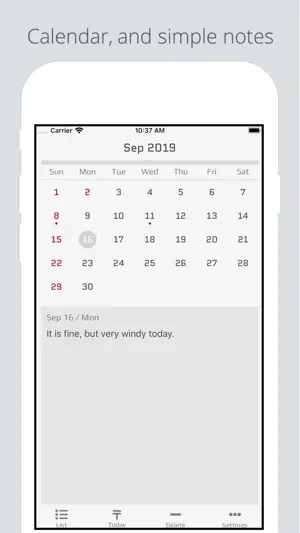
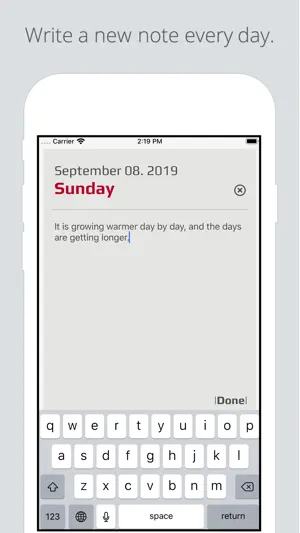
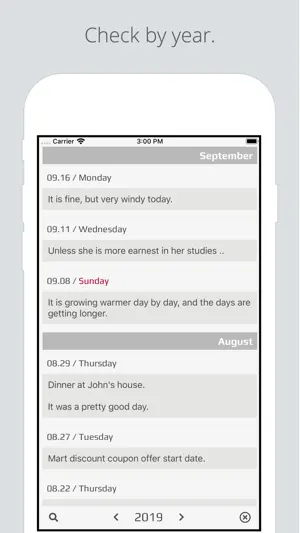
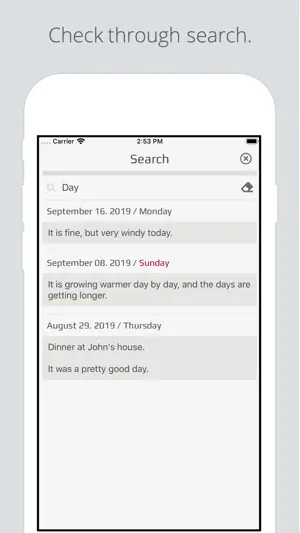
Check the date on the calendar and write a short note or record what happened. [ How to use CalendarM ] ● Write note. you can write or edit a note if you click the note box below the main page calendar. ● Delete note. After clicking the desired date, you can delete the saved notes by clicking the button 'Delete' at the bottom of the main page. ● Check by day. you can check recorded the note if you click on the desired date. ● Check by year. you can check recorded the note by year if you click the 'List' button on the bottom of the main page. ● Check through search. Click the 'search' icon at the bottom of the list page to view the notes recorded through the keyword. ● Setting holiday Holidays can be set in the settings screen. ● Export or import note files You can export or import saved notes from the Settings screen. Please send it to [email protected] with any issues or suggestions.
What’s new
Version 1.5.3 · Updated October 19, 2023
bug fixes
App privacy
The developer, Purplit Inc., reported these privacy practices to Apple.
Data Not Collected
The developer does not collect any data from this app.
Alternatives to CalendarM
Looking for apps like CalendarM? Here are 6 similar apps on the App Store. The highest rated is Basic Calendar (4.8/5), and all 6 are free to download.
-
 SteadyMemo: Calendar Notes
-
 My Diary - Diary With Lock
-
 My Calendar&Note
3.5
My Calendar&Note
3.5
-
 monolist - simple checklist
-
 Basic Calendar
4.8
Basic Calendar
4.8
-
 Calendar - 2025
| App | Rating | Price | Last updated | Compare |
|---|---|---|---|---|
| CalendarM | – | 0.99 USD | October 19, 2023 | |
| SteadyMemo: Calendar Notes | – | Free | Sep 14, 2026 | Compare |
| My Diary - Diary With Lock | – | Free | Jan 29, 2024 | Compare |
| My Calendar&Note | 3.5 / 5 (2) | Free | Jan 3, 2026 | Compare |
| monolist - simple checklist | – | Free | Jan 22, 2026 | Compare |
| Basic Calendar | 4.8 / 5 (5) | Free | Apr 20, 2026 | Compare |
| Calendar - 2025 | – | Free | Jan 14, 2025 | Compare |
Compare CalendarM with the top alternatives: ratings, updates, ASO score and keyword gaps →