

Diamond Painting Logbook
Ceri Turner Productivity iPhoneiPadiPod touchApple Watch
Diamond Painting Logbook is a free Productivity app for iPhone and iPad by Ceri Turner. Rated 4.5/5 from 52 ratings. Requires iOS 18.
- Rating
- 4.5
- 52 ratings
- Price
- Free
- on the App Store
- Size
- 43 MB
- Age 4+
- Updated
- Oct 10
- 2026 · v2.5.1
Screenshots
About Diamond Painting Logbook
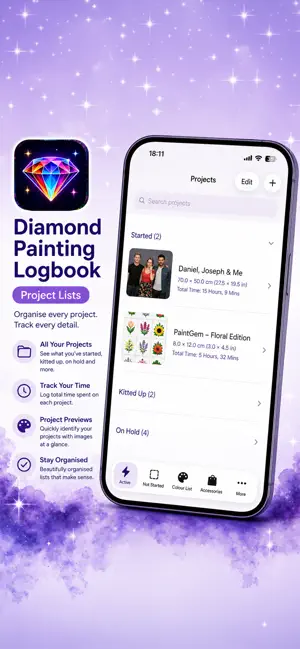
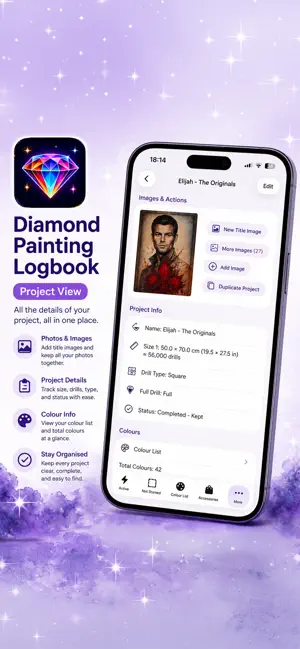
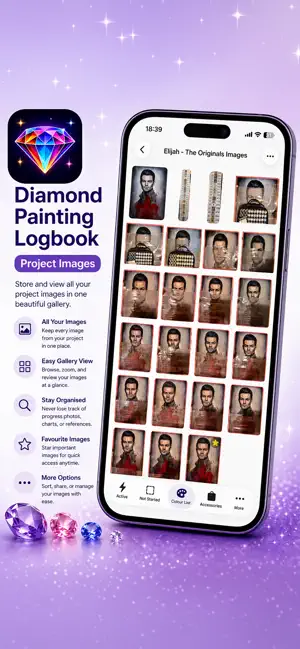
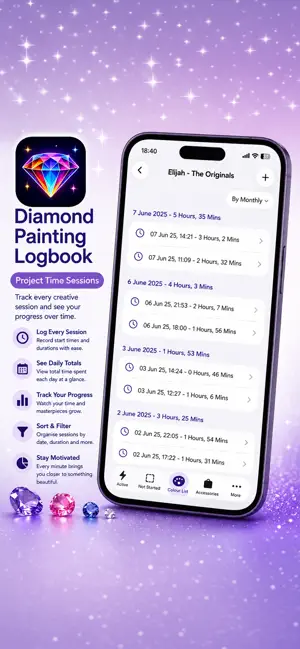
Track your diamond painting projects like never before with the completely redesigned Diamond Painting Logbook. Whether you're managing a growing stash or actively working on multiple projects, this app keeps everything organised, detailed, and easy to access—all in one place. Now rebuilt from the ground up, Version 2 introduces powerful new features, improved performance, and cloud syncing to keep your data available across your devices. Keep track of everything that matters: * Project size, cost (price, shipping, discount) * Drill type (Round, Square, Special) * Full or partial coverage * Status and lifecycle dates (Ordered, Dispatched, Received, Started, Finished) * Where you purchased your kit * Artist name and order/tracking numbers * Full drill colour lists, including DMC, Diamond Dotz, AB, and Diamond Art Club * Custom colours with assignable colours and symbols Take control of your time: * Track time spent on each project * Start, pause, and stop sessions directly from the project list * Manage breaks alongside sessions * Add notes to time sessions * Get notified if you leave a session or break running * View enhanced stats and set custom time ranges Stay organised and efficient: * Cloud syncing keeps your data backed up and in sync * Faster loading with thumbnail-based image previews * Store multiple progress images per project, with notes and a selectable title image * Advanced filtering and improved search (including purchase location) * Track accessories alongside your projects * Assign symbols to project colours for better visual tracking Smarter project management: * Updated status system including Completed, Started, Not Started, Not Received, Wish List, On Hold, Gifted, Kitted Up, Sold (Not Completed), and Lost * Quickly mark projects as received directly from the detail screen * Prevent multiple active sessions at once to avoid tracking errors * Visual indicators for active and paused sessions in lists * Spin the wheel to pick your next project Connected and convenient: * Integration with Piwigo, including upload queue support * Open project URLs, tracking links, and FAQs without leaving the app Version 2 also includes a refreshed app icon, expanded stats, improved filtering options, and numerous bug fixes for a smoother experience. Whether you're a casual hobbyist or a dedicated collector, Diamond Painting Logbook helps you stay organised, motivated, and in control of your projects.
Ratings & reviews
4.5
52 ratings
What’s new
Version 2.5.1 · Updated October 10, 2026
Short Version Version 2.5.1 adds colour list printing and colour comparison, expands Diamond Art Club Special colours, improves Wish List ordering and Piwigo support, and adds safer widget time tracking. Long Version **What's New in Version 2.5.1** Version 2.5.1 brings new tools for working with your colour lists, expands Diamond Art Club Special colours, and adds several useful improvements to projects, Piwigo, and time tracking. **Colours & Printing** - Print a project's colour list directly from the app, including colours, symbols, names, and quantities grouped by manufacturer - Use **Compare Colours** to select multiple colours and view them together, making it easier to compare similar shades even when their colour numbers aren't consecutive - Added Y102, Y103, Y104, Y110, Y111, Y112, Y113, Y114, Y122, Y123, Y124, Y125, Y126, Y127, Y128, Y192, Y194, Y196, Y197, and Y198 to the **Diamond Art Club - Special** colour palette **Projects & Wish List** - Tap **Set Not Received** on a Wish List project to mark it as ordered and automatically set its order date to today - New Wish List projects no longer display order date fields until they're needed **Piwigo** - Sub-projects that share their parent's Piwigo album can now open that album directly **Time Tracking** - Starting a time session from the Home Screen widget now asks for confirmation before the timer begins, helping prevent accidental sessions **Bug Fixes** - Fixed an issue where custom colours with different names could be merged when they used the same drill colour - New Wish List projects no longer incorrectly show order date fields Version 2.5.1 also includes additional refinements to make managing projects and colours even smoother.
App privacy
The developer, Ceri Turner, reported these privacy practices to Apple.
Data Not Collected
The developer does not collect any data from this app.
Alternatives to Diamond Painting Logbook
Looking for apps like Diamond Painting Logbook? Here are 6 similar apps on the App Store. The highest rated is SparkPDF: Scan, Sign & Fill (5.0/5), and 5 of the 6 are free to download.
-
 Fuego: Streak & Habit Tracker
4.6
Fuego: Streak & Habit Tracker
4.6
-
 SparkPDF: Scan, Sign & Fill
5.0
SparkPDF: Scan, Sign & Fill
5.0
-
 Tabella
-
 Captured!
5.0
Captured!
5.0
-
 Freaks: Consistency & Habits
-
 AI Voice Note
| App | Rating | Price | Last updated | Compare |
|---|---|---|---|---|
| Diamond Painting Logbook | 4.5 / 5 (52 ratings) | Free | October 10, 2026 | |
| Fuego: Streak & Habit Tracker | 4.6 / 5 (5) | Free | Oct 10, 2026 | Compare |
| SparkPDF: Scan, Sign & Fill | 5.0 / 5 (2) | Free | Sep 27, 2026 | Compare |
| Tabella | – | 6.99 USD | Oct 3, 2026 | Compare |
| Captured! | 5.0 / 5 (1) | Free | Jun 10, 2026 | Compare |
| Freaks: Consistency & Habits | – | Free | Aug 18, 2026 | Compare |
| AI Voice Note | – | Free | May 4, 2026 | Compare |