

ScanPix | Professional scanner
GTS Infosoft LLP Productivity iPhoneiPadiPod touch
ScanPix | Professional scanner is a free Productivity app for iPhone and iPad by GTS Infosoft LLP. Requires iOS 16.0. Updated August 7, 2026.
- Price
- Free
- on the App Store
- Size
- 153 MB
- Age 4+
- Updated
- Aug 7
- 2026 · v1.2
Screenshots

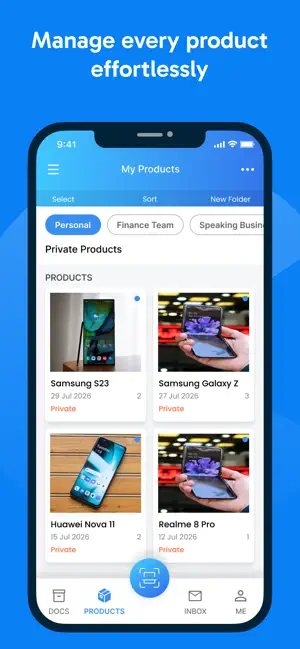


About ScanPix | Professional scanner
ScanPix helps you accurately scan & manage documents. The ScanPix works for all kind of document for professionals, students or personal scans. You can scan text document, Color photo, ID card or passport and share pdf/images on email, cloud or chat apps. ScanPix support variety of documents such as passport, photo ID, notes, invoices, business card, certificates etc. ** App Features ** Intelligent: The app removes shadow, blackness, and disturbance in the document and lets you scan perfect printable documents. The cropper facility will let you select the corners and adjust lights to make it perfect for your document. The photo ID proof documents front and back parts are collectively placed on the single page for print and other need. Use scan template: The unique template creation feature is perfect for professionals who frequently scan set of documents from customers. The hassle-free experience for scanning document and photos conveniently. Example of the users is Car rental company, Insurance agents, bakery, Advocates etc. ***---Features---*** - Mobile Scanner Turn your Phone camera into a high-resolution scanner. The professional ScanPix app will make it easier for you by letting timer facility to hold the camera still. - Clear & high resolution Scan filter removes black spots and shadow from document page and makes it clean white pages. These pages can be a photo, color document or regular black & white document. - Photo ID & Passport Scan Separate camera scanner for photo ID or passport . Front and back photo scan and merge into a single printable page. - Share PDF/Jpeg files Easy share scanned the document as pdf or jpeg files using iCloud, Dropbox and Google drive storage. Use email, Whatsapp, and other shareable apps to quickly send documents. - Backup & Restore and Sync ScanPix regularly backup scanned files to your iCloud account when configured. Download, print, delete files from iCloud on your computer and sync back to the mobile app. - Print files and document Instantly print your document to the nearby printer with ScanPix on one click. Set your page size to A4, A3 and more. ------- ADS FREE --------- No advertisement on the free version. Unlimited scan documents for free. Pro version features - The premium user will get following features available for the lifetime. 1) Unlimited steps creation 2) No scanpix watermark 3) Automatic backup 4) Backup and restore 5) Quick Scan option
What’s new
Version 1.2 · Updated August 7, 2026
Improvements
App privacy
The developer, GTS Infosoft LLP, reported these privacy practices to Apple.
Data Not Collected
The developer does not collect any data from this app.
Alternatives to ScanPix | Professional scanner
Looking for apps like ScanPix | Professional scanner? Here are 6 similar apps on the App Store. The highest rated is Open House Wizard (1.8/5), and all 6 are free to download.
-
 Pattern: Daily Planner
-
 TidyTasks: Daily Planner
-
 PixScan AI – Smart Scanner
-
 i PixScan
-
 Open House Wizard
1.8
Open House Wizard
1.8
-
 Find-Me : Pet Track & Care
| App | Rating | Price | Last updated | Compare |
|---|---|---|---|---|
| ScanPix | Professional scanner | – | Free | August 7, 2026 | |
| Pattern: Daily Planner | – | Free | May 12, 2026 | Compare |
| TidyTasks: Daily Planner | – | Free | Feb 1, 2026 | Compare |
| PixScan AI – Smart Scanner | – | Free | Feb 19, 2026 | Compare |
| i PixScan | – | Free | Apr 29, 2025 | Compare |
| Open House Wizard | 1.8 / 5 (5) | Free | Mar 15, 2025 | Compare |
| Find-Me : Pet Track & Care | – | Free | May 29, 2025 | Compare |