

Planner for iPad
Craft LLC Productivity iPad
Planner for iPad is a free Productivity app for iPad by Craft LLC. Rated 4.5/5 from 501 ratings. Requires iOS 26.6. Updated October 23, 2026.
- Rating
- 4.5
- 501 ratings
- Price
- Free
- on the App Store
- Size
- 59 MB
- Age 4+
- Updated
- Oct 23
- 2026 · v1.6.70
Screenshots


About Planner for iPad
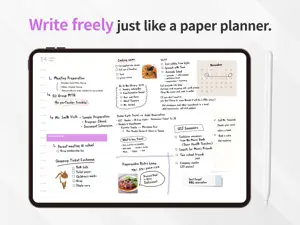
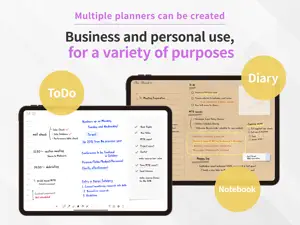
"Make the app adjust to your style." Planner app is almost like a paper planner on iPad, but is designed to be more flexible to use than papers. - Calendar Planner has monthly, weekly (vertical and horizontal) and daily views. You can set the starting day of the week and also beginning/ending time of the day as you like. This calendar allows you to display schedules from other calendars, too, such as Google Calendar. - Write by hand You can directly write on the calendar with Apple pencil. - Arrange and decorate It's easy to personalize your calendar and improve the visibility by using our materials, such as stamps, refills, masking tapes, to-do lists and so on. - Choose your style In addition to the pre-installed white/black style sheet, you can buy a new sheet at our online stationery store. - Cloud storage service Your data including photos and other items will be automatically stored in our cloud storage; 5GB for the basic plan and 10GB for the plus. *Storage service will be automatically renewed every month and user fees will be billed on your iTunes account. *If you don't want to renew it, go to the subscription management page on iTunes and cancel your subscription, or turn off the automatic renewal, at least 24 hours before the auto-renewal period. *You can change your storage plan on the subscription management page, or on Planner app settings. Please feel free to contact us through the inquiry form on Planner app or on twitter. Terms of service https://www.notion.so/kokonotsu/Terms-Of-Use-5c5aa0a7476343fa865513f641ffec17 Privacy policy https://www.notion.so/kokonotsu/Privacy-Policy-70833f6976f94a649413008f11acdc41
Ratings & reviews
4.5
501 ratings
What’s new
Version 1.6.70 · Updated October 23, 2026
- bug fix
App privacy
The developer, Craft LLC, reported these privacy practices to Apple.
Data Used to Track You
The following data may be used to track you across apps and websites owned by other companies:
- Usage Data: Advertising Data
Data Not Linked to You
The following data, which may be collected but is not linked to your identity, may be used for the following purposes:
- Usage Data: Advertising Data, Product Interaction
- Identifiers: Device ID
- Diagnostics: Crash Data, Performance Data, Other Diagnostic Data
Used for: Third-Party Advertising, Analytics, App Functionality
Alternatives to Planner for iPad
Looking for apps like Planner for iPad? Here are 6 similar apps on the App Store. The highest rated is Planmore: Schedule Planner App (4.8/5), and all 6 are free to download.
-
 Planmore: Schedule Planner App
4.8
Planmore: Schedule Planner App
4.8
-
 Digital Planner for iPad
4.3
Digital Planner for iPad
4.3
-
 Pencil Planner & Calendar Pro
4.6
Pencil Planner & Calendar Pro
4.6
-
 CalenDraw: Calendar Notes
4.5
CalenDraw: Calendar Notes
4.5
-
 Pencil Calendar: Daily Planner
4.5
Pencil Calendar: Daily Planner
4.5
-
 Daily Planner, To-Do List
4.8
Daily Planner, To-Do List
4.8
| App | Rating | Price | Last updated | Compare |
|---|---|---|---|---|
| Planner for iPad | 4.5 / 5 (501 ratings) | Free | October 23, 2026 | |
| Planmore: Schedule Planner App | 4.8 / 5 (4,942) | Free | Oct 27, 2026 | Compare |
| Digital Planner for iPad | 4.3 / 5 (2,099) | Free | Oct 23, 2026 | Compare |
| Pencil Planner & Calendar Pro | 4.6 / 5 (12,578) | Free | Sep 22, 2026 | Compare |
| CalenDraw: Calendar Notes | 4.5 / 5 (3,450) | Free | Jun 26, 2026 | Compare |
| Pencil Calendar: Daily Planner | 4.5 / 5 (10,690) | Free | Oct 19, 2026 | Compare |
| Daily Planner, To-Do List | 4.8 / 5 (11,736) | Free | Oct 26, 2026 | Compare |
Compare Planner for iPad with the top alternatives: ratings, updates, ASO score and keyword gaps →