

CrVid - Great video editor!
Thi Hoang Photo & Video iPhoneiPadiPod touch
CrVid - Great video editor! is a paid Photo & Video app for iPhone and iPad by Thi Hoang. Rated 4.4/5 from 47 ratings. Requires iOS 15.6.
- Rating
- 4.4
- 47 ratings
- Price
- 0.99 USD
- on the App Store
- Size
- 24 MB
- Age 4+
- Updated
- Oct 16
- 2026 · v1.3.0
Screenshots



About CrVid - Great video editor!
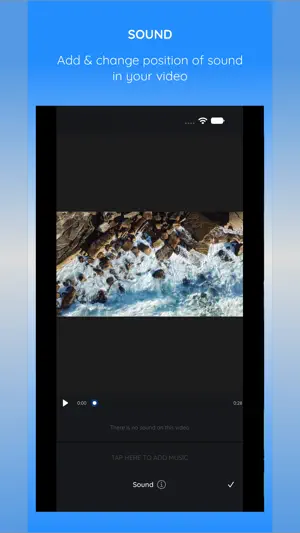
CrVid – Crop, reframe and resize video Shot it landscape but need it vertical? CrVid turns any video into the right shape for stories, short-form video and social feeds – and with Follow Subject, the frame moves with your subject so nobody walks out of the shot. One purchase. Every feature. No ads, no subscriptions, no watermark. FOLLOW SUBJECT – SMART REFRAMING Pick Follow subject and CrVid tracks the person or object through your clip, moving the crop frame with it. It all happens on your iPhone or iPad. • See the path the frame will take and fine-tune any point • Drag the video to fix the framing at any moment • Re-run tracking on just the part you want • The preview shows exactly what you will export CROP TO ANY SHAPE • Ready-made shapes for the most popular social platforms • Classic ratios: 9:16, 1:1, 4:5, 16:9 and more • Safe zones show where app buttons and captions will sit • Pinch to zoom, rotate, and drag to place the frame exactly where you want it • Cut out an unwanted object or edge in seconds A COMPLETE LITTLE EDITOR • Trim – keep only the best part • Sound – move the soundtrack or replace it with a song from your library • Speed – slow it down or speed it up • Reverse – play your clip backwards • Background color – fill the space around your video • Save as a project and come back to it later EXPORT YOUR WAY • Resolutions from 240p up to 4K • Choose the frame rate, and see the file size before you export • Smaller files with the same quality – CrVid matches your original video instead of padding it • Export as a video (MP4) or a lightweight GIF • Exports keep running if you switch apps • Watch the result, then save to Photos or share it anywhere SIMPLE FROM THE FIRST TAP Add a video, choose a shape, tap Export. Every tool has a short picture guide behind the (i) button, so you are never left guessing. Works on iPhone and iPad. Questions or ideas? We read every review – and if CrVid saves you time, a rating helps us a lot.
Ratings & reviews
4.4
47 ratings
What’s new
Version 1.3.0 · Updated October 16, 2026
NEW: FOLLOW SUBJECT The crop frame now follows your subject through the clip, so landscape video turns vertical without losing the action. ALSO IN THIS UPDATE • Redesigned export: up to 4K, frame rate choice and file size estimate • Smaller files at the same quality, and lighter GIFs • Exports continue in the background • Improved performance and stability Thank you for using CrVid. We hope you enjoy this update.
App privacy
The developer, Thi Hoang, reported these privacy practices to Apple.
Data Not Collected
The developer does not collect any data from this app.
Alternatives to CrVid - Great video editor!
Looking for apps like CrVid - Great video editor!? Here are 6 similar apps on the App Store. The highest rated is TraceArt: AR Sketch Projector (5.0/5), and 2 of the 6 are free to download.
-
 Magic Photo - Color Invert
1.0
-
 Panorama Pro - Photo Stitcher
4.6
-
 3D Effect Video Converter
2.3
-
 Slow Motion Video Maker Lite
2.5
-
 TraceArt: AR Sketch Projector
5.0
-
 Lightframer Pro
4.9
| App | Rating | Price | Last updated | Compare |
|---|---|---|---|---|
| CrVid - Great video editor! | 4.4 / 5 (47 ratings) | 0.99 USD | October 16, 2026 | |
| Magic Photo - Color Invert | 1.0 / 5 (4) | 1.99 USD | Feb 10, 2025 | Compare |
| Panorama Pro - Photo Stitcher | 4.6 / 5 (13) | 19.99 USD | Jun 9, 2025 | Compare |
| 3D Effect Video Converter | 2.3 / 5 (6) | 2.99 USD | Apr 27, 2024 | Compare |
| Slow Motion Video Maker Lite | 2.5 / 5 (2) | Free | Jun 9, 2026 | Compare |
| TraceArt: AR Sketch Projector | 5.0 / 5 (1) | Free | Sep 25, 2026 | Compare |
| Lightframer Pro | 4.9 / 5 (7) | 19.99 USD | Nov 12, 2026 | Compare |