

3D Effect Video Converter
Masanori Katsuta Photo & Video iPhoneiPadiPod touch
3D Effect Video Converter is a paid Photo & Video app for iPhone and iPad by Masanori Katsuta. Rated 2.3/5 from 6 ratings. Requires iOS 13.0.
- Rating
- 2.3
- 6 ratings
- Price
- 2.99 USD
- on the App Store
- Size
- 6 MB
- Age 4+
- Updated
- Apr 27
- 2024 · v1.1.4
Screenshots


About 3D Effect Video Converter
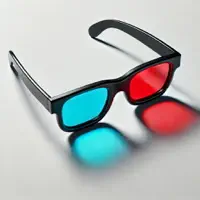
Any 2D video you have taken in the past can be automatically converted to 3D video. You can enjoy the tremendous power and realism of 3D video that you can't taste with 2D video. This app also supports anaglyphs, so anyone can enjoy 3D video using red and blue glasses. This app supports not only videos stored on smartphones, but also video recording with camera. Taking TV shows and movie scenes with a smartphone to make them 3D, and the fun will be endless. For example, the aerial battle of the movie Star Wars and a YouTube video like an aerial shot of a drone are truly impressive. (Please be careful when downloading or publishing the copyrighted work of others.) [About Anaglyph] - If you have strong strabismus, use red / blue glasses to view in anaglyph mode. - Red and blue glasses can be easily made with cellophane, and can also be purchased online at low cost. - Those who can perform autostereoscopic viewing can also enjoy stereoscopic viewing by turning off the anaglyph mode. [Video not suitable for 3D] - You cannot get a three-dimensional effect for videos that have almost no movement. - Videos that do not move the camera or subject are inappropriate. - For example, a movie with a camera with a tripod and a small amount of motion is not suitable. [About autostereoscopic vision] This is a method of viewing the image of the left eye and the image of the right eye with the naked eye while feeling the three-dimensional image in three dimensions. There are two methods for autostereoscopic viewing: the parallel method and the cross method. The parallel method is a method in which the left image is viewed with the left eye and the right image is viewed with the right eye. The cross method is a method of viewing the left image with the right eye and the right image with the left eye. You can easily find out how to practice the parallel method and dating method by searching the web. Stereoscopic vision is said to improve the ability to focus with both eyes and help restore vision. It is thought to promote the movement of the eye muscles and visual field, thereby activating the brain. [Video source] - Camera shooting - Camera roll: Loading video [Settings] - Anaglyph mode: ON / OFF - Stereoscopic Image Layout: [1] [2] / [2] [1] Choose whichever is easier to see. - 3D Depth: Adjust with slider control If the 3D depth is too large, the left and right images will be misaligned. Conversely, if the 3D depth is too small, the stereoscopic effect will be poor. - Storage resolution: 20-100% of original resolution [output] - Save to camera roll: video, photo - Video and photo sharing: AirDrop, LINE, Facebook, Dropbox, Instagram, ...
Ratings & reviews
2.3
6 ratings
What’s new
Version 1.1.4 · Updated April 27, 2024
- Fixed a bug where the audio track was not output when outputting a video.
App privacy
The developer, Masanori Katsuta, reported these privacy practices to Apple.
Data Not Collected
The developer does not collect any data from this app.
Alternatives to 3D Effect Video Converter
Looking for apps like 3D Effect Video Converter? Here are 6 similar apps on the App Store. The highest rated is Cameranaglyph (5.0/5), and all 6 are free to download.
-
 Cameranaglyph
5.0
-
 i3DMovieMaker
3.5
-
 i3DMovieCam
4.9
-
 StereoShift - 3D Photo/Video
5.0
-
 i3DPhotoCam
4.0
-
 i3DDepthCam
3.7
| App | Rating | Price | Last updated | Compare |
|---|---|---|---|---|
| 3D Effect Video Converter | 2.3 / 5 (6 ratings) | 2.99 USD | April 27, 2024 | |
| Cameranaglyph | 5.0 / 5 (1) | Free | Dec 17, 2025 | Compare |
| i3DMovieMaker | 3.5 / 5 (14) | Free | Dec 19, 2025 | Compare |
| i3DMovieCam | 4.9 / 5 (7) | Free | Apr 1, 2024 | Compare |
| StereoShift - 3D Photo/Video | 5.0 / 5 (1) | Free | Oct 16, 2026 | Compare |
| i3DPhotoCam | 4.0 / 5 (6) | Free | Mar 12, 2024 | Compare |
| i3DDepthCam | 3.7 / 5 (3) | Free | Jul 9, 2024 | Compare |