

ezMixRecorder
Naoto Sasaki Music iPhoneiPadiPod touch
ezMixRecorder is a free Music app for iPhone and iPad by Naoto Sasaki. Requires iOS 16.6. Updated September 27, 2026.
- Price
- Free
- on the App Store
- Size
- 19 MB
- Age 4+
- Updated
- Sep 27
- 2026 · v3.4.0
Screenshots



About ezMixRecorder
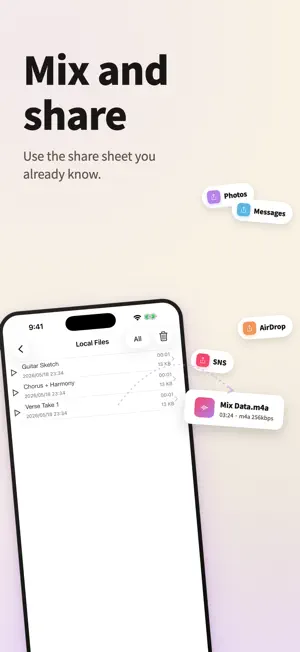
Multi-track recording on your phone. Layer vocals over a karaoke track. Record guitar and vocals on separate tracks. A friendly first step into DAW—and a comfortable home for daily practice. ◆ Who it's for - Singers who want to record harmonies and backing vocals - Anyone layering vocals on top of karaoke tracks - Guitarists recording vocals and guitar on separate tracks - Songwriters sketching out ideas - Players who want to review their practice sessions ◆ Three things you get ■ Stack as many tracks as you like 44.1 kHz / 32-bit recording with no track-count limit (in-app purchase removes the cap). Imports MP3, WAV, and AIFF files. ■ Built-in practice tools A pinned tuner (pitch and frequency) and metronome (BPM 20–300, 3/4 or 4/4) stay at the top of the screen while you record—no need to switch apps. ■ From record to finish, in one place Adjust per-track volume, stereo pan, and reverb. Mix down to a single file, or export as a video for the Photos app. ◆ How it works 1. Tap + to add a track 2. Tap the record button to record, the play button to listen back 3. Add another track and repeat 4. Mix everything down into one file when you're ready ◆ Also supports - Optimized for iPad's bigger canvas - Recording and playback over Bluetooth headsets - Recording while audio from other apps (Apple Music etc.) plays - Background recording and playback - No time limit on recordings ◆ In-app purchases - Remove the track-count limit - Apply effects to mixes and exports - Metronome feature ◆ Support Send feature requests and bug reports from the settings menu inside the app. We read every one.
What’s new
Version 3.4.0 · Updated September 27, 2026
Dark mode is now supported. Choose Match Device, Light or Dark in Settings. Added a question mark next to PAN, REV and COMP that explains what each one does and when to use it. Reworked the recording level used when mixing down. Refreshed the colors of the record and play buttons. Smoothed out the animation when tracks are added or removed. Fixed a bug in the recording process.
App privacy
The developer, Naoto Sasaki, reported these privacy practices to Apple.
Data Used to Track You
The following data may be used to track you across apps and websites owned by other companies:
- Location: Coarse Location
- Identifiers: Device ID
- Usage Data: Product Interaction, Advertising Data
Data Not Linked to You
The following data, which may be collected but is not linked to your identity, may be used for the following purposes:
- Location: Coarse Location
- Identifiers: Device ID
- Usage Data: Product Interaction, Advertising Data
- Diagnostics: Crash Data, Performance Data
Used for: Third-Party Advertising, Developer’s Advertising or Marketing
Alternatives to ezMixRecorder
Looking for apps like ezMixRecorder? Here are 6 similar apps on the App Store. The highest rated is DubDub recorder (5.0/5), and all 6 are free to download.
-
 DubDub recorder
5.0
DubDub recorder
5.0
-
 4 Tracks LX
2.2
4 Tracks LX
2.2
-
 Overdubber
5.0
Overdubber
5.0
-
 Songtake: Multitrack Recorder
5.0
Songtake: Multitrack Recorder
5.0
-
 Manytrack Recorder
5.0
Manytrack Recorder
5.0
-
 StudioMini - Music Recorder
4.6
StudioMini - Music Recorder
4.6
| App | Rating | Price | Last updated | Compare |
|---|---|---|---|---|
| ezMixRecorder | – | Free | September 27, 2026 | |
| DubDub recorder | 5.0 / 5 (3) | Free | Jun 28, 2025 | Compare |
| 4 Tracks LX | 2.2 / 5 (10) | Free | Sep 12, 2026 | Compare |
| Overdubber | 5.0 / 5 (1) | Free | Oct 19, 2026 | Compare |
| Songtake: Multitrack Recorder | 5.0 / 5 (4) | Free | Aug 28, 2026 | Compare |
| Manytrack Recorder | 5.0 / 5 (4) | Free | Nov 2, 2025 | Compare |
| StudioMini - Music Recorder | 4.6 / 5 (906) | Free | Jul 15, 2026 | Compare |
Compare ezMixRecorder with the top alternatives: ratings, updates, ASO score and keyword gaps →