

Prisma: Photo Editor, Filters
Prisma labs, inc. Photo & Video iPhoneiPadiPod touch
Prisma: Photo Editor, Filters is a free Photo & Video app for iPhone and iPad by Prisma labs, inc. Rated 4.7/5 from 211,471 ratings. Requires iOS 15.0.
- Rating
- 4.7
- 211K ratings
- Price
- Free
- on the App Store
- Size
- 213 MB
- Age 12+
- Updated
- Oct 5
- 2023 · v4.8.0
Screenshots



About Prisma: Photo Editor, Filters
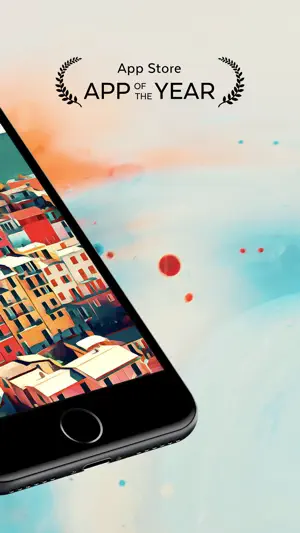
You don’t need to be an experienced photo editor to turn photos into captivating digital art. Why? Because there’s Prisma for it! With the Prisma photo editor, it’s easy to unleash the artist within and go from average photo to mesmerizing edit in seconds! Recognized as the App of the Year in 2016 Prisma has a constantly growing community of over 120 million users all over the world. Prisma provides a lot of features both for general and selfie photo editing. Download Prisma and let AI technology convert your photos into an artistic piece! FEATURES EXTENSIVE LIBRARY OF STYLES More than 500 various styles are waiting for you to be tried out in Prisma’s library. New styles are going live on a daily basis for you to spruce up your creativity. You can also try Portrait styles that are specially designed for making captivating selfies. TOP-NOTCH FUNCTIONALITY •Among the best selection of Prisma’s tools to customize your photo, it’s worth mentioning the Portrait Segmentation feature. The essential tool for selfies is set to not only add the style to the whole image but also be applied either to the person or the background separately. •Another way to enhance your photos without putting too much effort into the editing process is using vivid frames that will complement absolutely any of your photos. •And the icing on the cake — Prisma’s feature for background editing. With this tool, you can replace the background of any selfie you want! You can select the background from the colorful templates, or choose any other from your phone’s gallery. ALL THE BENEFITS IN ONE PLAN A Prisma Premium subscription gives access to any style without an exception and allows you to save photos in HD quality! Before purchasing a subscription, you can try Prisma for 3 days for FREE. You can then choose from several subscription plans that have the same set of features. The only difference is the time interval for each plan. ——————————————— Prisma Premium Subscription: Payment will be charged to iTunes Account at confirmation of purchase. Subscription automatically renews unless auto-renew is turned off at least 24-hours before the end of the current period. The account will be charged for renewal within 24-hours prior to the end of the current period, and identify the cost of the renewal. Subscriptions may be managed by the user and auto-renewal may be turned off by going to the user's Account Settings after purchase. Any unused portion of a free trial period, if offered, will be forfeited when the user purchases a subscription to that publication, where applicable. Terms of Use http://prisma-ai.com/terms Privacy Policy http://prisma-ai.com/privacy
Ratings & reviews
4.7
211K ratings
What’s new
Version 4.8.0 · Updated October 5, 2023
Various bug fixes and improvements.
App privacy
The developer, Prisma labs, inc., reported these privacy practices to Apple.
Data Used to Track You
The following data may be used to track you across apps and websites owned by other companies:
- Purchases: Purchase History
- Identifiers: Device ID
Data Linked to You
The following data, which may be collected and linked to your identity, may be used for the following purposes:
- User Content: Customer Support
Used for: App Functionality
Data Not Linked to You
The following data, which may be collected but is not linked to your identity, may be used for the following purposes:
- Identifiers: Device ID
- Purchases: Purchase History
- Usage Data: Product Interaction
- Diagnostics: Crash Data, Performance Data, Other Diagnostic Data
Used for: Third-Party Advertising, Developer’s Advertising or Marketing, Analytics, Product Personalization, App Functionality
Alternatives to Prisma: Photo Editor, Filters
Looking for apps like Prisma: Photo Editor, Filters? Here are 6 similar apps on the App Store. The highest rated is BeCasso: Photo to Painting App (4.8/5), and all 6 are free to download.
-
 BeCasso: Photo to Painting App
4.8
BeCasso: Photo to Painting App
4.8
-
 Photo To Sketch - Drawing book
4.2
Photo To Sketch - Drawing book
4.2
-
 Darkroom: Photo & Video Editor
4.8
Darkroom: Photo & Video Editor
4.8
-
 Turn Photo to Sketch: Graphite
4.8
Turn Photo to Sketch: Graphite
4.8
-
 Toon Photo Editor: Clip2Comic
4.8
Toon Photo Editor: Clip2Comic
4.8
-
 Filto: AI Photo & Video Editor
4.7
Filto: AI Photo & Video Editor
4.7
| App | Rating | Price | Last updated | Compare |
|---|---|---|---|---|
| Prisma: Photo Editor, Filters | 4.7 / 5 (211,471 ratings) | Free | October 5, 2023 | |
| BeCasso: Photo to Painting App | 4.8 / 5 (8,200) | Free | Sep 17, 2026 | Compare |
| Photo To Sketch - Drawing book | 4.2 / 5 (12,012) | Free | Sep 24, 2026 | Compare |
| Darkroom: Photo & Video Editor | 4.8 / 5 (29,352) | Free | Sep 15, 2026 | Compare |
| Turn Photo to Sketch: Graphite | 4.8 / 5 (8,413) | Free | Sep 18, 2026 | Compare |
| Toon Photo Editor: Clip2Comic | 4.8 / 5 (41,390) | Free | Sep 21, 2026 | Compare |
| Filto: AI Photo & Video Editor | 4.7 / 5 (167,071) | Free | Sep 18, 2026 | Compare |