

Photo To Sketch - Drawing book
pixel force private limited Photo & Video iPhoneiPadiPod touch
Photo To Sketch - Drawing book is a free Photo & Video app for iPhone and iPad by pixel force private limited. Rated 4.2/5 from 12,010 ratings.
- Rating
- 4.2
- 12K ratings
- Price
- Free
- on the App Store
- Size
- 54 MB
- Age 4+
- Updated
- Sep 24
- 2026 · v3.1.0
Screenshots


About Photo To Sketch - Drawing book
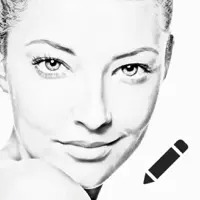
Photo to Sketch - Drawing app converts photo to pencil sketch in a tap and also a Drawing app with a huge collection of colouring pages. Take the photo from photo album or take new photo using camera and convert to pencil sketch right away for free. Photo to Sketch Features: 1. Ability to use photos from photo album. 2. Ability to launch camera and take photos from application 3. Try multiple Sketch styles and see your Sketch art. 4. Email your sketches from the application 5. Save the sketch to your photo album 6. Change the contrast and brightness of the sketch by using the settings 7. No stretching or shrinking of images, produce high quality pencil sketched 8. Its a FREE app, no need to pay for it 9.Try the different cartoon styles that are available. Drawing or Colouring Features: 1. Select colouring page from our huge collection of Drawings 2. colour the pages from our 1000+ colors and patterns available 3. After completing your art work share in Social networking sites instantly. 4. Colouring pages available both for kids, Adults and for all occasions 5. New Colouring pages are added daily and weekly volumes. RESTORE: You can restore your paid in app purchases without paying again. Follow these steps 1. Open the app 2. Click on Top Right to open the Premium window 3. Click on RESTORE to re-activate your in app purchases again 4. DONE Photo to Sketch Premium Subscription ============================= 1. Enjoy professional coloring pages & Sketch tools with Pro-Level Features & Amazing Members-Only Benefits. 2. Get unlimited access to all premium Sketch Styles,effects and Drawing categories 3. Get unlimited access to all Premium Cartoon Styles with AI auto person detection features. 4. Get unlimited access to all premium filters and tools 5. Comics, Stickers and Fonts 6. Get rid of ads and watermark 7. Get the new advanced 100+ new Sketch styles with auto sketch effect with professional sketch strokes. • Subscriptions may be managed by the user and auto-renewal may be turned off by going to the user's Account Settings after purchase • Any unused portion of a free trial period, if offered, will be forfeited when the user purchases a subscription to that publication, where applicable Subscription plans: 1. USD $20.99/6 Months 2. USD $6.99/Month 3. USD $30.99/Year 4. USD $2.99/Week Subscriptions automatically renew unless they are turned off at least 24 hours before the end of the current period in account settings. Renewals are charged within 24-hours preceding the end of the current period. Payment is charged to iTunes Account at confirmation of purchase. Subscriptions are managed by the user. Terms of Service: http://206.189.130.170/ps_tc.html Privacy: http://206.189.130.170/ps_privacy.html
Ratings & reviews
4.2
12K ratings
What’s new
Version 3.1.0 · Updated September 24, 2026
Hey Sketchers! We've rolled out a new update to make your experience smoother and more enjoyable than ever. - Added Imagine — describe anything you like and we'll draw a colouring page for you - Added a Color Together option to color the same page with a friend in real time - Added a Color by Number option - Added a Time-Lapse Replay to watch your artwork redraw itself - Added Dark Mode - Added support for 16 languages - Refreshed the style editor with new stickers and undo/redo throughout - Faster sketch rendering and lower memory use across all devices - Fixed pesky bugs and reduced app crashes for improved stability Thank you for using Photo to Sketch! We're constantly working behind the scenes to make your creative journey better. Happy Sketching!
App privacy
The developer, pixel force private limited, reported these privacy practices to Apple.
Data Used to Track You
The following data may be used to track you across apps and websites owned by other companies:
- Identifiers: Device ID
- Usage Data: Product Interaction, Advertising Data
- Diagnostics: Crash Data, Performance Data, Other Diagnostic Data
Data Not Linked to You
The following data, which may be collected but is not linked to your identity, may be used for the following purposes:
- Identifiers: Device ID
- Usage Data: Advertising Data, Product Interaction
- Diagnostics: Performance Data, Crash Data, Other Diagnostic Data
Used for: Third-Party Advertising, Analytics, App Functionality
Alternatives to Photo To Sketch - Drawing book
Looking for apps like Photo To Sketch - Drawing book? Here are 6 similar apps on the App Store. The highest rated is Turn Photo to Sketch: Graphite (4.8/5), and all 6 are free to download.
-
 Pencil Photo Sketch Editor
4.7
Pencil Photo Sketch Editor
4.7
-
 Pencil Sketch Photo Editor +
4.5
Pencil Sketch Photo Editor +
4.5
-
 Turn Photo to Sketch: Graphite
4.8
Turn Photo to Sketch: Graphite
4.8
-
 Sketch Me!
4.5
Sketch Me!
4.5
-
 Toon Photo Editor: Clip2Comic
4.8
Toon Photo Editor: Clip2Comic
4.8
-
 Instant Toon: Cartoon Art Cam
4.7
Instant Toon: Cartoon Art Cam
4.7
| App | Rating | Price | Last updated | Compare |
|---|---|---|---|---|
| Photo To Sketch - Drawing book | 4.2 / 5 (12,010 ratings) | Free | September 24, 2026 | |
| Pencil Photo Sketch Editor | 4.7 / 5 (4,046) | Free | May 5, 2026 | Compare |
| Pencil Sketch Photo Editor + | 4.5 / 5 (14,709) | Free | Oct 29, 2025 | Compare |
| Turn Photo to Sketch: Graphite | 4.8 / 5 (8,415) | Free | Sep 18, 2026 | Compare |
| Sketch Me! | 4.5 / 5 (6,999) | Free | Aug 31, 2026 | Compare |
| Toon Photo Editor: Clip2Comic | 4.8 / 5 (41,391) | Free | Sep 21, 2026 | Compare |
| Instant Toon: Cartoon Art Cam | 4.7 / 5 (27,293) | Free | Jul 20, 2026 | Compare |