

AccessSecurium™
ALPEIN Software SWISS AG Utilities iPhoneiPadiPod touch
AccessSecurium™ is a free Utilities app for iPhone and iPad by ALPEIN Software SWISS AG. Requires iOS 12.0. Updated May 30, 2024.
- Price
- Free
- on the App Store
- Size
- 29 MB
- Age 4+
- Updated
- May 30
- 2024 · v1.4.36
Screenshots

About AccessSecurium™
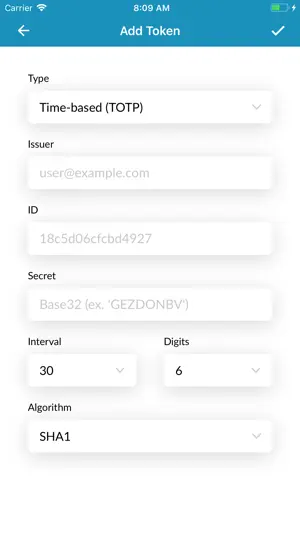
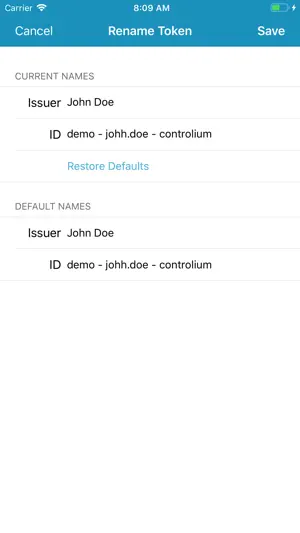
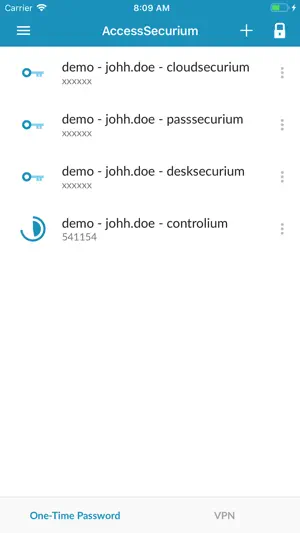
AccessSecurium™ was initially developed as an authenticator app for the protected SWISS SECURIUM® platform for enterprise communication and collaboration, but now it can be also used as a stand-alone application for storing and managing time-based one-time password tokens (TOTP) for two-factor authentication (2FA). For the SWISS SECURIUM® platform users, the application also provides VPN access to platform services as additional security layer. Features: • Token & folder management • Adding and sharing tokens via QR code / manually typing secret • Generation of 2FA codes in the flight mode • Support for Touch & Face ID • Export / import of OTP token backup base (for the SWISS SECURIUM® platform users) AccessSecurium™ generates one-time passwords for two-step authentication, which provides additional level of the web account protection from hacker attacks. Life time of the generated code is 30 seconds, then this 2FA code changes into a new one. You can easily add tokens to AccessSecurium™ vault: just scan a QR code while turning on 2FA option for website or service. If QR code isn’t provided, you can add token by manual typing / copying a secret (special symbol sequence). One-time passwords can be generated even when your phone is in the flight mode, it doesn’t require an Internet connection. All your OTP tokens are stored only on your device. In case of device loss, it’ll be impossible to restore former token base. That’s why we recommend to create a backup and keep it in safe place or turn on additional secondary way of 2FA for your accounts for keeping full control over the account access. Pay attention to the app security, enable Security Code or Fingerprint authentication for it! AccessSecurium™ is a free authenticator using software tokens, which was designed for your convenience of use! AccessSecurium™ also is able to work for your private corporate security implementing standardized TOTP or HOTP protocols. Our team will be happy to answer your questions about the implementation of the app for your enterprise security by email: [email protected].
What’s new
Version 1.4.36 · Updated May 30, 2024
Fixed more bugs.
App privacy
The developer, ALPEIN Software SWISS AG, reported these privacy practices to Apple.
Data Not Collected
The developer does not collect any data from this app.
Alternatives to AccessSecurium™
Looking for apps like AccessSecurium™? Here are 6 similar apps on the App Store. The highest rated is Remote for ProPresenter (5.0/5), and 5 of the 6 are free to download.
-
 Parkingportal
-
 BettyAUTH
-
 Remote for ProPresenter
5.0
Remote for ProPresenter
5.0
-
 Artome Connect
5.0
Artome Connect
5.0
-
 Word Clock Pro: Widget
4.0
Word Clock Pro: Widget
4.0
-
 Ready Call
| App | Rating | Price | Last updated | Compare |
|---|---|---|---|---|
| AccessSecurium™ | – | Free | May 30, 2024 | |
| Parkingportal | – | Free | Aug 13, 2026 | Compare |
| BettyAUTH | – | Free | Aug 2, 2026 | Compare |
| Remote for ProPresenter | 5.0 / 5 (8) | Free | Sep 8, 2026 | Compare |
| Artome Connect | 5.0 / 5 (1) | Free | Oct 22, 2026 | Compare |
| Word Clock Pro: Widget | 4.0 / 5 (2) | 3.99 USD | Sep 8, 2026 | Compare |
| Ready Call | – | Free | Apr 27, 2026 | Compare |
Compare AccessSecurium™ with the top alternatives: ratings, updates, ASO score and keyword gaps →