
File converter
Tools
Convert images to JPG, PNG, WEBP, or PDF - fast, offline, with custom sizes.
- Downloads
- 5+
- on Google Play
- Price
- $1.49
- No in-app purchases
- Updated
- Aug 12
- 2026 · v6.0.0
Screenshots
About File converter
File Converter is a simple and powerful tool that lets you quickly convert your images into multiple formats, including JPG, PNG, WEBP, and PDF.
No internet connection is required after installation — everything happens directly on your device for speed, privacy, and security.
Features:
Convert multiple images at once
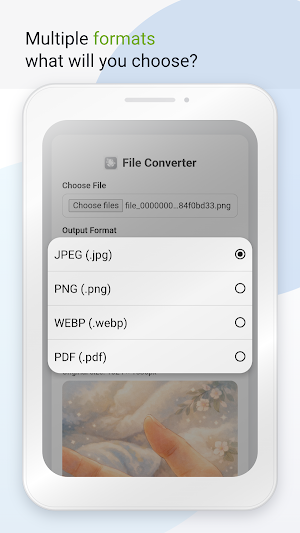
Supported formats: JPG, PNG, WEBP, and PDF
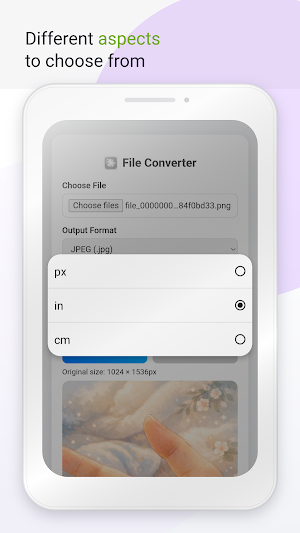
Set custom dimensions in pixels (px), inches (in), or centimeters (cm)
Automatically scales while maintaining image quality
Fully offline — your files never leave your device
Fast conversion with instant downloads
Clean, lightweight, and PWA-ready interface
No data tracking or cloud uploads
How it works:
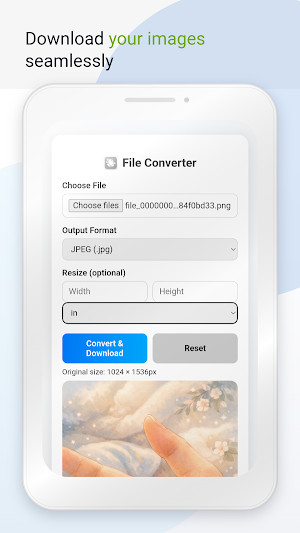
1. Choose your file(s)
2. Select the desired output format
3. Enter custom width and height in px, in, or cm
4. Tap Convert & Download — done!
Perfect for designers, students, and everyday users who need fast, offline file conversions with full control over image size and format.
No internet connection is required after installation — everything happens directly on your device for speed, privacy, and security.
Features:
Convert multiple images at once
Supported formats: JPG, PNG, WEBP, and PDF
Set custom dimensions in pixels (px), inches (in), or centimeters (cm)
Automatically scales while maintaining image quality
Fully offline — your files never leave your device
Fast conversion with instant downloads
Clean, lightweight, and PWA-ready interface
No data tracking or cloud uploads
How it works:
1. Choose your file(s)
2. Select the desired output format
3. Enter custom width and height in px, in, or cm
4. Tap Convert & Download — done!
Perfect for designers, students, and everyday users who need fast, offline file conversions with full control over image size and format.
What’s new
Version 6.0.0 · Updated August 12, 2026
Please install the latest update to access this app 🖤 Now only accessable with this app 🖤
Alternatives to File converter
Looking for apps like File converter? Here are 6 similar Android apps on Google Play. 4 of the 6 are free to download.


| App | Rating | Price | Installs | Last updated | Compare |
|---|---|---|---|---|---|
| File converter | – | $1.49 | 5+ | Aug 12, 2026 | |
| Web to Andriod | – | Free | 50+ | Aug 10, 2026 | Compare |
| Mockup | – | 1.49 USD | 0+ | Aug 12, 2026 | Compare |
| Yearly Budget | – | 1.49 USD | 0+ | – | Compare |
| Tarot predictions | – | Free | 10+ | – | Compare |
| GiftMe | – | Free | 1,000+ | Oct 24, 2026 | Compare |
| KDP Cover | – | Free | 1,000+ | – | Compare |
Compare File converter with the top alternatives: ratings, updates, ASO score and keyword gaps →