

GeoNext Mobile
Maps & Navigation
Mobile data field collector
- Downloads
- 18+
- on Google Play
- Price
- Free
- No in-app purchases
- Updated
- Oct 9
- 2025 · v1.0.1
Screenshots

About GeoNext Mobile
App consists of 6 screens:
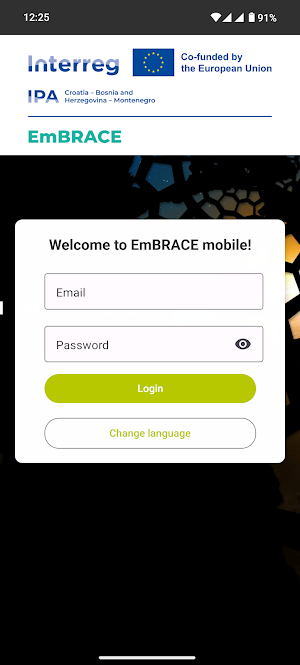
- Login: login is the first screen. User can only provide email and password provided by it's enterprise and log in to application. No account can be created in app.
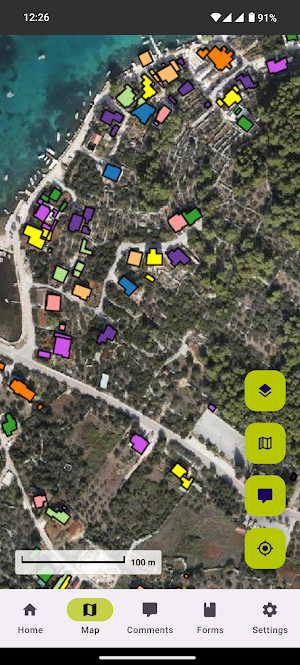
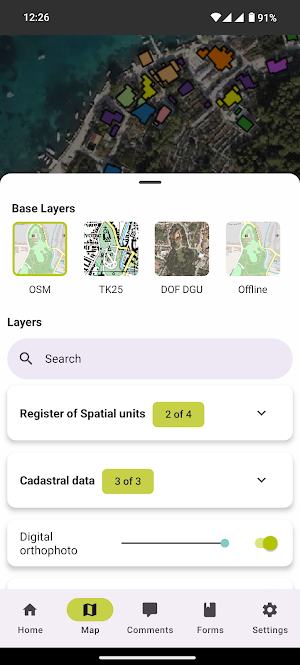
- Map: this is where most of app's logic is implemented. For each tenant there are base layers and layers defined. They are loaded and user can switch base layer and toggle layers. To help him find layers they are sorted in groups and there is a search bar. For some layers opacity slider is added. User can pan and zoom on map, on press data about visible layers is shown, if there is any. Some additional actions can be taken if specific layers we visible and pressed on. User can also add custom spatial comments by toggling middle button on the bottom right. A form pops up and user can fill it out, add images if necessary and submit the form.
- Comments: on this screen user can see all the comments from all the users who are on the same tenant. He can also see thumbnails of images uploaded by. If user presses on any thumbnail the image presents itself with option to swap to other images from the same comment. If user wishes to he can download any image.
- Forms: consists of lists for dynamic forms generated for each tenant. Forms collect various data as text inputs, number inputs, date inputs and location inputs. This data is collected by user and for user. This form is visible only if there are dynamic forms defined for tenant.
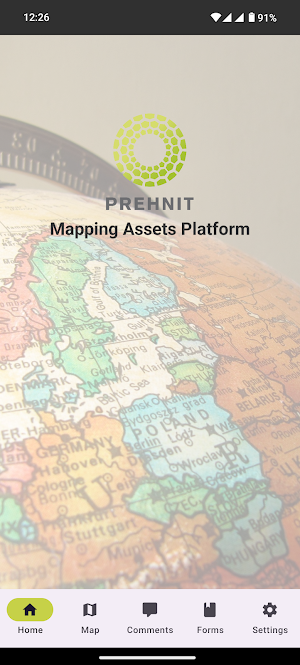
- About project: page with text default to tenant, contact information, copyright and image about project.
- Settings: page where user can see some data about itself, change app's language, download offline maps and log out.
- Login: login is the first screen. User can only provide email and password provided by it's enterprise and log in to application. No account can be created in app.
- Map: this is where most of app's logic is implemented. For each tenant there are base layers and layers defined. They are loaded and user can switch base layer and toggle layers. To help him find layers they are sorted in groups and there is a search bar. For some layers opacity slider is added. User can pan and zoom on map, on press data about visible layers is shown, if there is any. Some additional actions can be taken if specific layers we visible and pressed on. User can also add custom spatial comments by toggling middle button on the bottom right. A form pops up and user can fill it out, add images if necessary and submit the form.
- Comments: on this screen user can see all the comments from all the users who are on the same tenant. He can also see thumbnails of images uploaded by. If user presses on any thumbnail the image presents itself with option to swap to other images from the same comment. If user wishes to he can download any image.
- Forms: consists of lists for dynamic forms generated for each tenant. Forms collect various data as text inputs, number inputs, date inputs and location inputs. This data is collected by user and for user. This form is visible only if there are dynamic forms defined for tenant.
- About project: page with text default to tenant, contact information, copyright and image about project.
- Settings: page where user can see some data about itself, change app's language, download offline maps and log out.
What’s new
Version 1.0.1 · Updated October 9, 2025
About project page updated
Alternatives to GeoNext Mobile
Looking for apps like GeoNext Mobile? Here are 4 similar Android apps on Google Play. All of them are free to download.




| App | Rating | Price | Installs | Last updated | Compare |
|---|---|---|---|---|---|
| GeoNext Mobile | – | Free | 10+ | Oct 9, 2025 | |
| Safe trails | – | Free | 5,000+ | Sep 8, 2026 | Compare |
| M24 meeting | – | Free | 10+ | May 18, 2026 | Compare |
| Zadar a11y | – | Free | 10+ | – | Compare |
| MAP. Mobile | – | Free | 10+ | – | Compare |
Compare GeoNext Mobile with the top alternatives: ratings, updates, ASO score and keyword gaps →