

My Recipes
Food & Drink
An app that provides an easy way to enter details of your own recipes
- Downloads
- 10+
- on Google Play
- Price
- Free
- No in-app purchases
- Updated
- Oct 7
- 2022 · v1.11.0
Screenshots


About My Recipes
Welcome to My Recipes
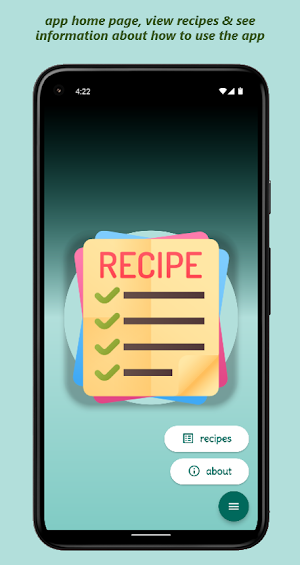
The app provides an easy way to enter details of your own recipes.
To add a new recipe, tap the add icon on the recipe list page and enter a title, on the recipe detail screen you can then enter details of the required ingredients and the method.
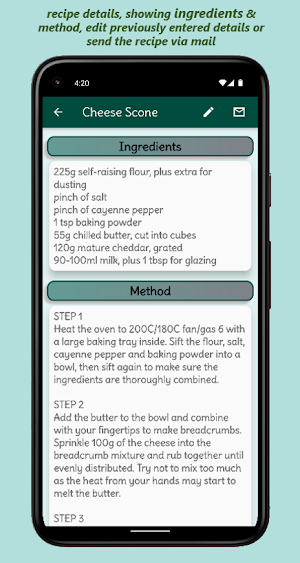
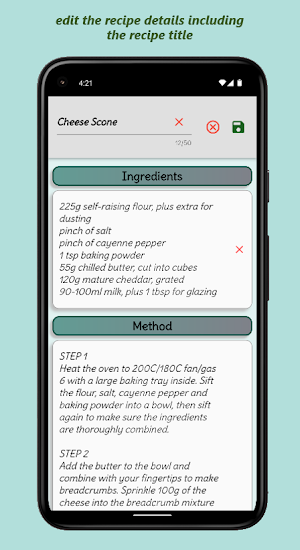
On the recipe detail page you can edit the previously entered recipe details or you can mail the recipe via your default mail app.
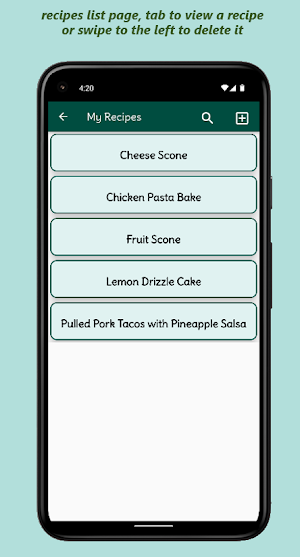
From the recipe list page, you can search your previously entered recipes and by swiping an entry to the left, you can delete it, to delete multiple entries, long-press and select one or more recipe cards and then tap the delete icon in the app bar.
Icons made by freepik from www.flaticon.com
The app provides an easy way to enter details of your own recipes.
To add a new recipe, tap the add icon on the recipe list page and enter a title, on the recipe detail screen you can then enter details of the required ingredients and the method.
On the recipe detail page you can edit the previously entered recipe details or you can mail the recipe via your default mail app.
From the recipe list page, you can search your previously entered recipes and by swiping an entry to the left, you can delete it, to delete multiple entries, long-press and select one or more recipe cards and then tap the delete icon in the app bar.
Icons made by freepik from www.flaticon.com
What’s new
Version 1.11.0 · Updated October 7, 2022
App improvements
User reviews

Finally somewhere where I can gather all my own written recipes.Really nice and easy to use app. Thanks.
Alternatives to My Recipes
Looking for apps like My Recipes? Here are 6 similar Android apps on Google Play. All of them are free to download.






| App | Rating | Price | Installs | Last updated | Compare |
|---|---|---|---|---|---|
| My Recipes | – | Free | 10+ | Oct 7, 2022 | |
| Cryptex Quiz | – | Free | 5+ | – | Compare |
| Practice | – | Free | 1+ | – | Compare |
| Movie Scheduler | – | Free | 100+ | Oct 12, 2026 | Compare |
| List Quiz | – | Free | 1+ | – | Compare |
| Hang 'Eddie' Man | – | Free | 10+ | – | Compare |
| Iron Maiden Quiz | – | Free | 100+ | – | Compare |
Compare My Recipes with the top alternatives: ratings, updates, ASO score and keyword gaps →