

Photo Recovery & File Restore
ZentrixSoft Tools In-app purchases Contains ads
Scan accessible storage, preview found files, and restore available items.
- Downloads
- 99.8K+
- on Google Play
- Price
- Free
- In-app purchases
- Updated
- Nov 4
- 2026 · v1.1.2
Screenshots


About Photo Recovery & File Restore
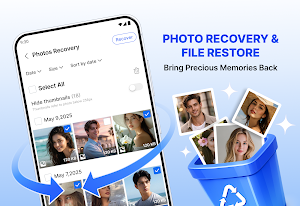
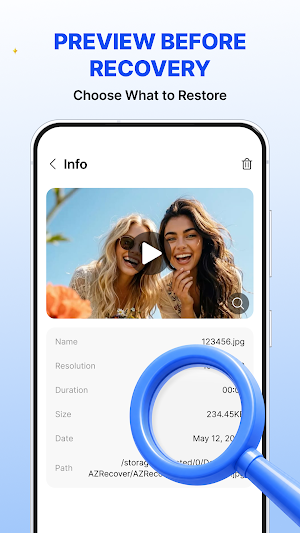
Recover Photos & Restore Files helps you examine accessible storage for supported photos, videos, recordings, documents, and other available files. You can preview scan results, select the items you need, and save restored copies on your device.
Content can be difficult to locate after it is deleted, moved, or affected by storage changes. The app organizes supported results in one view, making it easier to check which files remain accessible.
Simple Recovery Process
◆ Scan storage that your device allows the app to access
◆ View and preview supported results
◆ Choose individual files or select several items
◆ Restore available copies to a supported folder
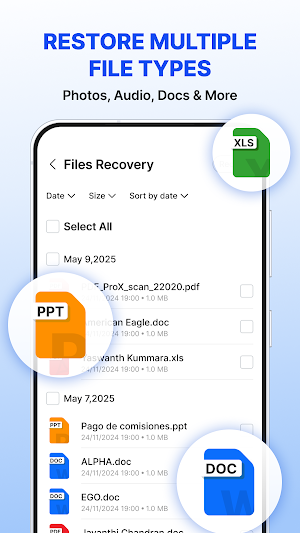
File Types
◆ Images: JPG, PNG, GIF, HEIC, RAW
◆ Video files: MP4, MOV, MKV
◆ Audio files: MP3, M4A, WAV
◆ Documents: PDF, DOCX, XLSX, PPT, TXT
◆ Text captured from new WhatsApp notifications
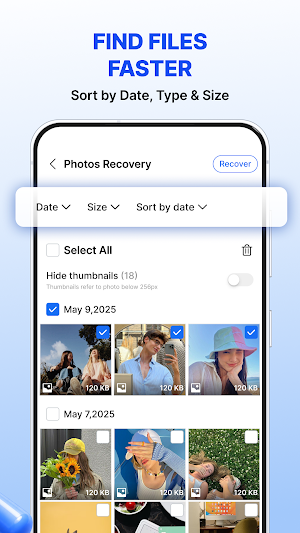
Results can be filtered and sorted by type, date, or size. Supported photos, videos, audio, and documents can be checked before restoration so you can confirm your selection.
Saved Message Notifications
After Notification Access is granted, text displayed in new WhatsApp message notifications can be saved by the app. That saved text may still be available after a notification is cleared or the related message is deleted.
The app does not open private chats or access WhatsApp databases. It cannot retrieve messages from before Notification Access was enabled or restore full chat history. Availability depends on WhatsApp notification content, notification settings, Android version, and device setup.
Duplicates and Device-Based Scanning
Possible duplicate files can be reviewed before you decide whether to remove them. Deletion only occurs after confirmation. File scans and restoration are processed locally, without uploading files for recovery. Scanning is read-only and does not replace original file data.
Not every file can be recovered. Data may be unavailable if overwritten, permanently deleted, stored only online, limited by Android, or secured by another app. Scan results depend on permissions, storage, file condition, device configuration, Android version, and elapsed time.
Content can be difficult to locate after it is deleted, moved, or affected by storage changes. The app organizes supported results in one view, making it easier to check which files remain accessible.
Simple Recovery Process
◆ Scan storage that your device allows the app to access
◆ View and preview supported results
◆ Choose individual files or select several items
◆ Restore available copies to a supported folder
File Types
◆ Images: JPG, PNG, GIF, HEIC, RAW
◆ Video files: MP4, MOV, MKV
◆ Audio files: MP3, M4A, WAV
◆ Documents: PDF, DOCX, XLSX, PPT, TXT
◆ Text captured from new WhatsApp notifications
Results can be filtered and sorted by type, date, or size. Supported photos, videos, audio, and documents can be checked before restoration so you can confirm your selection.
Saved Message Notifications
After Notification Access is granted, text displayed in new WhatsApp message notifications can be saved by the app. That saved text may still be available after a notification is cleared or the related message is deleted.
The app does not open private chats or access WhatsApp databases. It cannot retrieve messages from before Notification Access was enabled or restore full chat history. Availability depends on WhatsApp notification content, notification settings, Android version, and device setup.
Duplicates and Device-Based Scanning
Possible duplicate files can be reviewed before you decide whether to remove them. Deletion only occurs after confirmation. File scans and restoration are processed locally, without uploading files for recovery. Scanning is read-only and does not replace original file data.
Not every file can be recovered. Data may be unavailable if overwritten, permanently deleted, stored only online, limited by Android, or secured by another app. Scan results depend on permissions, storage, file condition, device configuration, Android version, and elapsed time.
Alternatives to Photo Recovery & File Restore
Looking for apps like Photo Recovery & File Restore? Here are 6 similar Android apps on Google Play. The highest rated is Gallery - photo gallery, album (4.7/5), and all 6 are free to download.
-
PhotoSpot: For Travel Planning 4.4
-
Lens AI: Identify Anything 4.1
-
Gallery - photo gallery, album 4.7
-
Fortect Mobile Security 4.2
-
Deleted Photo & Video Recovery 3.8
-
MobiSaver: Data&Photo Recovery 2.1
| App | Rating | Price | Installs | Last updated | Compare |
|---|---|---|---|---|---|
| Photo Recovery & File Restore | – | Free | 50,000+ | Nov 4, 2026 | |
| PhotoSpot: For Travel Planning | 4.4 / 5 | Free | 5,000+ | Jun 10, 2026 | Compare |
| Lens AI: Identify Anything | 4.1 / 5 | Free | 500,000+ | Sep 28, 2026 | Compare |
| Gallery - photo gallery, album | 4.7 / 5 | Free | 10,000,000+ | Jun 17, 2026 | Compare |
| Fortect Mobile Security | 4.2 / 5 | Free | 10,000+ | Aug 17, 2026 | Compare |
| Deleted Photo & Video Recovery | 3.8 / 5 | Free | 1,000,000+ | – | Compare |
| MobiSaver: Data&Photo Recovery | 2.1 / 5 | Free | 10,000,000+ | Sep 1, 2026 | Compare |
Similar apps on Google Play
- PhotoSpot: For Travel Planning
- Lens AI: Identify Anything
- Gallery - photo gallery, album
- Fortect Mobile Security
- Deleted Photo & Video Recovery
- MobiSaver: Data&Photo Recovery
- Storage Analyzer & Disk Usage
- PDF Reader Zone
- Smart Gallery - Photo Manager
- PRIVARY Secure Photo Vault
- Handoff Construction Estimator
- Autosync - File Sync & Backup
- AVG Cleaner – Storage Cleaner
- Tiny Scanner - PDF Scanner App
- Genius Scan - PDF Scanner
- ASTRO File Manager & Cleaner
- Dext: Receipt Tracker
- OpenRecovery
- Regula Document Reader
- Falcon PDF - Editor & Tools
- Total Drive - Cloud Storage
- Gallery
- LockMyPix Photo Vault PREMIUM
- Mobile Scanner App - Scan PDF
- CamCard AI Scanner, Transcribe
- Norwex Consultant App
- PhotoScan by Google Photos
- Avast Cleanup – Phone Cleaner
- Photo Scan App by Photomyne
- MYCPE ONE
- UltData: Photo & Data Recovery
- Humanity Schedule by TCP
- Mobi PDF・Editor・Scanner・Reader
- FastField: Field Service Forms