Z Locator - Fake GPS Location
Fast & smooth mock GPS simulator with joystick, custom routes & GPX export!
About Z Locator - Fake GPS Location
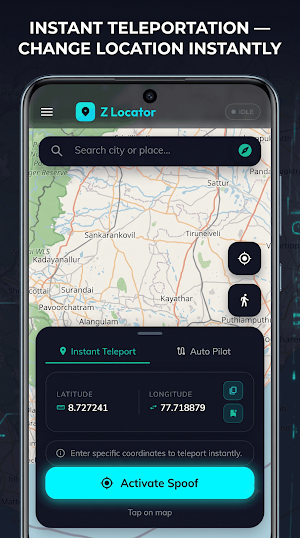
Take full control of your GPS location with Z Locator – the most advanced, intuitive, and futuristic Mock GPS & Location Simulator available! Whether you are a developer testing location-based applications, a traveler planning future journeys, or simply looking to protect your digital privacy, Z Locator provides seamless location simulation with professional-grade precision.
✨ KEY FEATURES ✨
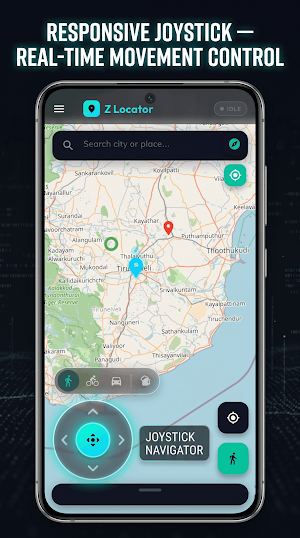
🕹️ FLOATING ON-SCREEN JOYSTICK
• Move smoothly anywhere on the map in real-time using our ergonomic on-screen joystick.
• Adjust driving and walking speeds dynamically (from leisurely strolls to high-speed travel in km/h and mph).
• Fully customizable joystick opacity and positioning to keep your view clear and unobstructed.
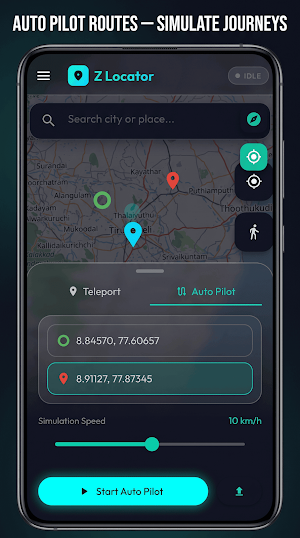
🛣️ INTERACTIVE ROUTE STUDIO & GPX EXPORT
• Build custom multi-point simulation routes with ease!
• View distance and waypoint breakdowns before starting automated navigation.
• Smart GPX Export: Download routes directly as GPX files to your device's default Downloads folder, choose a custom storage folder, or share routes via third-party apps.
⭐ SMART FAVORITES & QUICK BOOKMARKS
• Save your important pin locations with a single tap.
• Star up to 4 quick-access bookmarks that appear as prominent neon capsule badges directly above your map for instant 1-tap navigation!
• Organize your saved places with precise coordinate tracking and quick editing.
🌐 HIGH-PERFORMANCE & FUTURISTIC DESIGN
• Immerse yourself in a state-of-the-art Dark Neon and Glassmorphism user interface.
• Non-intrusive floating notification system designed never to block important interactive tools.
• Instant True North compass orientation and quick GPS re-centering buttons.
🔐 PRIVACY & SECURITY
• Optional Biometric (Fingerprint/PIN) App Lock to safeguard your saved locations and routes.
• Zero external data tracking—your simulated locations stay private and processed locally on your device.
🛠️ SIMPLE SETUP GUIDE (MOCK LOCATION READY)
Z Locator includes a built-in step-by-step interactive Setup Guide to help you enable "Mock Locations" within your device's Android Developer Options in under 60 seconds! No rooting or complex device modifications required!
Disclaimer: Z Locator is designed solely for software development, debugging, geographical application prototyping, and individual personal privacy protection. Please ensure compliance with the terms and policies of any applications you use alongside this tool.
Download Z Locator today and explore the future of location simulation! 🚀
Similar Apps

My Location - Track GPS & Maps
Easily save places, share locations & track your route with My Location

MixerBox BFF: Location Tracker
Locate GPS location. Find family, friends & your phone. Ur location tracker app.
Footpath Route Planner
Running, Hiking, Bike Map - Draw routes with your finger and navigate with GPS
Be Closer: GPS Family Location
Use GPS family location tracker to share your family location in real time map

Avenza Maps: Offline Mapping
Offline maps & GPS navigation for trails, topography & surveying

BaseMap: 3D Hunting Maps & GPS
3D Maps, Offline 3D, Location Sharing, Public & Private land, weather, wind, GPS
