About Dual Chat Web Scanner
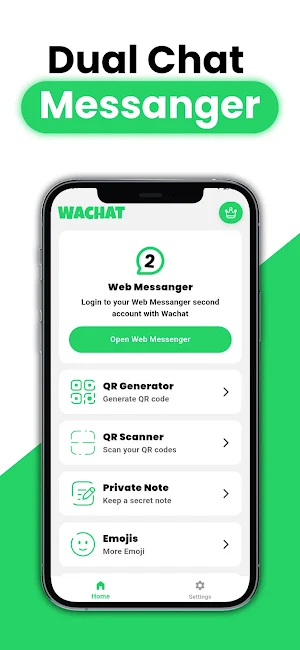
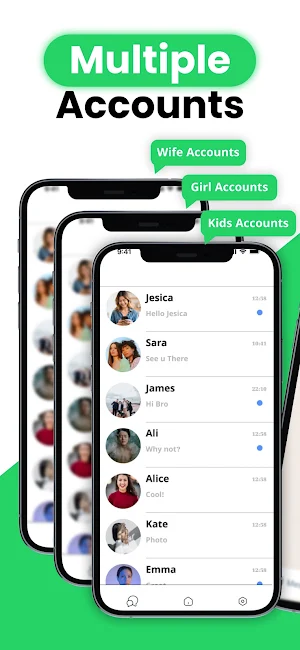
WA Dual Chat Whats Web Scanner makes it easy to connect and manage cloned WA Web Messenger accounts on a single device or multiple devices. Whether you are managing personal and business accounts or just need a second Dual Chat WA account, our app provides a seamless and consistent chat experience with a secure and stable connection.
This free WA Dual Chat Whats Web Scanner synchronizes all messages in your cloned WA account in real time, so you can read and respond to messages in What's Web Messenger anytime.
Advantages of WA Dual Chat - Whats Web Scanner
⭐️ Access and manage all files on cloned WA accounts
⭐️ Simple, fast, and user-friendly WA Web Scanner for WA
⭐️ Clone WA Messenger accounts and manage dual Whats on a single device
⭐️ Automatic synchronization for all cloned WA Whats messages
🏆Whats WA Dual Chat Web Scanner
With our WA Dual App, you can use dual Whats on a single device or view two WA Web Scanner accounts on your device.
It's quick and easy with a simple QR code scan.
🚀 Fast, Reliable Connection
Scan the QR code to log in to your Dual WA Dual Chat account and enjoy a stable connection without unexpected disconnections.
✅ QR Code Scanner and Reader
Whether it's a WA Web login or a shared link, quickly scan any QR code. It's perfect for accessing content and logging into WA Dual Chat seamlessly across devices.
✅ QR Code Generator
Need to share a person, group invitation, or website link? Create your own custom QR codes and send them directly through Dual Chat Web Scanner chats or save them to your device. Simple, fast, and secure.
✅ Private Notes and Reminders
Save important messages, reminders, or thoughts directly within the app as private notes. Great for keeping track of things without leaving the What's Chat feed.
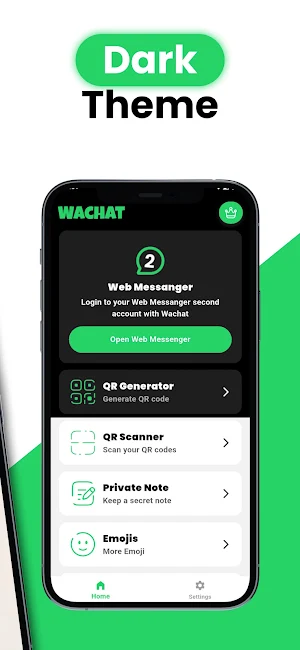
✅ Dark and Light Theme
Now you can use the WA Web Scan app in your preferred style with a dark or light theme. WA Web Scanner provides you with every convenience.
🎉 Sticker and Emoji Collection
Add some fun to your chats! While chatting on your cloned WA account, browse and use a wide variety of special stickers and emojis. Express your mood in style. Use WA Web Messenger too.
👥Account Security
You can be sure that your data will remain private in WA Dual Chat Web Messenger. This app helps you monitor your second WA account and ensures safe and reliable use.
📝How to Use WA Dual Chat - Whats Web Scanner?
1. Open the WA What's account you want to clone.
2. Tap the Three Dots option, then select Connected Devices.
3. Tap the Connect Device option and scan the Web Scanner QR code.
4. Instantly access all messages in your cloned WA account.
🎖️Looking for a reliable web browser for dual and cloned WA? WA Dual Chat - Whats Web Scanner is the best solution. Download now for effortless chat management across multiple accounts!
📢Disclaimer:
* WA Dual Chat - Whats Web Scanner Accounts is independently developed and is not affiliated with WhatsApp Inc.
* Our app provides an enhanced experience without violating official WhatsApp policies.
Similar Apps
Wabi - Virtual Phone Number
Wabi provides clean, dedicated phone numbers guaranteed to work with WhatsApp or...

WaStat - WatchApp tracker
WaStat can:★ show online last seen time★ display all time intervals in...
2nd Line - Second Phone Number
Get a second phone number to call and text! Keep your personal...

Virtual SIM
HAVE YOUR PERSONAL MOBILE OR LANDLINE NUMBER FROM MANY COUNTRIES, RECEIVE AND...

Call Blocker - Blacklist
Call blocker for blocking spam calls.Spam blocking:* Spam blocking for calls by...
Mutsapper - Chat App Transfer
Mutsapper makes WhatsApp data migration easier than ever 🚀. With just a...

