
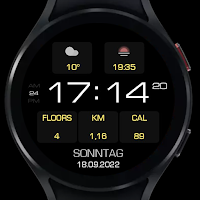
SG-100B
Personalization
The SG-100B is a Digital watch face for Wear OS by SGWatchDesign.
- Downloads
- 175+
- on Google Play
- Price
- $0.99
- No in-app purchases
- Updated
- Aug 6
- 2026
Screenshots
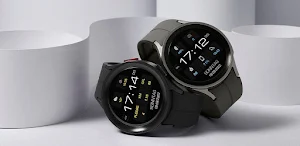
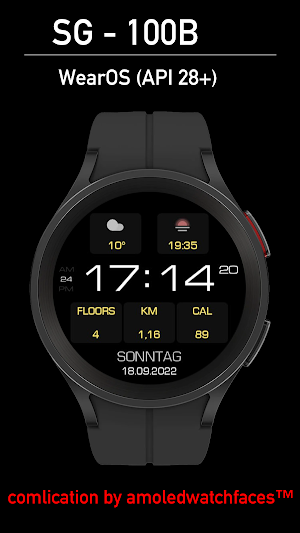
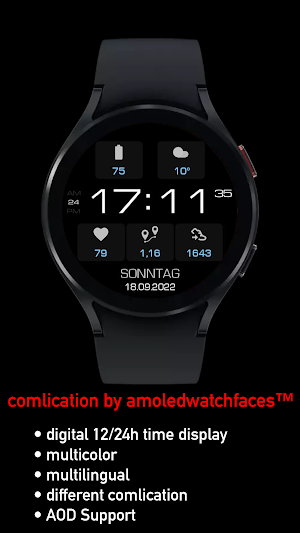
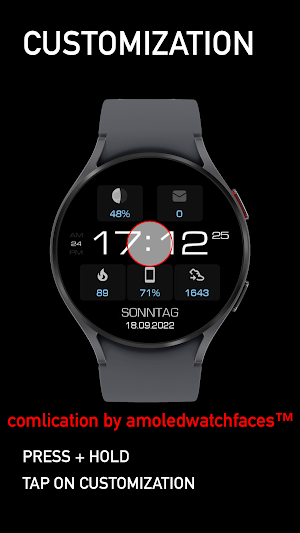


About SG-100B
The SG-100B is a Digital watch face for Wear OS by SGWatchDesign.
It contains 5 customizable complication, changeable colors and more.
All compilations in the pictures are from amoledwatchfaces ™
Additional complication apps
- Complications Suite - Wear OS
- Health Services Complications
- Heart Rate Complication
- Telephone battery complication
These can be downloaded from the PlayStore
https://play.google.com/store/apps/dev?id=55915896735981545.
Thanks for your great work!
The telephone app only serves as a placeholder to simplify the installation and finding of the dial on your Wear OS watch. You must select your Watch device from the drop-down menu
Installation Notes:
1 - Make sure the watch is properly connected to the phone, open Companion APP and tap on "INSTALL APP ON WEAR DEVICE".
After a few minutes the watch face will transferred on watch : check the watch faces installed by the Wearable app on the phone.
Note: if asked to pay twice on watch, please wait few minutes for Google Play to synchronize your purchase with your watch.
or
2 - If you are having synchronization problems between your phone and Play Store, install the app directly from watch: search " SG-100B " from Play Store on watch and hit on install button.
3 - Alternatively, try installing the watch face from web browser on your PC.
4 - You can also check the Samsung Developers video installing Wear OS watch face in so many ways: https://youtu.be/vMM4Q2-rqoM
Please consider that any issues on this side are NOT developer dependent. The developer has no control over the Play Store from this side. Thank you.
This watch face supports all Wear OS devices with API Level 28+.
Write to [email protected] if you need assistance.
Watch face features:
- 12/24hr based on phone settings
- weekday multilingual
- full date, (english US MM-dd-yyyy other languages dd.MM.yyyy) based on the language setting on phone settings
- Always ON Display supported
- changeable colors
- 5x short_text complications
Customizable field/complication:
you can customize the fields with the any data you want.
For example, you can select weather, steps, time zone, sunset/sunrise, barometer, next appointment and more.
***some features may not be available on some watches.
We appreciate your feedback!
Google Playstore:
https://play.google.com/store/apps/dev?id=7367234512924305828
FACEBOOK:
https://www.facebook.com/SGWatchDesign/
INSTAGRAM:
https://www.instagram.com/sg_watchdesign
It contains 5 customizable complication, changeable colors and more.
All compilations in the pictures are from amoledwatchfaces ™
Additional complication apps
- Complications Suite - Wear OS
- Health Services Complications
- Heart Rate Complication
- Telephone battery complication
These can be downloaded from the PlayStore
https://play.google.com/store/apps/dev?id=55915896735981545.
Thanks for your great work!
The telephone app only serves as a placeholder to simplify the installation and finding of the dial on your Wear OS watch. You must select your Watch device from the drop-down menu
Installation Notes:
1 - Make sure the watch is properly connected to the phone, open Companion APP and tap on "INSTALL APP ON WEAR DEVICE".
After a few minutes the watch face will transferred on watch : check the watch faces installed by the Wearable app on the phone.
Note: if asked to pay twice on watch, please wait few minutes for Google Play to synchronize your purchase with your watch.
or
2 - If you are having synchronization problems between your phone and Play Store, install the app directly from watch: search " SG-100B " from Play Store on watch and hit on install button.
3 - Alternatively, try installing the watch face from web browser on your PC.
4 - You can also check the Samsung Developers video installing Wear OS watch face in so many ways: https://youtu.be/vMM4Q2-rqoM
Please consider that any issues on this side are NOT developer dependent. The developer has no control over the Play Store from this side. Thank you.
This watch face supports all Wear OS devices with API Level 28+.
Write to [email protected] if you need assistance.
Watch face features:
- 12/24hr based on phone settings
- weekday multilingual
- full date, (english US MM-dd-yyyy other languages dd.MM.yyyy) based on the language setting on phone settings
- Always ON Display supported
- changeable colors
- 5x short_text complications
Customizable field/complication:
you can customize the fields with the any data you want.
For example, you can select weather, steps, time zone, sunset/sunrise, barometer, next appointment and more.
***some features may not be available on some watches.
We appreciate your feedback!
Google Playstore:
https://play.google.com/store/apps/dev?id=7367234512924305828
FACEBOOK:
https://www.facebook.com/SGWatchDesign/
INSTAGRAM:
https://www.instagram.com/sg_watchdesign
What’s new
Updated August 6, 2026
V8.0.2 (Wear) • Add manual selection date format V8.0.2 (Wear) • rebuilt with WFS 1.6.10 • Update Target API 33 V8.0.1 (wear) • rebuilt with WFS 1.5.7. • new Watch Face Format • prepared for Wear OS 4 • more custom complication options! Update6 (6.0.0) improvment First release of SG-100B for Wear OS by SG WatchDesign
User reviews
Thanks nice work
Alternatives to SG-100B
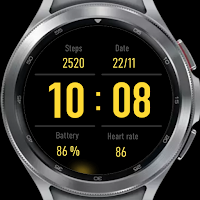
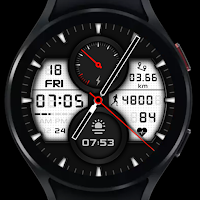
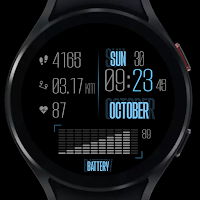
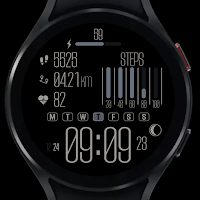
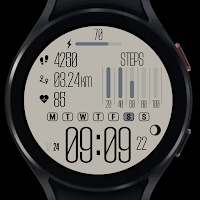
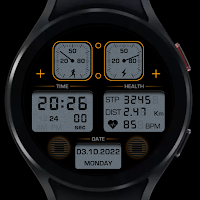
Looking for apps like SG-100B? Here are 6 similar Android apps on Google Play. The highest rated is SG-93 (4.0/5), and 1 of the 6 are free to download.
| App | Rating | Price | Installs | Last updated | Compare |
|---|---|---|---|---|---|
| SG-100B | – | $0.99 | 100+ | Aug 6, 2026 | |
| SG-93 | 4.0 / 5 | Free | 10,000+ | Aug 6, 2026 | Compare |
| SG-114 | – | 0.99 USD | 100+ | Aug 12, 2026 | Compare |
| SG-113 | – | 0.99 USD | 100+ | Aug 12, 2026 | Compare |
| SG-112 Dark Version | – | 0.99 USD | 100+ | Aug 12, 2026 | Compare |
| SG-112 | – | 0.99 USD | 1,000+ | Aug 12, 2026 | Compare |
| SG-110 | – | 0.99 USD | 1,000+ | Aug 8, 2026 | Compare |
Compare SG-100B with the top alternatives: ratings, updates, ASO score and keyword gaps →