
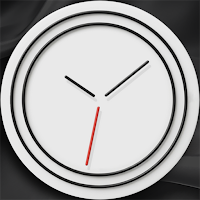
Pure Line
Personalization
Wear OS clock face.
- Downloads
- 10+
- on Google Play
- Price
- $0.99
- No in-app purchases
- Updated
- Aug 9
- 2026
Screenshots
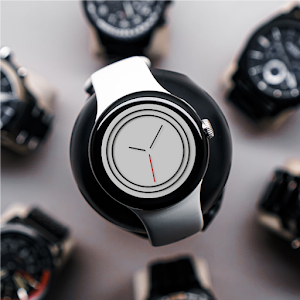
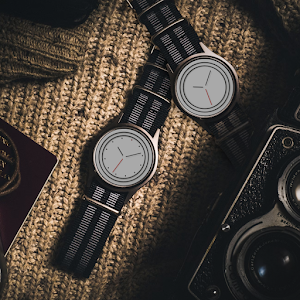
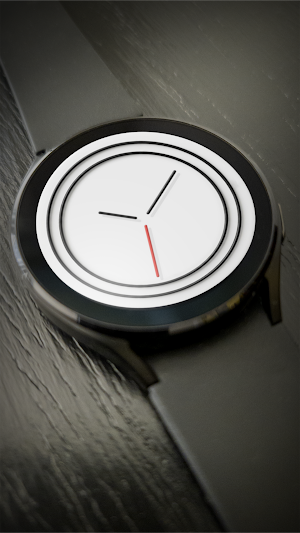


About Pure Line
Wear OS clock face.
Pure Line: Dynamic Day & Night
Experience the perfect harmony of elegance and functionality with this sophisticated, minimalist watch face. Designed for those who appreciate clean aesthetics without unnecessary clutter, while keeping your most important information just a tap away.
Key Features:
Pure Line: Dynamic Day & Night.
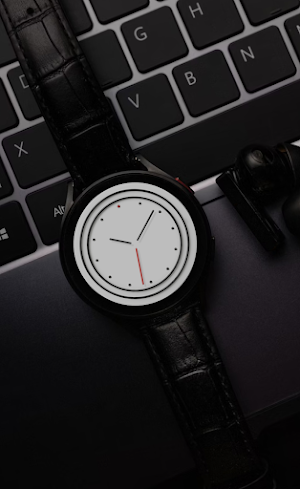
The watch face seamlessly adapts to the time of day. Enjoy a bright, crisp white background during daylight hours, transitioning to a calming, deep black tone at dusk—designed to save your eyes and conserve battery life.
Customizable Indices: Tailor the look to your preference. Choose between a clean, empty dial or enable the hour indices to suit your personal style and readability needs.
Customizable Shortcut: Access your favorite app with a single touch. Set it to your preference, whether it’s your fitness tracker, weather updates, or music player.
Graphic Clarity: Two concentric rings and precise, refined hands create a modern, architectural aesthetic that looks stunning on any Wear OS device.
Optimized for Efficiency: Expertly crafted to be energy-efficient and perfectly readable, even in bright, direct sunlight.
Modern design. Intelligent adaptation. Your style, your rules.
Wear OS clock screen companion app for Phone:
Immediately after installing the mobile application, a message will appear when you open the application.
To start the process of installing the watch face on your watch, tap INSTALL ON WATCH. (To speed up connection and loading, open the GALAXY WEARABLE app or other clock management program. Downloading to your watch will begin immediately.).
Once the installation process is complete, the companion app can be deleted.
After installation, browse the watch face library to find the screen face.
IMPORTANT AFTER INSTALLATION - after installation, the phone will open a refund link that will be visible on the watch. To find a watch face don't press refund and browse the watch face library to find a watch face.
Note:
Email for feedback and suggestions ===> [email protected]
Pure Line: Dynamic Day & Night
Experience the perfect harmony of elegance and functionality with this sophisticated, minimalist watch face. Designed for those who appreciate clean aesthetics without unnecessary clutter, while keeping your most important information just a tap away.
Key Features:
Pure Line: Dynamic Day & Night.
The watch face seamlessly adapts to the time of day. Enjoy a bright, crisp white background during daylight hours, transitioning to a calming, deep black tone at dusk—designed to save your eyes and conserve battery life.
Customizable Indices: Tailor the look to your preference. Choose between a clean, empty dial or enable the hour indices to suit your personal style and readability needs.
Customizable Shortcut: Access your favorite app with a single touch. Set it to your preference, whether it’s your fitness tracker, weather updates, or music player.
Graphic Clarity: Two concentric rings and precise, refined hands create a modern, architectural aesthetic that looks stunning on any Wear OS device.
Optimized for Efficiency: Expertly crafted to be energy-efficient and perfectly readable, even in bright, direct sunlight.
Modern design. Intelligent adaptation. Your style, your rules.
Wear OS clock screen companion app for Phone:
Immediately after installing the mobile application, a message will appear when you open the application.
To start the process of installing the watch face on your watch, tap INSTALL ON WATCH. (To speed up connection and loading, open the GALAXY WEARABLE app or other clock management program. Downloading to your watch will begin immediately.).
Once the installation process is complete, the companion app can be deleted.
After installation, browse the watch face library to find the screen face.
IMPORTANT AFTER INSTALLATION - after installation, the phone will open a refund link that will be visible on the watch. To find a watch face don't press refund and browse the watch face library to find a watch face.
Note:
Email for feedback and suggestions ===> [email protected]
Alternatives to Pure Line
Looking for apps like Pure Line? Here are 6 similar Android apps on Google Play. The highest rated is Iris555 Classic Analog Watch (3.4/5), and 3 of the 6 are free to download.
-
Sapphire Watch Face
-
Really Red
-
Night Core 11 - Watch Face
-
Iris555 Classic Analog Watch 3.4
-
Bright Analog Watch Face
-
Simple Analog Watch Face
| App | Rating | Price | Installs | Last updated | Compare |
|---|---|---|---|---|---|
| Pure Line | – | $0.99 | 10+ | Aug 9, 2026 | |
| Sapphire Watch Face | – | 1.49 USD | 1,000+ | Jul 2, 2025 | Compare |
| Really Red | – | Free | 1,000+ | Jul 23, 2025 | Compare |
| Night Core 11 - Watch Face | – | 2.49 USD | 100+ | Aug 4, 2026 | Compare |
| Iris555 Classic Analog Watch | 3.4 / 5 | Free | 5,000+ | Sep 4, 2026 | Compare |
| Bright Analog Watch Face | – | 1.99 USD | 100+ | Aug 10, 2026 | Compare |
| Simple Analog Watch Face | – | Free | 100+ | Aug 27, 2026 | Compare |
Compare Pure Line with the top alternatives: ratings, updates, ASO score and keyword gaps →
Similar apps on Google Play
- Sapphire Watch Face
- Really Red
- Night Core 11 - Watch Face
- Iris555 Classic Analog Watch
- Bright Analog Watch Face
- Simple Analog Watch Face
- Classic Edge Watch
- Roman Noir Watch Face
- Simple Minimalistic Face 9
- Retro Analogue Watch Face
- PrimeTime Watch Face
- RHS 10 WR
- Bright Orbit Watch Face
- HJ Simple 02 Watch
- Revealed
- ModernTick Watch Face
- Large Scale For Wear OS
- Classic watch
- A0007S VNApps
- Clean Modern Analog Watch Face
- Bleeding Edge Watch Face
- Artalex Sim Code
- Splashy - Simple Watch Face
- Modern Pointer