

AE OBSIDIAN
Personalization
Dual mode, tactical styled health activity watch face made for the adventurers.
- Downloads
- 359+
- on Google Play
- Price
- $0.49
- No in-app purchases
- Updated
- Jul 21
- 2025
Screenshots


About AE OBSIDIAN
AE OBSIDIAN
Dual mode, tactical styled health activity watch face made for active, extrovert’s requiring dark, luminous watch face for long covert activity. Six dial choices and complemented with a cool Always ON Display.
FUNCTIONS OVERVIEW
• Dual mode
• Six main dial choices
• 12H /24H Digital Clock
• Month, Date and Day
• Heartrate count
• Steps count
• Kilocalorie count
• Distance count
• Battery count
• Battery low warning indicator
• Five shortcuts
• Always ON Display
PRESET SHORTCUTS
• Calendar (events)
• Alarm
• Message
• Refresh Heartrate*
Refer to the ‘SHORCUT’ screenshot to locate the shortcuts. By tapping on the ‘Show/Hide’ shortcut, the dial will switch to “Active Mode” where key data such as Heartrate, Battery, Steps etc. are displayed.
REFRESH HEARTRATE
The refresh heartrate shortcut has been tested on Galaxy Watch 4 and Watch 4 Classic. During installation, allow access to sensor data on the watch. Place watch firmly on the wrist and wait a moment for the app to initialize the heartrate or
Tap on the indicated shortcut to jump start the sensors for the first time, give it a moment for the sensors to do its work. The Heartrate will indicate the current heartrate (bpm) when measurement is completed, approximately between 3 – 10 seconds. Subsequent refresh takes 3 – 5 seconds.
ABOUT THIS APP
This is a Wear OS app is built with Watch Face Studio powered by Samsung with an API of 28+, as such it is not supported by Google Play Store (turns 10) when accessed via some 13,840 Android devices. If your Android device is affected, please browse, and download from the watch or from web browser of your personal computer. Refer to the installation guide courtesy of Samsung Developer: https://youtu.be/vMM4Q2-rqoM
All functions and features of this App has been tested on Galaxy Watch 4 and Watch 4 Classic and worked as intended. The same may not apply with other Wear OS devices. App is subject to change for quality and functional improvements.
Dual mode, tactical styled health activity watch face made for active, extrovert’s requiring dark, luminous watch face for long covert activity. Six dial choices and complemented with a cool Always ON Display.
FUNCTIONS OVERVIEW
• Dual mode
• Six main dial choices
• 12H /24H Digital Clock
• Month, Date and Day
• Heartrate count
• Steps count
• Kilocalorie count
• Distance count
• Battery count
• Battery low warning indicator
• Five shortcuts
• Always ON Display
PRESET SHORTCUTS
• Calendar (events)
• Alarm
• Message
• Refresh Heartrate*
Refer to the ‘SHORCUT’ screenshot to locate the shortcuts. By tapping on the ‘Show/Hide’ shortcut, the dial will switch to “Active Mode” where key data such as Heartrate, Battery, Steps etc. are displayed.
REFRESH HEARTRATE
The refresh heartrate shortcut has been tested on Galaxy Watch 4 and Watch 4 Classic. During installation, allow access to sensor data on the watch. Place watch firmly on the wrist and wait a moment for the app to initialize the heartrate or
Tap on the indicated shortcut to jump start the sensors for the first time, give it a moment for the sensors to do its work. The Heartrate will indicate the current heartrate (bpm) when measurement is completed, approximately between 3 – 10 seconds. Subsequent refresh takes 3 – 5 seconds.
ABOUT THIS APP
This is a Wear OS app is built with Watch Face Studio powered by Samsung with an API of 28+, as such it is not supported by Google Play Store (turns 10) when accessed via some 13,840 Android devices. If your Android device is affected, please browse, and download from the watch or from web browser of your personal computer. Refer to the installation guide courtesy of Samsung Developer: https://youtu.be/vMM4Q2-rqoM
All functions and features of this App has been tested on Galaxy Watch 4 and Watch 4 Classic and worked as intended. The same may not apply with other Wear OS devices. App is subject to change for quality and functional improvements.
What’s new
Updated July 21, 2025
This is Google Play’s periodic compulsory update for Wear OS apps to be compatible with upcoming Android version and to adhere to the ever-evolving Google Play Developer Program policies. This Wear OS app is now updated to target Android 14 (API level 34) pending future Android version upgrade. Note that some older devices / watches may be excluded with this update.
User reviews

Good looking

Awesome and unique. AE quality everytime. I just have to decide which AE face to use each morning.

Amazing looking design with dual mode to display all the essential information. As part for all of this developers watchface, you have great clarity, fantastic choices of backgrounds and super color options for additional enhancements. THANK YOU AE
Alternatives to AE OBSIDIAN
Looking for apps like AE OBSIDIAN? Here are 6 similar Android apps on Google Play.
![AE LEXUS [VIRTUAL REPLICA]](https://apppage.net/img/e7ThsuUVl5o4kfB0mDtbmGFXJihydBCjuYAMKxJsJCw7d9h_cmsnBjuodvIBoi_Ohw=w200-rw)
| App | Rating | Price | Installs | Last updated | Compare |
|---|---|---|---|---|---|
| AE OBSIDIAN | – | $0.49 | 100+ | Jul 21, 2025 | |
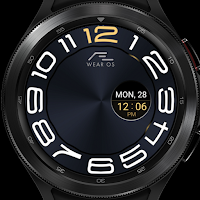
| AE STRATOS SIX | – | 0.99 USD | 1,000+ | Jul 12, 2025 | Compare |
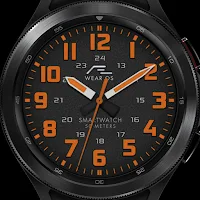
| AE STRATOS | – | 0.99 USD | 100+ | Jul 19, 2025 | Compare |
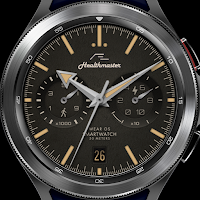
| AE HEALTHMASTER | – | 0.99 USD | 100+ | Jul 22, 2025 | Compare |
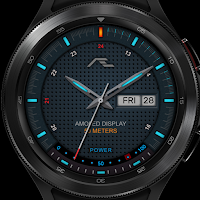
| AE MOTORSPORT | – | 0.99 USD | 100+ | Jul 8, 2025 | Compare |
| AE LEXUS [VIRTUAL REPLICA] | – | 0.99 USD | 100+ | Jul 22, 2025 | Compare |
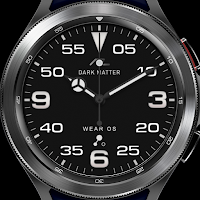
| AE DARK MATTER | – | 0.99 USD | 1,000+ | Aug 27, 2026 | Compare |
Compare AE OBSIDIAN with the top alternatives: ratings, updates, ASO score and keyword gaps →
Similar apps on Google Play
- AE STRATOS SIX
- AE STRATOS
- AE HEALTHMASTER
- AE MOTORSPORT
- AE LEXUS [VIRTUAL REPLICA]
- AE DARK MATTER
- AE SUBMARINER [V-REPLICA]
- AE SUBMARINER DATE [V-REPLICA]
- AE AIR-KING [VIRTUAL REPLICA]
- AE MILGAUSS [VIRTUAL REPLICA]
- AE OMNICENTE [LCI]
- AE AURORA I
- AE OBSIDIAN [Perpetual]
- AE OBSIDIAN [Digital]
- AE AURORA II
- AE AVIATOR
- AE ARCTURIA PERPETUAL
- AE MIDWAY [Peter Y. Edition]
- AE ADRENALIN
- AE NUSANTARA [LCI]
- AE MIDWAY
- AE ELEMEN [SE]
- AE TE KAHA
- AE COVERT [BLACKOUT]
- AE KIA KAHA
- AE GRAMR
- AE TIAMAT II
- AE TIAMAT I
- AE COVERT [SE]
- AE TREX [RETRO]
- AE TREX AVI
- AE HARAPAN
- AE HEALTHMASTER [PERPETUAL]
- AE TUDOR - GENEVE [V-REPLICA]
- AE COVERT VII
- AE COVERT VI
- AE TITANEA
- AE COVERT [POST MERIDIEM]
- AE COVERT [ANTE MERIDIEM]
- AE COVERT [Hybrid]
- AE COVERT [FUSION]
- AE ARCOM III
- AE ARCOM II
- AE BRENDON FLD
- AE BRENDON AVI
- AE HEALTHMASTER PRO
- AE ALPINAE
- AE MESOS [HYBRID]
- AE MESSENGER
- AE SERENGETI
- AE VINTAGE I
- AE MACHINA II
- AE OBSIDIAN [Tactical]
- AE MAWAR
- AE HEALTHMASTER [BLACKOUT]
- AE ACTIVE SONNE
- AE ACTIVE MOND
- AE ATLANTIS [AVI]
- AE HEALTHMASTER IX
- AE HEALTHMASTER VIII
- AE LUMINA I
- AE RALPH TAKTISCH
- AE TIOMAN
- AE MESOS
- AE ARCTURIA [BLACK]
- AE LUMINA III
- AE LUMINA II
- AE BREITLING SUPER AVI
- AE RALPH JAEGER
- AE ARCTURIA [HYBRID]
- AE MACHINA
- AE ATISEUTEU
- AE ANTARES DARK MATTER
- AE ANTARES [HYBRID]
- AE ANTARES
- AE ASTRONAUTE
- AE ARCTURIA
- AE SIRIUS B
- AE CLIMA
- AE AMRIQ [Arabic]
- AE ACTIVE [DIGITAL]
- AE TROPOS [LCI]
- AE RAVEN X
- AE OMNISENTE [SE]
- AE RAVEN
- AE SIRIUS
- AE OMNISENTE
- AE ASTEROPE II
- AE ASTEROPE
- AE CELAENA
- AE CELAENA (HYBRID)
- AE HANOVER BLACK SE
- AE TAYGETA
- AE KUDRAT
- AE HEALTHMASTER
- AE MBEDDED
- AE ELEMEN IV
- AE ELEMEN III
- AE NACHTFALKE
- AE ELEMEN II
- AE TREX
- AE ACTIVE
- AE ELEMEN
- AE STRATOS III
- AE SILUET
- AE ADMIRALE
- AE IRIS ALPHA
- AE TOLECA
- AE ATLANTIS II
- AE HEALTHMASTER
- AE SUMMIT
- AE GALACTICA
- AE BRENDON
- AE STRATOS
- AE NUSANTARA
- AE AERIES
- AE JETBLAC
- AE HEALTHMASTER
- AE ANGKASA
- AE TRACK
- AE AEDROID
- AE ATLANTIS LCI
- AE AERONAUTE III
- AE HANOVER
- AE SAMUDRA
- AE HANOVER BLACK
- AE ARCHITECT
- AE AERONAUTE II
- AE AERONAUTE