
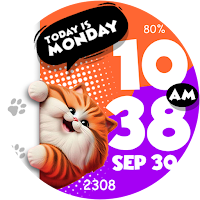
ARS Smiling Cat Digital Animal
Personalization
Happy anytime with smiling cat for your Wear OS watch
- Downloads
- 207+
- on Google Play
- Price
- $1.29
- No in-app purchases
- Updated
- Oct 15
- 2025
Screenshots
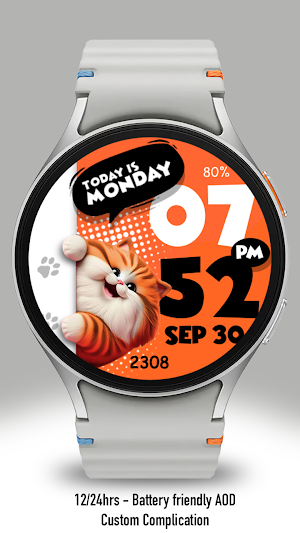


About ARS Smiling Cat Digital Animal
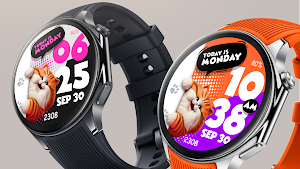
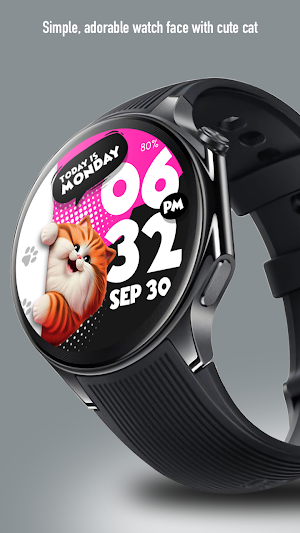
We are introducing our adorable Smiling Fat Cat Watch Face! Dive into a world of charm with this playful design featuring a chubby, cartoon-style background that will bring a smile to your face every time you check the time.
Anytime you feel down, just look at your watch and the cat will smile for you.
ARS Smiling Cat Digital Animal is the perfect companion for any occasion. Don’t miss out—grab yours today and let this lovable kitty brighten your day!
Supports Galaxy Watch 4, 5, 6, 7 series or later, Google Pixel series, and other Wear OS watches with minimum API 30 or newer.
On the "Available on more devices" section, tap the button beside your watch on the list to install this watch face.
Features :
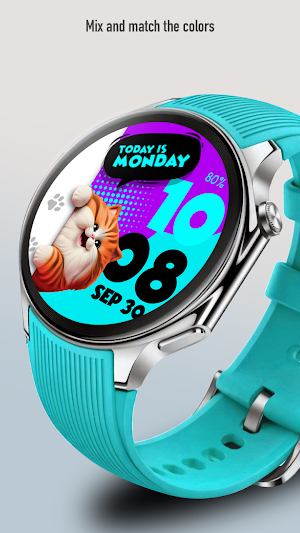
- Change Background Color Styles
- Two Complications
- 12/24 Hours Support
- Always on Display
After the watch face is installed, activate the watch face by these steps :
1. Ensure use the same Google account on both your watch and smartphone
2. Open watch face selections (tap and hold current watch face)
3. Scroll to the right and tap "add watch face"
4. Scroll down on downloaded section
5. Tap the new installed watch face
Anytime you feel down, just look at your watch and the cat will smile for you.
ARS Smiling Cat Digital Animal is the perfect companion for any occasion. Don’t miss out—grab yours today and let this lovable kitty brighten your day!
Supports Galaxy Watch 4, 5, 6, 7 series or later, Google Pixel series, and other Wear OS watches with minimum API 30 or newer.
On the "Available on more devices" section, tap the button beside your watch on the list to install this watch face.
Features :
- Change Background Color Styles
- Two Complications
- 12/24 Hours Support
- Always on Display
After the watch face is installed, activate the watch face by these steps :
1. Ensure use the same Google account on both your watch and smartphone
2. Open watch face selections (tap and hold current watch face)
3. Scroll to the right and tap "add watch face"
4. Scroll down on downloaded section
5. Tap the new installed watch face
What’s new
Updated October 15, 2025
ARS Smiling Cat Companion
User reviews

Lovely watch face 👌
Alternatives to ARS Smiling Cat Digital Animal
Looking for apps like ARS Smiling Cat Digital Animal? Here are 6 similar Android apps on Google Play.
| App | Rating | Price | Installs | Last updated | Compare |
|---|---|---|---|---|---|
| ARS Smiling Cat Digital Animal | – | $1.29 | 100+ | Oct 15, 2025 | |
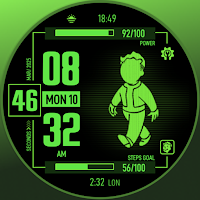
| ARS Pip Walk | – | 1.29 USD | 1,000+ | – | Compare |
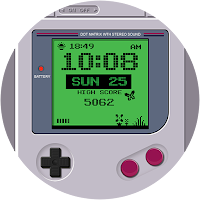
| ARS Retro Game | – | 1.29 USD | 1,000+ | – | Compare |
| ARS Omni Hourglass | – | 1.29 USD | 500+ | Aug 22, 2025 | Compare |
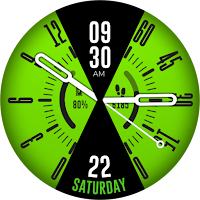
| ARS Twin Circle | – | 1.29 USD | 500+ | Oct 10, 2025 | Compare |
| ARS Joystick 2 | – | 1.29 USD | 1,000+ | Oct 16, 2026 | Compare |
| ARS Digital GT Sporty | – | 1.29 USD | 100+ | Oct 15, 2025 | Compare |
Similar apps on Google Play
- ARS Pip Walk
- ARS Retro Game
- ARS Omni Hourglass
- ARS Twin Circle
- ARS Joystick 2
- ARS Digital GT Sporty
- ARS Metro Digital
- ARS HelloDay Time
- ARS Joystick Digital
- ARS Hello Day Digital
- ARS stacked
- ARS Purpose Analog Fitness
- ARS Halloween Digital Animated
- ARS Smiling Cat Digital Animal
- ARS Cute Cat Animal Animation
- ARS Purpose Digital Fitness
- ARS Flower Digital