

Analog clock touch
Personalization
Wear OS clock face
- Downloads
- 623+
- on Google Play
- Price
- $1.49
- No in-app purchases
- Updated
- Aug 9
- 2026
Screenshots


About Analog clock touch
Wear OS watch screen.
Wear OS watch screen companion app for Phone:
Immediately after installing the mobile application, a message will appear when you open the application.
You need to tap on the watch face image to start the process of installing the watch face on your watch (To speed up connection and loading, open the GALAXY WEARABLE app or other clock management program. Downloading to your watch will begin immediately.).
Once the installation process is complete, the companion app can be deleted.
After installation, browse the watch face library to find the screen face.
IMPORTANT AFTER INSTALLATION - after installation, the phone will open a refund link that will be visible on the watch. To find a watch face don't press refund and browse the watch face library to find a watch face.
Main Features:
- AM/PM marker.
- Digital watch face switchable to 12/24 hour via Phone Settings.
- Date.
- Days of the week (with words).
- Battery level status (Can be changed to something else).
- Changeable colors (tap & hold to customize & change colors).
- Quick access to Alarm.
- Quick access to the calendar.
- Quick access to 2 custom shortcuts(Tap and hold to customize and change shortcut to your chosen action).
- Always on display.
Note:
Email for feedback and suggestions ===> [email protected]
Wear OS watch screen companion app for Phone:
Immediately after installing the mobile application, a message will appear when you open the application.
You need to tap on the watch face image to start the process of installing the watch face on your watch (To speed up connection and loading, open the GALAXY WEARABLE app or other clock management program. Downloading to your watch will begin immediately.).
Once the installation process is complete, the companion app can be deleted.
After installation, browse the watch face library to find the screen face.
IMPORTANT AFTER INSTALLATION - after installation, the phone will open a refund link that will be visible on the watch. To find a watch face don't press refund and browse the watch face library to find a watch face.
Main Features:
- AM/PM marker.
- Digital watch face switchable to 12/24 hour via Phone Settings.
- Date.
- Days of the week (with words).
- Battery level status (Can be changed to something else).
- Changeable colors (tap & hold to customize & change colors).
- Quick access to Alarm.
- Quick access to the calendar.
- Quick access to 2 custom shortcuts(Tap and hold to customize and change shortcut to your chosen action).
- Always on display.
Note:
Email for feedback and suggestions ===> [email protected]
Alternatives to Analog clock touch
Looking for apps like Analog clock touch? Here are 6 similar Android apps on Google Play. The highest rated is Rose gold snow watch (3.3/5), and 1 of the 6 are free to download.


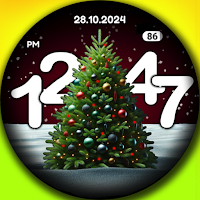
| App | Rating | Price | Installs | Last updated | Compare |
|---|---|---|---|---|---|
| Analog clock touch | – | $1.49 | 500+ | Aug 9, 2026 | |
| Rose gold snow watch | 3.3 / 5 | Free | 10,000+ | Aug 9, 2026 | Compare |
| Winter clock | – | 1.99 USD | 10+ | Aug 9, 2026 | Compare |
| FUTURE | – | 1.49 USD | 1,000+ | Aug 9, 2026 | Compare |
| Digital clock 4 | – | 1.99 USD | 50+ | – | Compare |
| Daily Weather watch | – | 1.99 USD | 1,000+ | Aug 9, 2026 | Compare |
| Christmas tree | – | 1.99 USD | 50+ | Aug 9, 2026 | Compare |
Compare Analog clock touch with the top alternatives: ratings, updates, ASO score and keyword gaps →