

Abracsas WF
Passioner Personalization
Tap into the adventure
- Downloads
- 76+
- on Google Play
- Price
- $0.49
- No in-app purchases
- Updated
- Jul 1
- 2026
Screenshots
Save to Pinterest


About Abracsas WF
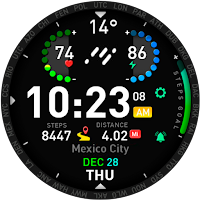
This is an amazing Watch Face.
For all Wear OS devices.
Buy the app and Install it on your Phone.
Open ABRACSAS WF app
Tap on the "Install on Watch" button.
In your Watch, tap the "Install" button.
Then you can go to the app that manages your Watch device on your Phone.
Go to Watch Faces, then scroll down to "downloads", and tap over the ABRACSAS WF app.
That is it!
If you need help with installation, please email: [email protected]
Remarks:
Always make sure your watch is paired to your phone when installing.
When it says "installing soon," please wait 3-4 minutes, then check your watch to see if the installation is complete.
Be sure you have all device permissions allowed.
Features:
- Analog and digital clock
- 14 color combinations with 3 colors each combination.
- 12/24 hour format.
- Battery level
- Date
- Heart Rate Monitor
- Complication area (suggested use for weather)
What’s new
Updated July 1, 2026
Tap into the adventure
Alternatives to Abracsas WF
Looking for apps like Abracsas WF? Here are 5 similar Android apps on Google Play.
| App | Rating | Price | Installs | Last updated | Compare |
|---|---|---|---|---|---|
| Abracsas WF | – | $0.49 | 50+ | Jul 1, 2026 | |
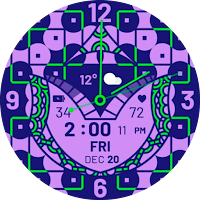
| Beatrice Wf | – | 1.49 USD | 0+ | – | Compare |
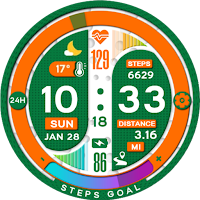
| Pistorious WF | – | 0.49 USD | 1+ | Aug 9, 2024 | Compare |
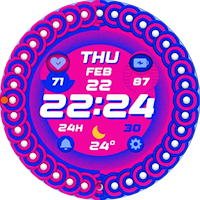
| Sinclair Watch Face | – | 2.49 USD | 10+ | Jun 15, 2024 | Compare |
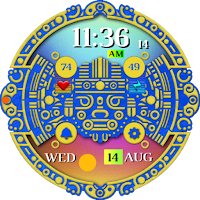
| Damian Wf | – | 2.49 USD | 1+ | – | Compare |
| Breguir Watch Face Go | – | 1.99 USD | 10+ | Sep 23, 2024 | Compare |
Compare Abracsas WF with the top alternatives: ratings, updates, ASO score and keyword gaps →