
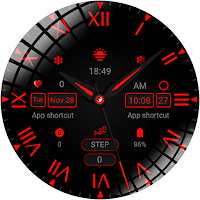
Tricolor crimson
Personalization
Red pointer dial
- Downloads
- 131+
- on Google Play
- Price
- $0.99
- No in-app purchases
- Updated
- Nov 25
- 2023
Screenshots
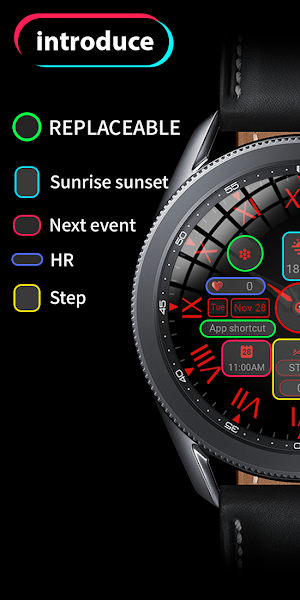


About Tricolor crimson
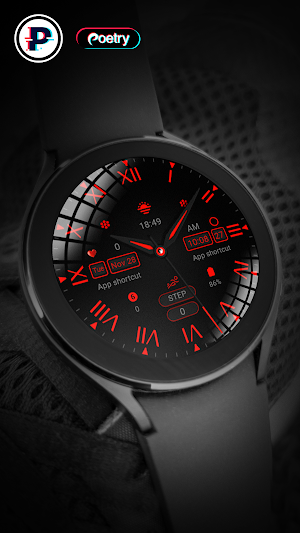
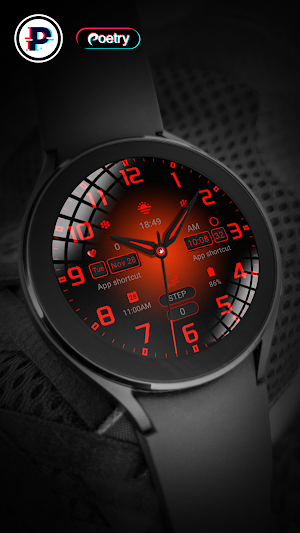
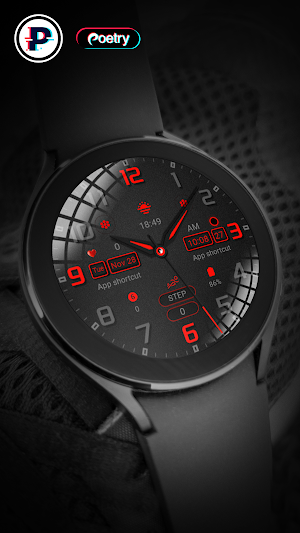
Tricolor crimson It is a multi-style dial that provides time display and personalized customization!
Only available on Wear OS 3+ (API 30+) devices
3 watch face style variations, 4 custom app shortcuts where you can get your favorite data like weather, barometer, distance walked, calories and more.
feature:
- Sunset
- Battery
- heart rate
- Step statistics
- 4 preset app shortcuts
- 3 dial styles available for replacement
Enter customization:
1 - Long press on the screen
2 - Click "Edit"
Installation options:
1. Keep the watch connected to your phone.
2. Install into your phone. Once installed, immediately press and hold the display to check the list of watch faces in your watch, then swipe to the end and click Add Watch Face. There you can see your newly installed watch face and activate it.
3. After the installation is complete, you can also check the following:
A: For Samsung watches, check the Galaxy Wearable app on your phone (install it if you haven't already). Under Watch Faces > Downloaded, you can see your newly installed watch face and apply it to your connected watch.
B. For other smart watch brands, for other Wear OS devices, please check the watch app installed in your smart watch brand phone and find the newly installed watch face in the watch face gallery or list.
4. Also visit the link below which shows many options on how to install a Wear OS watch face in your watch.
https://developer.samsung.com/sdp/blog/en-us/2022/11/15/install-watch-faces-for-galaxy-watch5-and-one-ui-watch-45
Only available on Wear OS 3+ (API 30+) devices
3 watch face style variations, 4 custom app shortcuts where you can get your favorite data like weather, barometer, distance walked, calories and more.
feature:
- Sunset
- Battery
- heart rate
- Step statistics
- 4 preset app shortcuts
- 3 dial styles available for replacement
Enter customization:
1 - Long press on the screen
2 - Click "Edit"
Installation options:
1. Keep the watch connected to your phone.
2. Install into your phone. Once installed, immediately press and hold the display to check the list of watch faces in your watch, then swipe to the end and click Add Watch Face. There you can see your newly installed watch face and activate it.
3. After the installation is complete, you can also check the following:
A: For Samsung watches, check the Galaxy Wearable app on your phone (install it if you haven't already). Under Watch Faces > Downloaded, you can see your newly installed watch face and apply it to your connected watch.
B. For other smart watch brands, for other Wear OS devices, please check the watch app installed in your smart watch brand phone and find the newly installed watch face in the watch face gallery or list.
4. Also visit the link below which shows many options on how to install a Wear OS watch face in your watch.
https://developer.samsung.com/sdp/blog/en-us/2022/11/15/install-watch-faces-for-galaxy-watch5-and-one-ui-watch-45
User reviews

Very cool looking design, very unique. The workmanship rocks. The color makes it pop. Spectacular job and excellent quality. The clarity is amazing.
Alternatives to Tricolor crimson
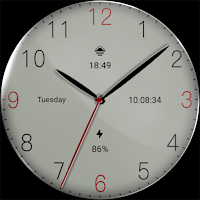
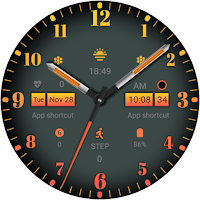
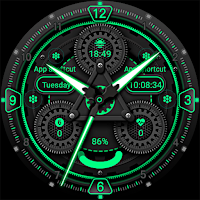
Looking for apps like Tricolor crimson? Here are 3 similar Android apps on Google Play. The highest rated is LCD simple (2.1/5), and 2 of the 3 are free to download.
| App | Rating | Price | Installs | Last updated | Compare |
|---|---|---|---|---|---|
| Tricolor crimson | – | $0.99 | 100+ | Nov 25, 2023 | |
| LCD simple | 2.1 / 5 | Free | 100,000+ | Nov 28, 2023 | Compare |
| Three dials Orange | – | Free | 10,000+ | – | Compare |
| Dynamic Gear | – | 0.49 USD | 100+ | – | Compare |
Compare Tricolor crimson with the top alternatives: ratings, updates, ASO score and keyword gaps →