
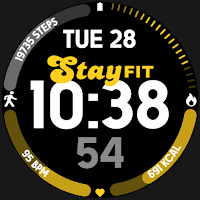
Fitness Time
Personalization
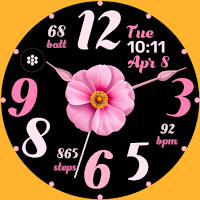
Fitness Watchface for WEAR OS
- Downloads
- 178+
- on Google Play
- Price
- $0.49
- No in-app purchases
- Updated
- Jan 18
- 2025 · v1.2
Screenshots
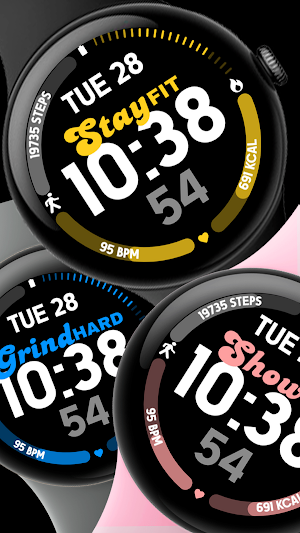
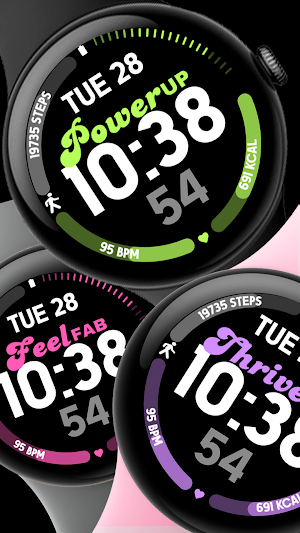
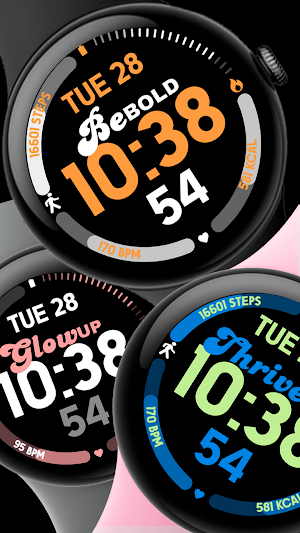
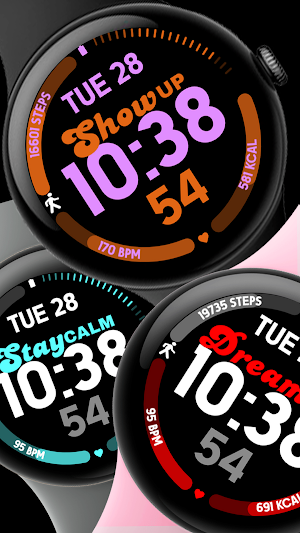


About Fitness Time
📍INSTALLATION GUIDE
1️⃣ Watchfaces automatically install on watch. (There will be a download icon on screen while installing)
2️⃣ MAKE SURE THE WATCH IS STRONGLY CONNECTED TO YOUR PHONE USING THE SAME WIFI. MUST ALSO LOG IN TO YOUR GOOGLE ACCOUNT "ON WATCH" FOR SEAMLESS INSTALLATION.
3️⃣ After download, WAIT for a few minutes for the watch face to be transferred on watch. (There will be a notification on your watch if the watchface was successfully transferred.)
4️⃣ If incase there is no notification, Go to PLAYSTORE ON YOUR WATCH and type on the SEARCH BOX "Fitness TIme"
5️⃣ The watchface will show up, then hit on install button.
⭐️ Watchfaces don't automatically change after successful installion. Go back to home display. Tap and hold display, swipe until the end and tap + to add the watchface. Rotate Bezel to find the watchface.
📍Please see Feature Graphics for more details how to install.
⭐️ALLOW / ENABLE all permissions from settings -> applications -> permissions.
⚠️ Refund is ONLY allowed within 48 hours.
📍FEATURES:
-Digital Clock
-Date
-Always-On (AOD)
-Preset App Shortcuts
-Changeable styles & color palette
📍This watch face was developed with Samsung's "Watch Face Studio" tool for devices based on the new Wear OS Google / One UI Samsung operating system like Samsung Galaxy Watch 4.
📍Some features may not be available on some watches.
1️⃣ Watchfaces automatically install on watch. (There will be a download icon on screen while installing)
2️⃣ MAKE SURE THE WATCH IS STRONGLY CONNECTED TO YOUR PHONE USING THE SAME WIFI. MUST ALSO LOG IN TO YOUR GOOGLE ACCOUNT "ON WATCH" FOR SEAMLESS INSTALLATION.
3️⃣ After download, WAIT for a few minutes for the watch face to be transferred on watch. (There will be a notification on your watch if the watchface was successfully transferred.)
4️⃣ If incase there is no notification, Go to PLAYSTORE ON YOUR WATCH and type on the SEARCH BOX "Fitness TIme"
5️⃣ The watchface will show up, then hit on install button.
⭐️ Watchfaces don't automatically change after successful installion. Go back to home display. Tap and hold display, swipe until the end and tap + to add the watchface. Rotate Bezel to find the watchface.
📍Please see Feature Graphics for more details how to install.
⭐️ALLOW / ENABLE all permissions from settings -> applications -> permissions.
⚠️ Refund is ONLY allowed within 48 hours.
📍FEATURES:
-Digital Clock
-Date
-Always-On (AOD)
-Preset App Shortcuts
-Changeable styles & color palette
📍This watch face was developed with Samsung's "Watch Face Studio" tool for devices based on the new Wear OS Google / One UI Samsung operating system like Samsung Galaxy Watch 4.
📍Some features may not be available on some watches.
Alternatives to Fitness Time
Looking for apps like Fitness Time? Here are 6 similar Android apps on Google Play. 2 of the 6 are free to download.
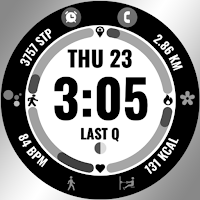
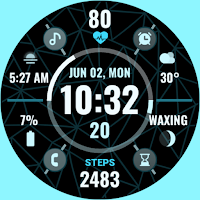

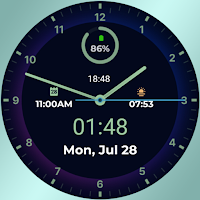

| App | Rating | Price | Installs | Last updated | Compare |
|---|---|---|---|---|---|
| Fitness Time | – | $0.49 | 100+ | Jan 18, 2025 | |
| Fitness Track | – | Free | 1,000+ | Jan 23, 2025 | Compare |
| Edge Dial | – | 0.49 USD | 100+ | Sep 15, 2026 | Compare |
| Butterfly Style | – | 0.99 USD | 1,000+ | May 15, 2025 | Compare |
| Classic Time | – | 0.99 USD | 100+ | – | Compare |
| Spring Blooms | – | Free | 500+ | Apr 30, 2025 | Compare |
| Classic Fit | – | 0.49 USD | 500+ | Sep 15, 2026 | Compare |
Compare Fitness Time with the top alternatives: ratings, updates, ASO score and keyword gaps →
Similar apps on Google Play
- Fitness Track
- Edge Dial
- Butterfly Style
- Classic Time
- Spring Blooms
- Classic Fit
- Color Pulse
- Modern Fit
- Fast Time
- Vivid Leaf
- Lovely Night Analog
- Butterfly Blossom
- Abstract Fit
- Fitness Core
- Valentine Hearts
- Fitness Time
- Xan 159 Watchface
- Xan27 Watchface
- Xan26 Watchface
- Xan24 Watchface
- Xan23 Watchface
- Xan22 Watchface
- Xan21 Watchface
- Xan20 Watchface
- Xan 19
- Xan18
- Xan 13
- Xan125
- Xan 12
- Xan 9
- Xan11
- Xan10
- Xan7
- Xan6
- Xan4
- Xan3
- Xan5