
Voice Recorder: Audio Editor
Music & Audio Contains ads
Audio recorder app to record lectures, record voice. Mp3 recorder with 1 touch
- Rating
- 4.7
- 10 ratings
- Downloads
- 10K+
- on Google Play
- Price
- Free
- No in-app purchases
- Updated
- Apr 27
- 2023 · v1.3.18
Screenshots
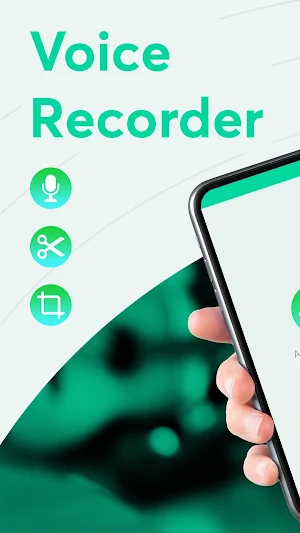
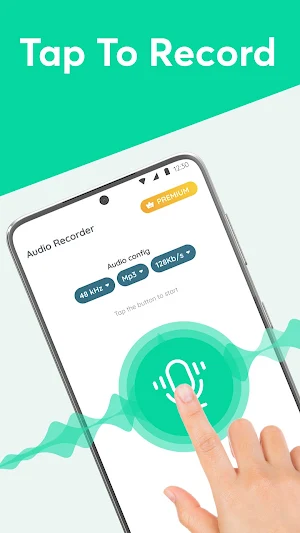


About Voice Recorder: Audio Editor
Do you often record lecture, conversations, songs, or words?
Are you looking for a high-quality recording voice recording app?
All of the above problems can be solved by Voice Recorder.
Voice Recorder - a high quality audio editor application on mobile devices, allows users to record conversation, words, songs and sounds from any source. This recording app is designed to meet the needs of those who need to sound recorder quickly and easily.
⭐⭐⭐ Main feature of app:
🔷 Voice recorder HD: allows users to record in quality from 64 kbps to 320 kbps. Ensure to provide a good and clear recording experience
🔷 Multiple recording formats: the music recorder our supports recording with many formats such as MP3, WAV, AAC, FLAC ... users can choose the format that suits their needs.
🔷 Multiple recording sources: The application allows users to record from many different sources. Users can record voice from apps that generate sound. Quality song recording from music library or streaming services. Record audio on computer from online lectures or video conferences. All are flexible to meet user's needs.
🔷 Manage and share audio: Simple to manage and share audio files recorded with friends through social platforms.
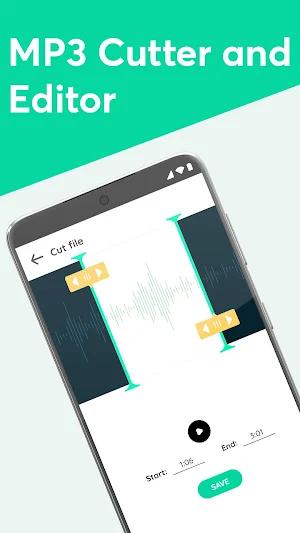
🔷 Audio editor: After recording, you can edit audio record directly in the app. You can cut, paste, copy, merge recordings, and adjust the volume. This feature helps users to edit and customize their recordings as desired before sharing or storing them.
🔷 Recording history: Smart voice recorder app allows users to access recording history, convenient to review and manage all recording files.
What do you expect from our MP3 audio recorder application?
🔶 Easy to use: Sound recorder and editor is designed with a simple and easy-to-use interface, users just need to open the audio record application, customize the settings in a separate way and start recording.
🔶 Unlimited recording: With Voice Recording, you can comfortably record, do not worry about limited.
🔶 Compatible with multiple devices: Diverse support on mobile devices, helping users optimize the recording experience.
🔶 Multi - language: Audio recording application supports many languages so you can use it easily and conveniently
With useful and diverse features, Voice Recorder will be your companion in recording and managing audio files.
Are you looking for a high-quality recording voice recording app?
All of the above problems can be solved by Voice Recorder.
Voice Recorder - a high quality audio editor application on mobile devices, allows users to record conversation, words, songs and sounds from any source. This recording app is designed to meet the needs of those who need to sound recorder quickly and easily.
⭐⭐⭐ Main feature of app:
🔷 Voice recorder HD: allows users to record in quality from 64 kbps to 320 kbps. Ensure to provide a good and clear recording experience
🔷 Multiple recording formats: the music recorder our supports recording with many formats such as MP3, WAV, AAC, FLAC ... users can choose the format that suits their needs.
🔷 Multiple recording sources: The application allows users to record from many different sources. Users can record voice from apps that generate sound. Quality song recording from music library or streaming services. Record audio on computer from online lectures or video conferences. All are flexible to meet user's needs.
🔷 Manage and share audio: Simple to manage and share audio files recorded with friends through social platforms.
🔷 Audio editor: After recording, you can edit audio record directly in the app. You can cut, paste, copy, merge recordings, and adjust the volume. This feature helps users to edit and customize their recordings as desired before sharing or storing them.
🔷 Recording history: Smart voice recorder app allows users to access recording history, convenient to review and manage all recording files.
What do you expect from our MP3 audio recorder application?
🔶 Easy to use: Sound recorder and editor is designed with a simple and easy-to-use interface, users just need to open the audio record application, customize the settings in a separate way and start recording.
🔶 Unlimited recording: With Voice Recording, you can comfortably record, do not worry about limited.
🔶 Compatible with multiple devices: Diverse support on mobile devices, helping users optimize the recording experience.
🔶 Multi - language: Audio recording application supports many languages so you can use it easily and conveniently
With useful and diverse features, Voice Recorder will be your companion in recording and managing audio files.
Alternatives to Voice Recorder: Audio Editor
Looking for apps like Voice Recorder: Audio Editor? Here are 6 similar Android apps on Google Play. The highest rated is Voice Recorder Audio Sound MP3 (4.7/5), and all 6 are free to download.
-
Voice Recorder Audio Sound MP3 4.7
-
Smart Voice Recorder🎙 HD Audi 4.7
-
MicCheck - Record and Organize 4.3
-
Voice Recorder - AI Summary 4.3
-
Voice Recorder - Sound & Music 4.5
-
Voice Recorder 2020 - High qua 4.4
| App | Rating | Price | Installs | Last updated | Compare |
|---|---|---|---|---|---|
| Voice Recorder: Audio Editor | 4.7 / 5 | Free | 10,000+ | Apr 27, 2023 | |
| Voice Recorder Audio Sound MP3 | 4.7 / 5 | Free | 10,000,000+ | Sep 23, 2026 | Compare |
| Smart Voice Recorder🎙 HD Audi | 4.7 / 5 | Free | 1,000,000+ | Jan 6, 2020 | Compare |
| MicCheck - Record and Organize | 4.3 / 5 | Free | 100+ | Oct 10, 2021 | Compare |
| Voice Recorder - AI Summary | 4.3 / 5 | Free | 1,000,000+ | Jul 30, 2026 | Compare |
| Voice Recorder - Sound & Music | 4.5 / 5 | Free | 500,000+ | Jun 16, 2026 | Compare |
| Voice Recorder 2020 - High qua | 4.4 / 5 | Free | 5,000+ | May 6, 2020 | Compare |
Similar apps on Google Play
- Voice Recorder Audio Sound MP3
- Smart Voice Recorder🎙 HD Audi
- MicCheck - Record and Organize
- Voice Recorder - AI Summary
- Voice Recorder - Sound & Music
- Voice Recorder 2020 - High qua
- Smart Audio Effects & Filters
- Voice Recorder: Audio Recorder
- Playback Mic - input to output
- Audio Recorder
- Robot Voice Changer
- Screen Recorder With Audio
- Easy Voice Recorder Pro
- Audioburst: Personalized talk
- Easy Voice Recorder
- Voice Recorder
- Simple Voice Recorder
- Funny Voice Changer Effects
- AudioLab Audio Editor Recorder
- Up Tempo: Pitch, Speed Changer
- Audio Editor & Ringtone Maker
- BACKTRACKIT: Musicians Player
- SplitHit: Vocal Remover
- NextSoundZ - Music Studio