
eSign Documents - SigPDF
Productivity In-app purchases
Use SigPDF to create signatures and fill out forms.
- Rating
- 4.4
- 39 ratings
- Downloads
- 2.5K+
- on Google Play
- Price
- Free
- In-app purchases
- Updated
- Jun 15
- 2026 · v1.0.2
Screenshots


About eSign Documents - SigPDF
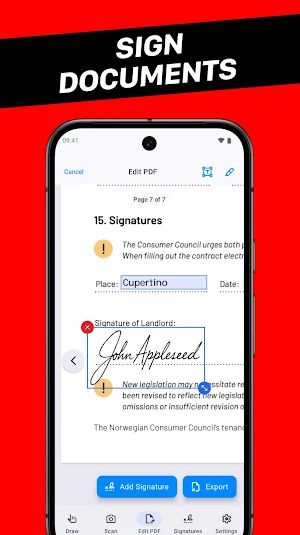
SigPDF makes it easy to fill out forms and add professional signatures to documents. You can either scan a hand-drawn signature or draw a signature in the app. No sign-in is required.
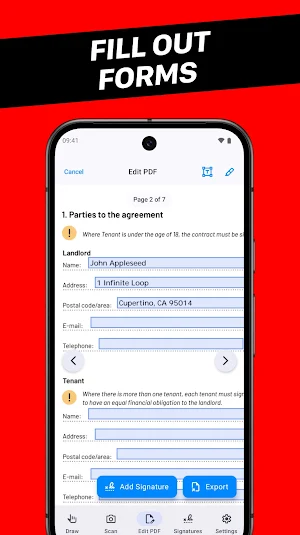
Fill out forms:
Quickly fill out PDF forms with the built-in editor.
Sign documents:
Add your signature to documents, no printing required.
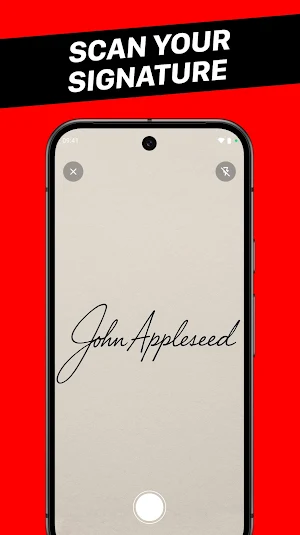
Scan your signature:
Snap a picture or choose from Photos.
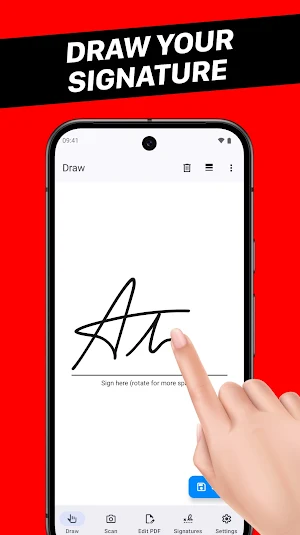
Draw your signature:
You can adjust pen type, thickness and color.
Export signatures:
You can export your signatures if you need to use them in a different app.
If you have any suggestions on how to improve eSign Documents - SigPDF, feel free to contact the App Support email.
Fill out forms:
Quickly fill out PDF forms with the built-in editor.
Sign documents:
Add your signature to documents, no printing required.
Scan your signature:
Snap a picture or choose from Photos.
Draw your signature:
You can adjust pen type, thickness and color.
Export signatures:
You can export your signatures if you need to use them in a different app.
If you have any suggestions on how to improve eSign Documents - SigPDF, feel free to contact the App Support email.
Alternatives to eSign Documents - SigPDF
Looking for apps like eSign Documents - SigPDF? Here are 3 similar Android apps on Google Play. The highest rated is Check Writer - Write & Print (5.0/5), and all 3 are free to download.
| App | Rating | Price | Installs | Last updated | Compare |
|---|---|---|---|---|---|
| eSign Documents - SigPDF | 4.4 / 5 | Free | 1,000+ | Jun 15, 2026 | |
| Check Writer - Write & Print | 5.0 / 5 | Free | 5,000+ | Jun 15, 2026 | Compare |
| Pitch Changer - Music & Video | – | Free | 10,000+ | Aug 30, 2026 | Compare |
| String Art Maker - Penelope | – | Free | 10,000+ | Jun 18, 2026 | Compare |