
Music Cutter - MP3 Editor
Tools Contains ads
Cut, merge & trim MP3 audio files. Create ringtones with the audio editor
- Downloads
- 289+
- on Google Play
- Price
- Free
- No in-app purchases
- Updated
- Sep 29
- 2026 · v1.5
Screenshots

About Music Cutter - MP3 Editor
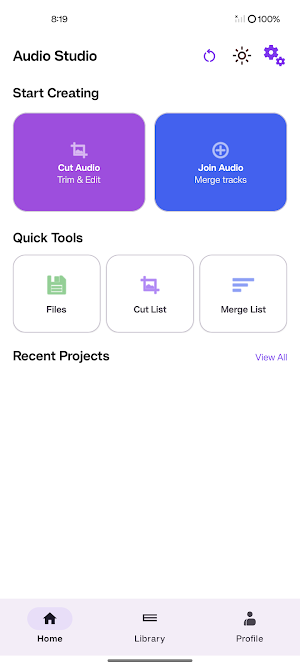
Turn any song into the perfect ringtone, notification sound, or alarm tone. Music Cutter - MP3 Editor gives you a powerful waveform editor to cut, trim, and merge audio files with precision.
Whether you need to extract a chorus, trim silence, or join multiple tracks into one seamless mix, this audio studio has you covered.
✂️ CUT & TRIM AUDIO
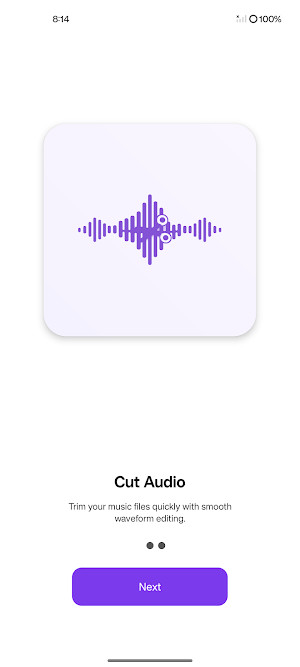
Select any section of a song using the precision waveform editor. Drag handles to choose your start and end points, then cut with one tap.
🔗 MERGE MULTIPLE TRACKS
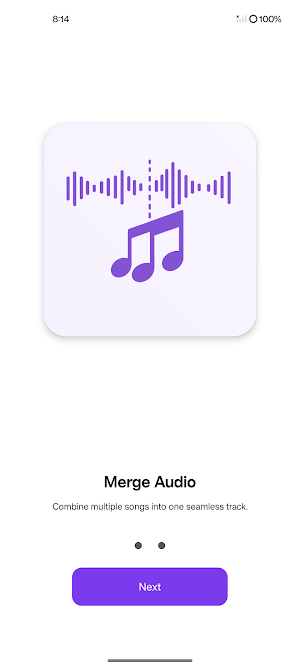
Join 2 or more audio files into a single track. Add smooth fade transitions between songs for a professional result.
🔔 RINGTONE MAKER
Set your custom cut as a ringtone, notification sound, or alarm tone directly from the app.
🎧 AUDIO QUALITY CONTROL
Export in 128 kbps, 192 kbps, or 320 kbps. Choose the quality that suits your needs.
🎵 WAVEFORM VISUALIZATION
See your audio as a detailed waveform. Zoom in for frame-accurate edits. Real-time playback preview before exporting.
☁️ GOOGLE DRIVE BACKUP
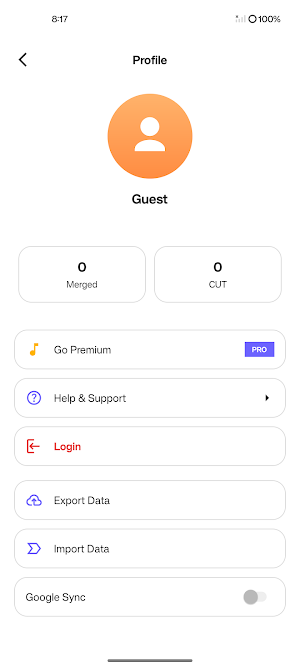
Sign in with Google and back up your cut and merged files to Drive. Restore them anytime on any device.
⭐ PREMIUM FEATURES
Upgrade to Music Cutter Premium for the complete experience:
• Unlimited cuts and merges — no daily restrictions
• Merge up to 5 songs at once (free plan allows 3)
• Ad-free, clean experience
• Google Drive backup and restore
• Priority audio processing
📋 HOW TO USE
1. Open the app and choose "Cut Audio" or "Join Audio"
2. Pick a song from your music library
3. Use the waveform editor to select the section you want
4. Tap Cut or Merge & Save
5. Set as ringtone or share with friends
🎶 SUPPORTED FORMATS
Works with MP3, WAV, AAC, M4A, OGG, FLAC, and more. Export your files in high-quality MP3 format.
A simple, intuitive interface designed for quick edits. No audio engineering experience needed. Open a file, make your cut, and save — it takes seconds.
Dark mode and light mode supported. Available in 10 languages.
Music Cutter - MP3 Editor is developed by Vaimanasoft.
Download now and start creating custom ringtones and audio clips today.
Whether you need to extract a chorus, trim silence, or join multiple tracks into one seamless mix, this audio studio has you covered.
✂️ CUT & TRIM AUDIO
Select any section of a song using the precision waveform editor. Drag handles to choose your start and end points, then cut with one tap.
🔗 MERGE MULTIPLE TRACKS
Join 2 or more audio files into a single track. Add smooth fade transitions between songs for a professional result.
🔔 RINGTONE MAKER
Set your custom cut as a ringtone, notification sound, or alarm tone directly from the app.
🎧 AUDIO QUALITY CONTROL
Export in 128 kbps, 192 kbps, or 320 kbps. Choose the quality that suits your needs.
🎵 WAVEFORM VISUALIZATION
See your audio as a detailed waveform. Zoom in for frame-accurate edits. Real-time playback preview before exporting.
☁️ GOOGLE DRIVE BACKUP
Sign in with Google and back up your cut and merged files to Drive. Restore them anytime on any device.
⭐ PREMIUM FEATURES
Upgrade to Music Cutter Premium for the complete experience:
• Unlimited cuts and merges — no daily restrictions
• Merge up to 5 songs at once (free plan allows 3)
• Ad-free, clean experience
• Google Drive backup and restore
• Priority audio processing
📋 HOW TO USE
1. Open the app and choose "Cut Audio" or "Join Audio"
2. Pick a song from your music library
3. Use the waveform editor to select the section you want
4. Tap Cut or Merge & Save
5. Set as ringtone or share with friends
🎶 SUPPORTED FORMATS
Works with MP3, WAV, AAC, M4A, OGG, FLAC, and more. Export your files in high-quality MP3 format.
A simple, intuitive interface designed for quick edits. No audio engineering experience needed. Open a file, make your cut, and save — it takes seconds.
Dark mode and light mode supported. Available in 10 languages.
Music Cutter - MP3 Editor is developed by Vaimanasoft.
Download now and start creating custom ringtones and audio clips today.
What’s new
Version 1.5 · Updated September 29, 2026
• Precision waveform editor with drag-to-trim handles • Cut, trim, and merge audio files • Set as ringtone, notification, or alarm • Export in 128, 192, or 320 kbps quality • Google Drive backup & restore • Dark mode and light mode • Support for 10 languages • Premium subscription for ad-free experience
User reviews

It's good for cut and merge music with easy navigations

good for music cutting and merge

nice for cutting and merging music

One of the best app I'm using

wow it's very good for cutting and merging music.
Alternatives to Music Cutter - MP3 Editor
Looking for apps like Music Cutter - MP3 Editor? Here are 6 similar Android apps on Google Play. The highest rated is MusicPlayer-MP3,Earphone Mode (4.8/5), and all 6 are free to download.
-
Earphone mode off 3.1
-
My Photo Jigsaw:Custom Puzzles 2.3
-
MusicPlayer-MP3,Earphone Mode 4.8
-
ClipNote: Clipboard & Notes
-
HabitStreak: Habit Tracker
-
BrainBlast: Trivia Quiz Game
| App | Rating | Price | Installs | Last updated | Compare |
|---|---|---|---|---|---|
| Music Cutter - MP3 Editor | – | Free | 100+ | Sep 29, 2026 | |
| Earphone mode off | 3.1 / 5 | Free | 10,000,000+ | Oct 7, 2026 | Compare |
| My Photo Jigsaw:Custom Puzzles | 2.3 / 5 | Free | 10,000+ | – | Compare |
| MusicPlayer-MP3,Earphone Mode | 4.8 / 5 | Free | 100,000+ | Sep 29, 2026 | Compare |
| ClipNote: Clipboard & Notes | – | Free | 100+ | Sep 27, 2026 | Compare |
| HabitStreak: Habit Tracker | – | Free | 100+ | Aug 26, 2026 | Compare |
| BrainBlast: Trivia Quiz Game | – | Free | 5,000+ | Sep 5, 2026 | Compare |