
Chronoplan Timer
Tools In-app purchases Contains ads
Grouped count-up, countdown, interval, and date timers that work together.
- Downloads
- 10+
- on Google Play
- Price
- Free
- In-app purchases
- Updated
- Aug 20
- 2026 · v1.0.0
Screenshots


About Chronoplan Timer
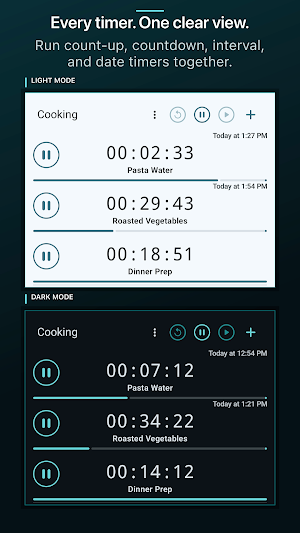
Chronoplan helps you organize related timers and control them from one place. Arrange timers into named groups, then start, pause, or reset a whole group together—or control each timer separately.
Choose the timer that fits the task:
* Count-up timers for tracking elapsed time
* Countdowns for fixed durations
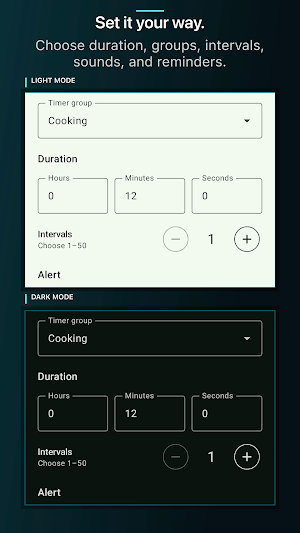
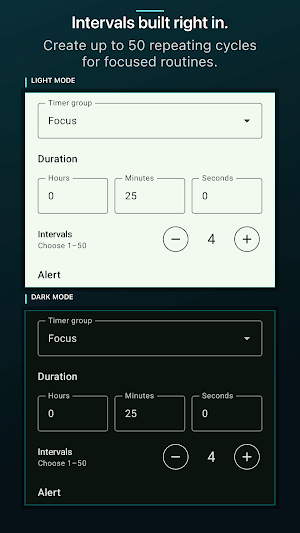
* Countdown timers with up to 50 repeating intervals
* Date countdowns for events and deadlines
Personalize timers with names, photos, alert sounds, and optional repeat reminders. Notifications keep you informed when a countdown finishes, even while Chronoplan is closed.
Chronoplan also records elapsed-session history, allowing you to review and edit recorded start and finish times.
Additional features include:
* Create, rename, reorder, and manage timer groups
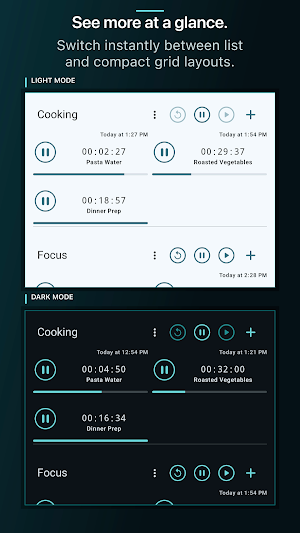
* Switch between list and adaptive grid layouts
* Choose from multiple alert sounds, vibration, or no sound
* Use light, dark, system, or supported dynamic color themes
* Keep the screen awake while timing
* Enable big-button mode for easier controls
Whether you are managing a routine, workout, project, presentation, event, or several activities at once, Chronoplan keeps your timers organized and working together.
Chronoplan is free to download and includes up to four timers, two groups, and a selection of alert sounds. A single one-time Premium purchase unlocks unlimited timers and groups, every alert sound, removes advertising, and supports continued development. There's no subscription.
Choose the timer that fits the task:
* Count-up timers for tracking elapsed time
* Countdowns for fixed durations
* Countdown timers with up to 50 repeating intervals
* Date countdowns for events and deadlines
Personalize timers with names, photos, alert sounds, and optional repeat reminders. Notifications keep you informed when a countdown finishes, even while Chronoplan is closed.
Chronoplan also records elapsed-session history, allowing you to review and edit recorded start and finish times.
Additional features include:
* Create, rename, reorder, and manage timer groups
* Switch between list and adaptive grid layouts
* Choose from multiple alert sounds, vibration, or no sound
* Use light, dark, system, or supported dynamic color themes
* Keep the screen awake while timing
* Enable big-button mode for easier controls
Whether you are managing a routine, workout, project, presentation, event, or several activities at once, Chronoplan keeps your timers organized and working together.
Chronoplan is free to download and includes up to four timers, two groups, and a selection of alert sounds. A single one-time Premium purchase unlocks unlimited timers and groups, every alert sound, removes advertising, and supports continued development. There's no subscription.
What’s new
Version 1.0.0 · Updated August 20, 2026
First public release
Alternatives to Chronoplan Timer
Looking for apps like Chronoplan Timer? Here is 1 similar Android app on Google Play.
| App | Rating | Price | Installs | Compare |
|---|---|---|---|---|
| Chronoplan Timer | – | Free | 10+ | |
| Do One Thing | – | Free | 500+ | Compare |
Compare Chronoplan Timer with the top alternatives: ratings, updates, ASO score and keyword gaps →