
Touch Screen Tester & Repair
Tools Contains ads
Phone Screen Touch Tester and Repair Screen Touch - Fix Touch
- Downloads
- 1K+
- on Google Play
- Price
- Free
- No in-app purchases
- Updated
- Jul 21
- 2024 · v1.2
Screenshots


About Touch Screen Tester & Repair
Struggling with unresponsive touchscreens? fix touch problems and optimize your screen performance with [Touch Screen Tester & Repair]!
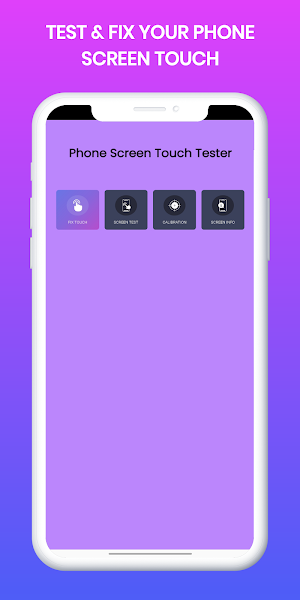
⦿ Fix Touch: Controls the speed at which each section of your screen reacts.
Based on the response values, it chooses the optimal value to utilize across the screen.
Fix Touch then uses this value to calibrate the screen of the smartphone, improving response time and screen performance.
⦿ Here's what [App Name] can do for you:
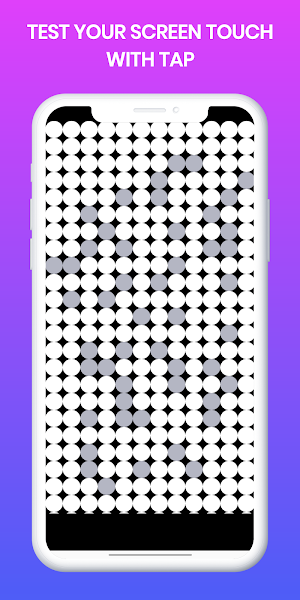
►Screen Test: Touch Repair software's "Check Pixel (Manual and Random)" test makes it easy for the user to detect pixels that don't display the desired color by covering the entire screen in a single, vibrant hue.
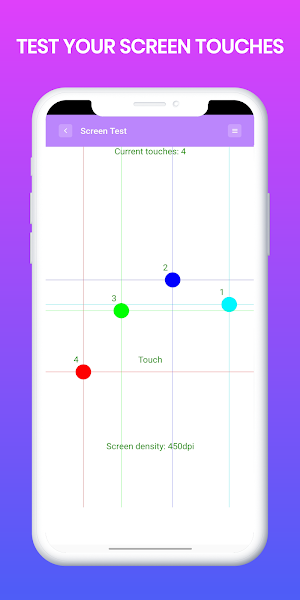
►Touch Tester: This tool assesses the accuracy of your device's touch, the maximum number of touches it can handle, and provides some display modification options.
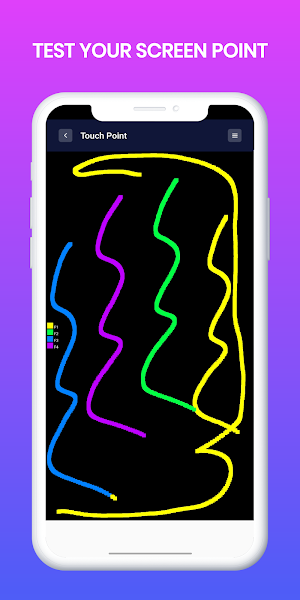
►Touch Point: Use up to ten fingers to paint in the X, Y coordinates during a touch test.
►Screen Test: Drag your finger across the boxes to add color.
►Display calibration: This raises the resolution of touchscreen displays, eliminates dead pixels, and calibrates each pixel on the screen consistently.
►Touch calibration
Eliminates touch lags to enhance and repair your touchscreen.
- makes typing on your keypad faster.
shortens touchscreen reaction times.
►Information on the screen:
Acquire visual information
Give details about the device.
Examine sensor information
►Diagnose Touchscreen Issues: Identify dead zones, ghost touches, and overall touch accuracy with our advanced testing tools.
►Repair Touch Screen (Fix Touch): (Optional: If your app offers a repair feature, briefly describe it here. Note: Avoid making exaggerated claims).
►Optimize Touch Performance: Calibrate your screen for a more responsive and enjoyable experience.
►Prevent Future Problems: Learn tips and tricks to maintain your touchscreen's health and avoid common issues.
⦿ [Touch Screen Tester & Repair] is perfect for:
►Gamers: Ensure flawless in-game controls and eliminate accidental touches.
►Artists and Designers: Experience precise and lag-free drawing and sketching.
►Professionals: Maintain peak productivity with a reliable touch experience.
Anyone who wants to optimize their phone's touchscreen performance!
Required Permission:
Write_Settings: needed for change system settings for brightness
⦿ Fix Touch: Controls the speed at which each section of your screen reacts.
Based on the response values, it chooses the optimal value to utilize across the screen.
Fix Touch then uses this value to calibrate the screen of the smartphone, improving response time and screen performance.
⦿ Here's what [App Name] can do for you:
►Screen Test: Touch Repair software's "Check Pixel (Manual and Random)" test makes it easy for the user to detect pixels that don't display the desired color by covering the entire screen in a single, vibrant hue.
►Touch Tester: This tool assesses the accuracy of your device's touch, the maximum number of touches it can handle, and provides some display modification options.
►Touch Point: Use up to ten fingers to paint in the X, Y coordinates during a touch test.
►Screen Test: Drag your finger across the boxes to add color.
►Display calibration: This raises the resolution of touchscreen displays, eliminates dead pixels, and calibrates each pixel on the screen consistently.
►Touch calibration
Eliminates touch lags to enhance and repair your touchscreen.
- makes typing on your keypad faster.
shortens touchscreen reaction times.
►Information on the screen:
Acquire visual information
Give details about the device.
Examine sensor information
►Diagnose Touchscreen Issues: Identify dead zones, ghost touches, and overall touch accuracy with our advanced testing tools.
►Repair Touch Screen (Fix Touch): (Optional: If your app offers a repair feature, briefly describe it here. Note: Avoid making exaggerated claims).
►Optimize Touch Performance: Calibrate your screen for a more responsive and enjoyable experience.
►Prevent Future Problems: Learn tips and tricks to maintain your touchscreen's health and avoid common issues.
⦿ [Touch Screen Tester & Repair] is perfect for:
►Gamers: Ensure flawless in-game controls and eliminate accidental touches.
►Artists and Designers: Experience precise and lag-free drawing and sketching.
►Professionals: Maintain peak productivity with a reliable touch experience.
Anyone who wants to optimize their phone's touchscreen performance!
Required Permission:
Write_Settings: needed for change system settings for brightness
User reviews

This app really works and saved my phone! Thank you!

I'm giving 5 star bcz this app help me, good phone screen tester tool

This app is really helpful

Works well. I have no or problem with the app
Alternatives to Touch Screen Tester & Repair
Looking for apps like Touch Screen Tester & Repair? Here are 5 similar Android apps on Google Play. The highest rated is Text Repeater : Text Bomber (2.4/5), and all 5 are free to download.
-
Text Repeater : Text Bomber 2.4
-
Back Button - Navigation bar
-
Screen Mirroring - Sharing TV
-
Sleep Sounds - Relaxing Music
-
File Recovery: Photos & Videos
| App | Rating | Price | Installs | Last updated | Compare |
|---|---|---|---|---|---|
| Touch Screen Tester & Repair | – | Free | 1,000+ | Jul 21, 2024 | |
| Text Repeater : Text Bomber | 2.4 / 5 | Free | 100+ | Sep 6, 2023 | Compare |
| Back Button - Navigation bar | – | Free | 5,000+ | Jul 10, 2024 | Compare |
| Screen Mirroring - Sharing TV | – | Free | 100+ | Aug 21, 2024 | Compare |
| Sleep Sounds - Relaxing Music | – | Free | 10+ | Jul 26, 2024 | Compare |
| File Recovery: Photos & Videos | – | Free | 1+ | Aug 30, 2023 | Compare |