About Chronikon – Time-lapse
Chronikon is built for time-lapse over long stretches of time: weeks, months, years. A pregnancy. A building site. A plant. A child growing up.
The hard part isn't taking the photo. It's finding the shot again. Days pass between captures, and camera position, zoom and light cannot be preserved in the meantime. That is exactly what Chronikon is for.
THE REFERENCE IMAGE ALWAYS IN VIEW
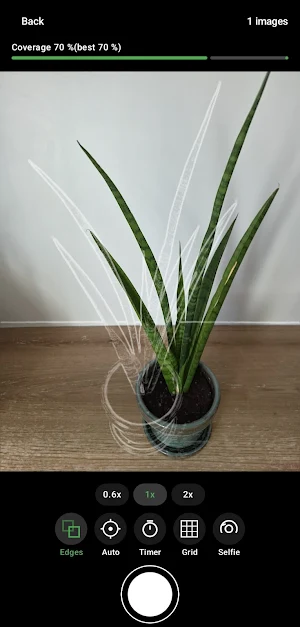
While you shoot, the reference image sits over the live view in three ways:
• Overlay – semi-transparent, for a quick match
• Edges – only the contours as lines, the subject stays clear
• Difference – shows deviations plainly
A coverage reading tells you in percent how closely you match. The auto shutter fires by itself once you are back in the best spot.
REMINDERS THAT MATCH THE LIGHT
Daily, weekly, monthly or every few days – you set the interval. Outdoor projects get something special: the reminder can follow the sun position of your reference image instead of the clock. Over a year, the time of comparable light shifts by hours. Chronikon works it out.
FIND THE PLACE AGAIN
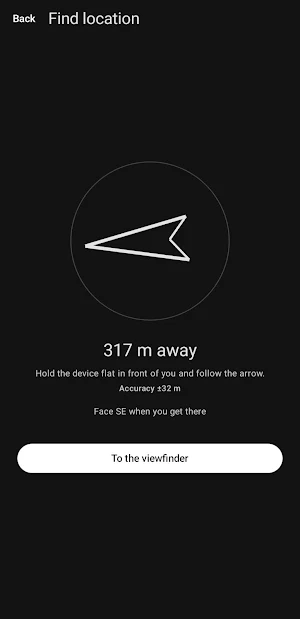
For outdoor work the app can store position and bearing. A dedicated screen guides you back to the capture spot with an arrow and a distance reading.
FROM FRAMES TO VIDEO
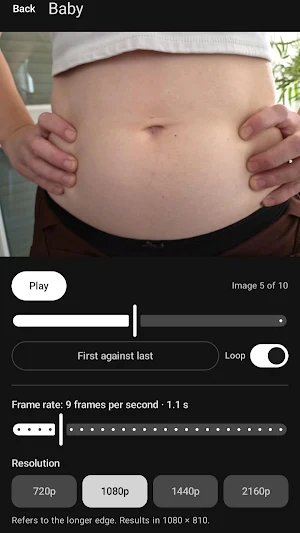
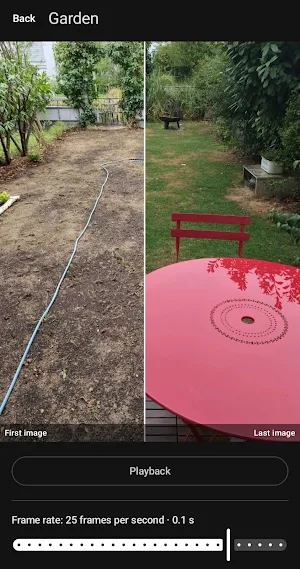
Pick a frame rate, watch it, render it. On request Chronikon compensates the offset between images and matches their brightness so the video doesn't flicker. The finished video lands in your gallery and can be shared.
ALSO INCLUDED
• Import images from your gallery, several at once
• Compare first against last image with a wipe
• Self-timer, grids, zoom steps, tap to focus
• Backup as a ZIP file, destination up to you
• English, German, French, Spanish, Italian
YOUR IMAGES STAY YOURS
No account. No sign-up. No transfer to servers. No advertising. Every project and every image stays on your device.
FREE AND PRO
Free: two projects, one hundred images per project, video with a watermark.
Chronikon Pro, a single payment: as many projects and images as you like, video without a watermark, offset and brightness correction while rendering, backup and restore. Pay once, keep it. No subscription.
Questions and feedback: [email protected]
Similar Apps

AI Face Animator – Move pics
Turn photos into talking videos with realistic AI face animation.

ImageWaveLab: Photo Editor
Layers, masks, retouching and image export—local, offline, no account.

Hair Color Changer & Editor
Try a new hair colour on your photo. 15 shades, works offline, nothing uploaded.

ViewFinder by FilmForce.org
Director's Viewfinder — 240+ Cameras & 1,300+ Lenses, Sun/Moon tracking and more

PhotoMentor: Rate Your Photo
AI photo critique with scores, strengths, and practical ways to improve
Effease - AI Photo Studio
Transform your photos with AI-powered effects.
