
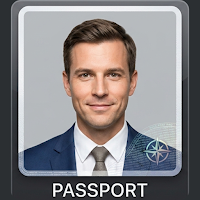
Passport Photo Maker - Visa ID
To Infinity Photography In-app purchases
AI biometric passport picture maker. Background removal.
- Downloads
- 845+
- on Google Play
- Price
- Free
- In-app purchases
- Updated
- Sep 28
- 2026 · v1.0.8
Screenshots


About Passport Photo Maker - Visa ID
WHAT THIS APP DOES
- Crop and resize photos to common passport and ID photo sizes
- On-device AI background removal — replace the background with white or a color of your choice
- Face position guides based on publicly available size specifications
- Save in high resolution to your device for digital use or printing
POPULAR SIZES INCLUDED
- US passport size (2x2 inch or 51x51mm)
- UK passport size (35x45mm)
- Korean Passport (35x45mm)
- 35x45mm
- 2x2 inch
HOW IT WORKS
1. Take a photo or pick one from your gallery
2. On-device AI removes the background and applies a white background
3. Choose your country and document size template
4. Save the result to your device for printing or upload
PRIVACY
- Photos are processed entirely on your device
- We do not upload your photos to any server
- We do not require an account or login
ABOUT THIS APP
This is an independent tool to help you prepare photos. Always check the latest official specifications from the relevant government authority before submitting your photo. Acceptance of any photo is at the sole discretion of the issuing authority — we cannot guarantee approval. This app is not affiliated with, endorsed by, or authorized by any government, embassy, consulate, or any official agency.
WHY USE THIS APP
- Free to start, with an optional one-time in-app purchase to unlock premium features
- Works without an internet connection for the photo editing itself
- No account, no login, no photo uploads
Download Passport Photo Maker to prepare passport-style and visa-style photos from home.
What’s new
Version 1.0.8 · Updated September 28, 2026
• Reinstalled the app or switched phones? Tap Restore to get your purchase back. • Redesigned purchase sheet — clearer options and fewer steps before your photo is saved. • If purchase options are slow to load, the app now retries automatically instead of showing an error. • Longer size names no longer get cut off in the editor's size bar. • A smoother, more reliable checkout throughout.
Alternatives to Passport Photo Maker - Visa ID
Looking for apps like Passport Photo Maker - Visa ID? Here are 3 similar Android apps on Google Play. The highest rated is 큐티한스푼: 큐티 QT 성경 말씀묵상 묵상 (5.0/5), and all 3 are free to download.



| App | Rating | Price | Installs | Last updated | Compare |
|---|---|---|---|---|---|
| Passport Photo Maker - Visa ID | – | Free | 500+ | Sep 28, 2026 | |
| FlinzyShare | – | Free | 10+ | – | Compare |
| Flinzy Photobooth | 4.1 / 5 | Free | 100,000+ | Nov 5, 2026 | Compare |
| 큐티한스푼: 큐티 QT 성경 말씀묵상 묵상 | 5.0 / 5 | Free | 5,000+ | Oct 13, 2026 | Compare |