

Copy Paste Any Text Trial
TheSimplest.Net Productivity
Copy paste any text as long as you can see it on your screen!
- Rating
- 3.4
- 815 ratings
- Downloads
- 122K+
- on Google Play
- Price
- Free
- No in-app purchases
- Updated
- May 19
- 2026
Screenshots
About Copy Paste Any Text Trial
Trial version allows you to copy paste up to 5 times before it expires.
Copy paste any text as long as you can see it on your screen!
Featured in Android Authority's Indie app of the day http://www.androidauthority.com/copy-paste-any-text-instantly-366278/
Frustrated because you can't copy some text to clipboard although it looks like it could? This is the app for you - a universal copy and paste solution for Android!
**Only requirement is that your device is able to take screenshots (Using built in hardware short cut keys (preferred) or third party apps)**
Strong points compare to similar apps:
1) Root is NOT required
2) No complicated setup procedures - some apps require user to connect the device to a PC, download some drivers and go through a set of instructions (often painful) to enable auto screenshot. This procedure has to be repeated every time the device reboots.
3) Not running as background service - launches only when you need it.
4) Nothing in notification bar - some apps adds an unremovable notification in notification bar.
5) No internet connection required after initial download.
6) Landscape mode is fully supported.
Weak points:
1) Doesn't take screenshots automatically
2) Screenshots were left in device, requires manual deletion.
3) URLs don't copy well
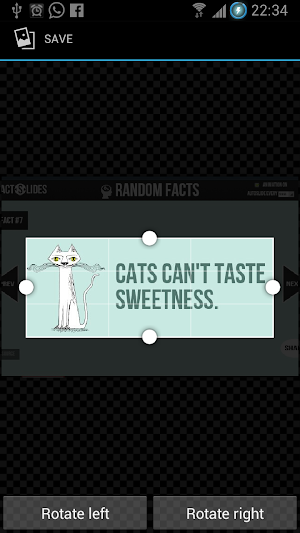
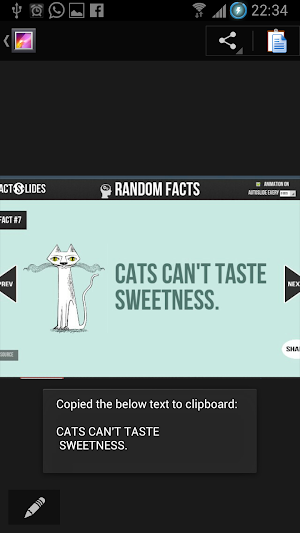
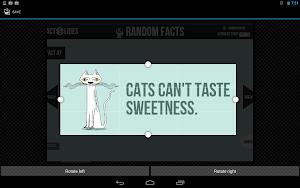
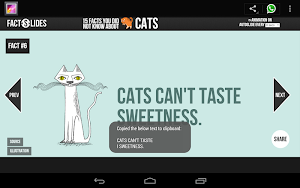
This app uses OCR (Optical Character Recognition) technology to read text from images. Yes it doesn't have to be a screenshot, you may choose any images from your gallery.
Note: OCR result for Arabic, Hindi, Gujarati, Chinese, Japanese and Korean is very bad. (this is due to the OCR engine)
Supports 60 languages:
Afrikaans, Albanian, Ancient Greek, Arabic, Azerbaijani, Bangla/Bengali, Basque, Belarusian, Bulgarian, Catalan, Chinese (Simplified), Chinese (Traditional), Croatian, Czech, Danish, Dutch, English, Esperanto, Estonian, Finnish, French, Galician, German, Greek, Gujarati, Hebrew, Hindi, Hungarian, Icelandic, Indonesian, Italian (Old), Italian, Japanese, Kannada, Korean, Latvian, Lithuanian, Macedonian, Malay, Malayalam, Maltese, Norwegian, Polish, Portuguese, Romanian, Russian, Serbian (Latin), Slovak, Slovenian, Spanish (old), Spanish, Swahili, Swedish, Tagalog, Tamil, Telugu, Thai, Turkish, Ukrainian, Vietnamese
Copy paste any text as long as you can see it on your screen!
Featured in Android Authority's Indie app of the day http://www.androidauthority.com/copy-paste-any-text-instantly-366278/
Frustrated because you can't copy some text to clipboard although it looks like it could? This is the app for you - a universal copy and paste solution for Android!
**Only requirement is that your device is able to take screenshots (Using built in hardware short cut keys (preferred) or third party apps)**
Strong points compare to similar apps:
1) Root is NOT required
2) No complicated setup procedures - some apps require user to connect the device to a PC, download some drivers and go through a set of instructions (often painful) to enable auto screenshot. This procedure has to be repeated every time the device reboots.
3) Not running as background service - launches only when you need it.
4) Nothing in notification bar - some apps adds an unremovable notification in notification bar.
5) No internet connection required after initial download.
6) Landscape mode is fully supported.
Weak points:
1) Doesn't take screenshots automatically
2) Screenshots were left in device, requires manual deletion.
3) URLs don't copy well
This app uses OCR (Optical Character Recognition) technology to read text from images. Yes it doesn't have to be a screenshot, you may choose any images from your gallery.
Note: OCR result for Arabic, Hindi, Gujarati, Chinese, Japanese and Korean is very bad. (this is due to the OCR engine)
Supports 60 languages:
Afrikaans, Albanian, Ancient Greek, Arabic, Azerbaijani, Bangla/Bengali, Basque, Belarusian, Bulgarian, Catalan, Chinese (Simplified), Chinese (Traditional), Croatian, Czech, Danish, Dutch, English, Esperanto, Estonian, Finnish, French, Galician, German, Greek, Gujarati, Hebrew, Hindi, Hungarian, Icelandic, Indonesian, Italian (Old), Italian, Japanese, Kannada, Korean, Latvian, Lithuanian, Macedonian, Malay, Malayalam, Maltese, Norwegian, Polish, Portuguese, Romanian, Russian, Serbian (Latin), Slovak, Slovenian, Spanish (old), Spanish, Swahili, Swedish, Tagalog, Tamil, Telugu, Thai, Turkish, Ukrainian, Vietnamese
What’s new
Updated May 19, 2026
- Updated OCR library from Tesseract 3.0.2 to 4.0.0 for better results. Note that all languages other than the English needs to be re-downloaded via Settings. - Update to support devices on latest Android versions.
User reviews

Fake app

Thank you

Very gud app

great. my assessment run well and easy

Great app

Free
Frequently asked questions
What is the trial version of the app?
The trial version allows you to copy and paste up to 5 times before it expires.
How does the app work?
The app uses OCR (Optical Character Recognition) technology to read text from images, such as screenshots or images in your gallery.
What are the strong points of this app compared to similar ones?
The strong points of this app are that it does not require root access, it has no complicated setup procedures, it does not run as a background service, it does not add an unremovable notification in the notification bar, it does not require an internet connection after initial download, and it fully supports landscape mode.
What are the weak points of this app?
The weak points of this app are that it doesn't take screenshots automatically, screenshots are left in the device and require manual deletion, and URLs do not copy well.
Which languages does this app support?
This app supports 60 languages, including Afrikaans, Albanian, Arabic, Chinese, English, French, German, Hindi, Italian, Japanese, Korean, Russian, Spanish, and many others.
Alternatives to Copy Paste Any Text Trial
Looking for apps like Copy Paste Any Text Trial? Here are 3 similar Android apps on Google Play. The highest rated is Text Extractor:image to text (5.0/5), and all 3 are free to download.



| App | Rating | Price | Installs | Last updated | Compare |
|---|---|---|---|---|---|
| Copy Paste Any Text Trial | 3.4 / 5 | Free | 100,000+ | May 19, 2026 | |
| Clipboard Actions & Notes | 4.4 / 5 | Free | 500,000+ | Jul 11, 2020 | Compare |
| Text Extractor:image to text | 5.0 / 5 | Free | 100,000+ | Jul 25, 2025 | Compare |
| COPY SAVE | 3.8 / 5 | Free | 50,000+ | Oct 26, 2019 | Compare |