
Team Stream
Entertainment
Watch live events from multiple perspectives — or share your own camera.
- Downloads
- 1+
- on Google Play
- Price
- Free
- No in-app purchases
- Updated
- Sep 30
- 2026 · v1.0.0
Screenshots

About Team Stream
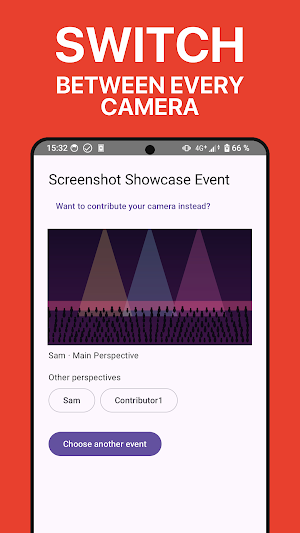
Watch a live event, switch between available camera perspectives, or contribute your own camera directly from your phone.
Instead of relying on a single fixed stream, Team Stream brings together multiple live contributors in one event. Viewers can follow the main perspective chosen by the director or select another available camera themselves.
Watch live
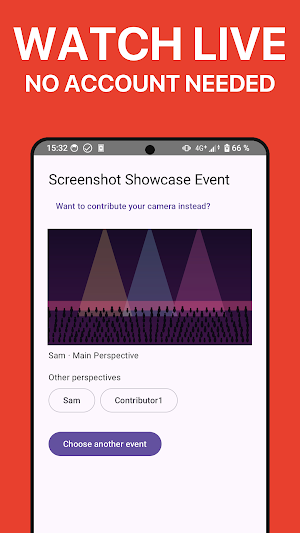
Join an event as a spectator without creating an account. Open the event, watch the live broadcast and switch between available perspectives while the event is running.
Contribute your camera
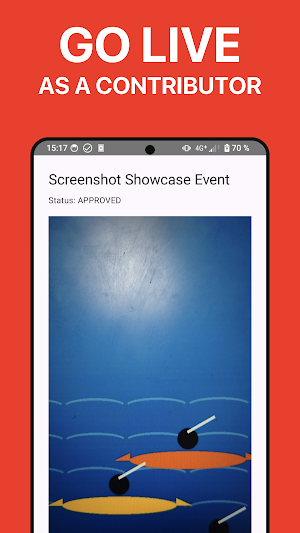
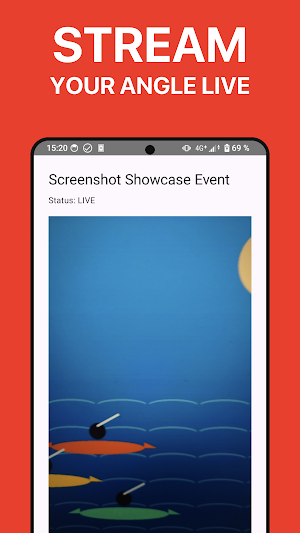
Contributors can sign in, request access to an event and go live after approval by the event director. Once approved, your phone becomes one of the available live camera perspectives.
Multiple perspectives
Every event can include several live contributors. The director can choose the main perspective, while viewers can still select other available cameras independently.
Built for real events
Team Stream is designed for live situations where different people are already in different places around the action — sports events, races, community events, performances and other live experiences.
Simple event access
Events can be opened using an event link or event code. Spectators can start watching without creating an account, while contributor access remains controlled.
Live only
Team Stream is focused on live broadcasting. The service does not provide a built-in video-on-demand library or automatically store your livestreams for later playback.
Director-controlled contributor access
Contributors request permission before joining a broadcast. The event director can approve participants and manage active contributors during the event.
Designed for mobile
Use Team Stream on your phone to watch an event or contribute your own live camera. Camera switching between front and rear cameras is supported while broadcasting.
Team Stream turns one live event into many possible perspectives — all connected in one place.
What’s new
Version 1.0.0 · Updated September 30, 2026
Turn every phone into a camera for your live stream. Team Stream makes multi-camera streaming as easy as starting a group chat: friends add their own angle live, no cables or gear needed. Watching is even easier — open the link, no account, live instantly, and switch between every active camera yourself. Competitions, sports events, family gatherings, or hanging out with friends: every angle, together, live. More clarity for contributors.
Alternatives to Team Stream
Looking for apps like Team Stream? Here are 6 similar Android apps on Google Play. All of them are free to download.






| App | Rating | Price | Installs | Last updated | Compare |
|---|---|---|---|---|---|
| Team Stream | – | Free | 1+ | Sep 30, 2026 | |
| Raid Alert | – | Free | 5+ | Aug 7, 2026 | Compare |
| Kayak Racer | – | Free | 50+ | Oct 28, 2026 | Compare |
| Guitar Speed Trainer | – | Free | 500+ | Oct 15, 2026 | Compare |
| Guitaristy | – | Free | 100+ | Oct 5, 2026 | Compare |
| Elli Rewards Business | – | Free | 50+ | Aug 28, 2026 | Compare |
| Elli Rewards | – | Free | 500+ | – | Compare |
Compare Team Stream with the top alternatives: ratings, updates, ASO score and keyword gaps →