About Fiber Router Manager
Take full control of your home network with Fiber Router Manager, the ultimate companion app for your Huawei Fiber Router. Designed to replace complex and outdated web interfaces, this app provides a sleek, modern, and user-friendly dashboard to manage your internet connection directly from your smartphone.
Whether you want to see who’s stealing your WiFi, check your real-time internet speed, or update your WiFi password while sitting on the couch, Fiber Router Manager makes it effortless.
Main Features:
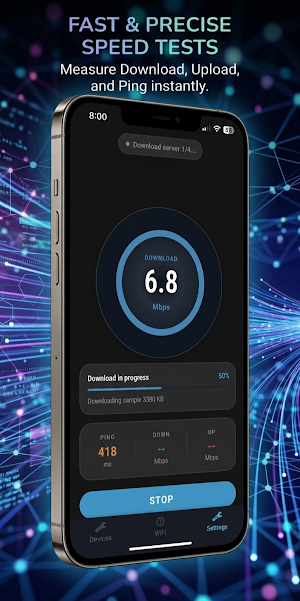
🚀 Real-Time Bandwidth Monitor Stop wondering if your internet is slow. Track your live download and upload speeds with high precision. Our "Live Bandwidth" card gives you a visual representation of your current traffic in Mbps, helping you diagnose lag during gaming or streaming.
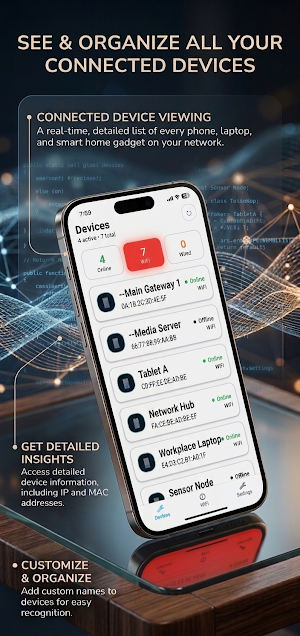
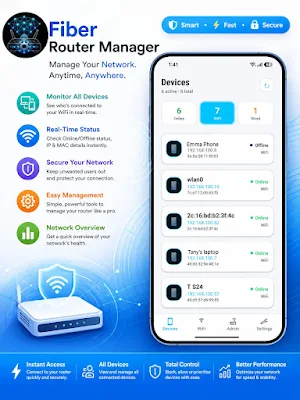
📱 Advanced Device Management See every phone, laptop, and smart device currently connected to your network.
•
Identify Intruders: Spot unknown devices instantly.
•
Custom Naming: Tired of seeing "Unknown-MA-C1"? Rename your devices (e.g., "Dad's Phone" or "Living Room TV") and our app will securely sync these names to the cloud so they are remembered even if you reinstall the app.
🚫 One-Tap Device Blocking Keep your network secure. If you see a device that shouldn't be there, block it with a single tap. Our advanced MAC-filtering integration ensures that blocked users stay off your network until you decide to unblock them.
📊 Detailed Usage Statistics Track your data consumption like a pro. Monitor your total data usage for Today and for the Entire Month. This feature is perfect for users on limited fiber plans who want to avoid overage charges.
🔐 WiFi Settings at Your Fingertips Change your WiFi Name (SSID) or Password in seconds. No more memorizing "192.168.100.1" or navigating through nested menus—everything you need is on one screen.
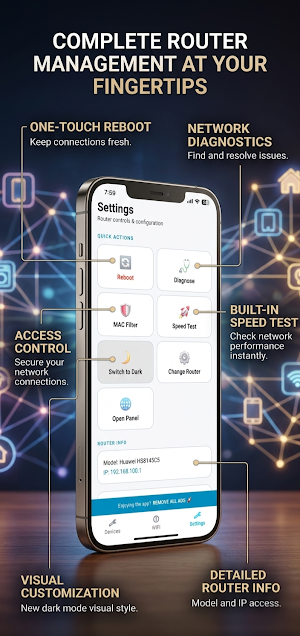
🛠️ Remote Router Tools
•
Reboot: Refresh your connection by rebooting your router directly from the app.
•
Diagnostics: Run a "Smart Diagnosis" to check the health of your fiber line and WAN status.
•
Huawei Optimized: Includes specific fixes and logic for Huawei's unique security tokens and session management.
🌙 Seamless Dark & Light Mode Whether you prefer a crisp white interface or a battery-saving dark mode, the app adapts to your system settings. We've optimized the "Internet Usage" screen with vibrant light-blue accents for maximum readability.
How to Use:
1.
Connect your phone to your Huawei Router's WiFi.
2.
Open the app and log in using your router's admin credentials (usually found on the sticker at the back of the device).
3.
Start managing your network with ease!
Similar Apps

Korean Name Romanizer
Convert a Korean name to English — passport spelling + Revised Romanization.

QR Code Super Handy
QRCode Super Handy is built to make scanning easier, faster, and more convenient

Astenmeds
Advanced pharmacy analytics for sales, stock, and profit insights.
AnMonitor
Monitor the energy flow for DESSMonitor (SmartESS) inverters.

Relabook
A simple, secure local CRM for managing contacts and relationship networks.

E-Write NFC
NFC Tool for Axiomatic Devices