

FadeCAM
Photography
Recreate your pictures with FadeCAM
- Downloads
- 5+
- on Google Play
- Price
- $0.99
- No in-app purchases
- Updated
- Nov 26
- 2022 · v1.0.0
Screenshots


About FadeCAM
The FadeCAM app is here and it will help you to create good faded pictures.
It is a simple camera app.
With FadeCAM you can recreate your favourite photos from a good holiday for example.
Imagine: You photographed a tree in the winter and now you want to photograph it in the summer. This app helps you to do it with very easy usage.
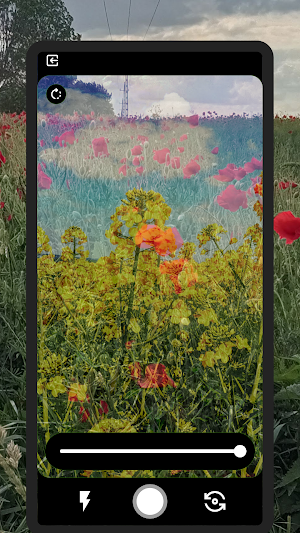
You can fade two pictures into one to check the camera's settings to recreate the picture. You can do anything.
So how does it work?
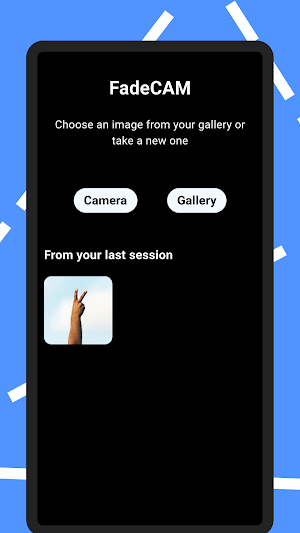
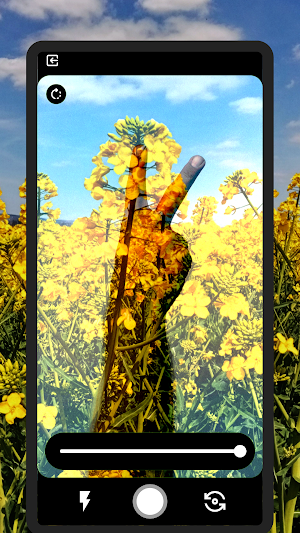
You load an image into the app and you can see the loaded image as a transparent image.
With this function, you can recreate the picture. You don't need to print it and put it on your phone's screen.
You can also set the transparency with a slider.
If you'd like to use the app and you don't know where to start here are some easy steps
1. Load an image from your gallery or take one.
2. Use the slider on the bottom of the screen and see the magic 🪄
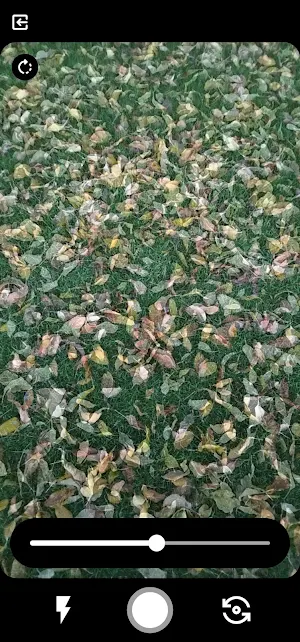
3. Take photos with the white button and enjoy the app.
You can flip the faded image with the circular arrow button and you can also use the front or main cameras.
After that, all the images (the faded and the originals) will appear in your gallery.
The app does not collect any information about you!
It is a simple camera app.
With FadeCAM you can recreate your favourite photos from a good holiday for example.
Imagine: You photographed a tree in the winter and now you want to photograph it in the summer. This app helps you to do it with very easy usage.
You can fade two pictures into one to check the camera's settings to recreate the picture. You can do anything.
So how does it work?
You load an image into the app and you can see the loaded image as a transparent image.
With this function, you can recreate the picture. You don't need to print it and put it on your phone's screen.
You can also set the transparency with a slider.
If you'd like to use the app and you don't know where to start here are some easy steps
1. Load an image from your gallery or take one.
2. Use the slider on the bottom of the screen and see the magic 🪄
3. Take photos with the white button and enjoy the app.
You can flip the faded image with the circular arrow button and you can also use the front or main cameras.
After that, all the images (the faded and the originals) will appear in your gallery.
The app does not collect any information about you!
What’s new
Version 1.0.0 · Updated November 26, 2022
FadeCAM is here! Now you can recreate your pictures with this app by compairing the inside of the application.
Alternatives to FadeCAM
Looking for apps like FadeCAM? Here are 6 similar Android apps on Google Play. All of them are free to download.
-
The ULTIMATE Ball Game
-
The ULTIMATE Floppy Disk Game
-
Zseblecke
-
AirPaste
-
Madárnyelv App
-
Tom the Pigeon
| App | Rating | Price | Installs | Last updated | Compare |
|---|---|---|---|---|---|
| FadeCAM | – | $0.99 | 5+ | Nov 26, 2022 | |
| The ULTIMATE Ball Game | – | Free | 1+ | – | Compare |
| The ULTIMATE Floppy Disk Game | – | Free | 100+ | Mar 11, 2023 | Compare |
| Zseblecke | – | Free | 10+ | Nov 1, 2022 | Compare |
| AirPaste | – | Free | 10+ | Apr 30, 2022 | Compare |
| Madárnyelv App | – | Free | 10+ | Jan 28, 2022 | Compare |
| Tom the Pigeon | – | Free | 500+ | Apr 18, 2022 | Compare |
Compare FadeCAM with the top alternatives: ratings, updates, ASO score and keyword gaps →