
Blur Video
Video Players & Editors
Blur backgrounds, faces, and objects in your video using a variety of effects
- Rating
- 4.3
- 118 ratings
- Downloads
- 6.7K+
- on Google Play
- Price
- Free
- No in-app purchases
- Updated
- May 6
- 2026 · v1.0.8
Screenshots


About Blur Video
Blur Video is a powerful blurring app and censor app designed for effortless privacy and creative flair. Whether you need a reliable blur face app or a professional blur video editor, this tool delivers high-quality results with ease of use.
Seamless Face Blur & Privacy:
- Protecting identities is easy with our advanced face blur video tool.
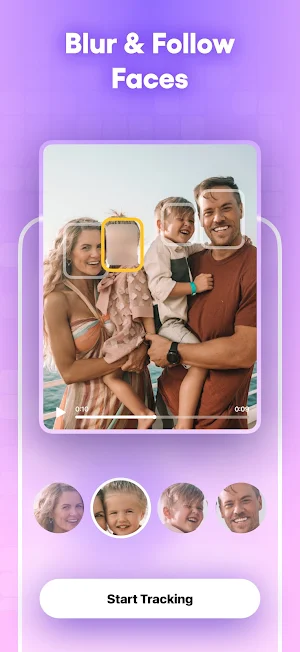
- Blur Face in Video: Use AI to automatically blur face or blur faces with real-time motion tracking.
- Video Face Blur: Perfect for crowds, the face blur feature handles multiple people at once.
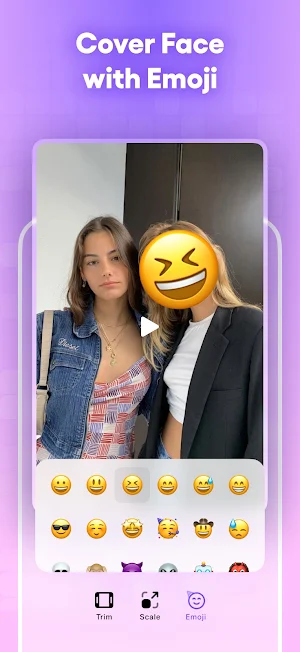
- Creative Censor: Swap a standard video mosaic for emojis to keep content engaging.
Dynamic Blur Effect & Blurry Filter Styles
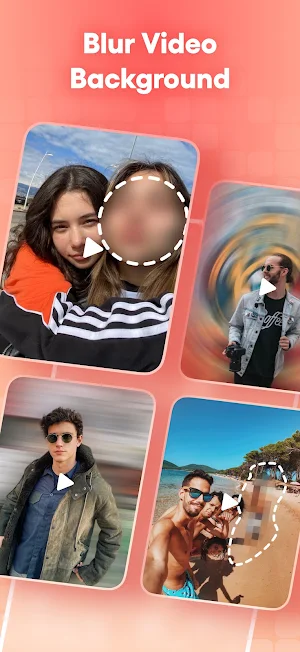
- Blur Video Background: Instantly blur background video to make your subject stand out.
- Filter Variety: Choose a blurry filter, pixelate, or crystalize style to customize your video blur.
- Total Control: Use the blur editor to adjust edge smoothness and intensity, helping you fix blurry video mistakes or refine your blur effect.
Precision Shape Blur
- Shape Blur: Manually target specific areas with point blur to hide logos or sensitive data.
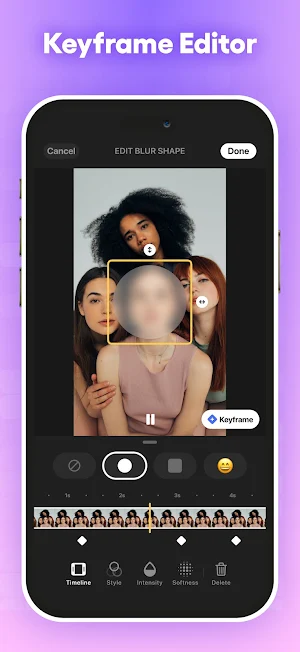
- Blur Video Tools: Add keyframes to move the blur area and follow specific objects as they move.
- Blur Control: Adjust the size of your video mosaic or blurring app effects with pixel-perfect accuracy.
Seamless Face Blur & Privacy:
- Protecting identities is easy with our advanced face blur video tool.
- Blur Face in Video: Use AI to automatically blur face or blur faces with real-time motion tracking.
- Video Face Blur: Perfect for crowds, the face blur feature handles multiple people at once.
- Creative Censor: Swap a standard video mosaic for emojis to keep content engaging.
Dynamic Blur Effect & Blurry Filter Styles
- Blur Video Background: Instantly blur background video to make your subject stand out.
- Filter Variety: Choose a blurry filter, pixelate, or crystalize style to customize your video blur.
- Total Control: Use the blur editor to adjust edge smoothness and intensity, helping you fix blurry video mistakes or refine your blur effect.
Precision Shape Blur
- Shape Blur: Manually target specific areas with point blur to hide logos or sensitive data.
- Blur Video Tools: Add keyframes to move the blur area and follow specific objects as they move.
- Blur Control: Adjust the size of your video mosaic or blurring app effects with pixel-perfect accuracy.
Alternatives to Blur Video
Looking for apps like Blur Video? Here are 5 similar Android apps on Google Play. The highest rated is Video Speed Editor (4.9/5).




| App | Rating | Price | Installs | Last updated | Compare |
|---|---|---|---|---|---|
| Blur Video | 4.3 / 5 | Free | 5,000+ | May 6, 2026 | |
| Video Speed Editor | 4.9 / 5 | 4.99 USD | 10,000+ | Dec 12, 2025 | Compare |
| Push Up Counter | – | 2.99 USD | 1,000+ | – | Compare |
| Pill Counter | – | 2.99 USD | 1,000+ | Dec 16, 2025 | Compare |
| Reverse Video | 4.7 / 5 | 2.99 USD | 10,000+ | Nov 10, 2025 | Compare |
| Image Resizer | 4.8 / 5 | 2.99 USD | 10,000+ | – | Compare |
Compare Blur Video with the top alternatives: ratings, updates, ASO score and keyword gaps →